Image issues with Brizy

Hi there we are having issues where the images are no longer visible on the front end of our brizy templates, or sometimes even serving an image that we have used in Brizy instead of an entire page, like the blog's homepage.
If you go to the editor section and you click on an image you can see there is a different image being pushed into an image field than that which displays. This is a recent phenomenon.
The video shows the issue we are having:
https://www.loom.com/share/6eab0eb725d54327984ef6f26c2ac1c9?sid=dbc55c35-3c1d-4f83-b77c-da3c58bd1cfc
We are not sure where to go with this or what to do next. The page had the right images because I added them, and now it doesn’t.
What steps would you take to resolve this? And assume we have done the obvious steps like resetting other plugins, I show It in the video.
-

Hi David,
You are currently using Brizy 2.4.35. The corresponding Brizy Pro version is Brizy Pro 2.4.32.
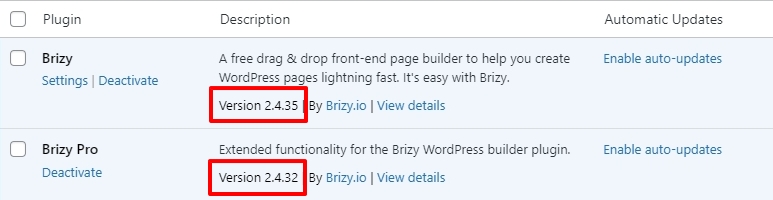
Please download Brizy Pro 2.4.32 from your brizy.io account.

Deactivate and delete current Brizy Pro plugin and upload Brizy Pro 2.4.32 and check if the issue resolves.
0 -
We have that updated
Issue exists still
Incredible latency of the plugin edit brizy section to load:
We have removed all images from a template
We have tried adding new images after doing this
We have removed offending images from the libraryWe have tried to clone the template but even your own icon library isn’t working.
0 -
Hi David,
Do you have a staging site where we can take a look at this issue?
0
Please sign in to leave a comment.
Comments
3 comments