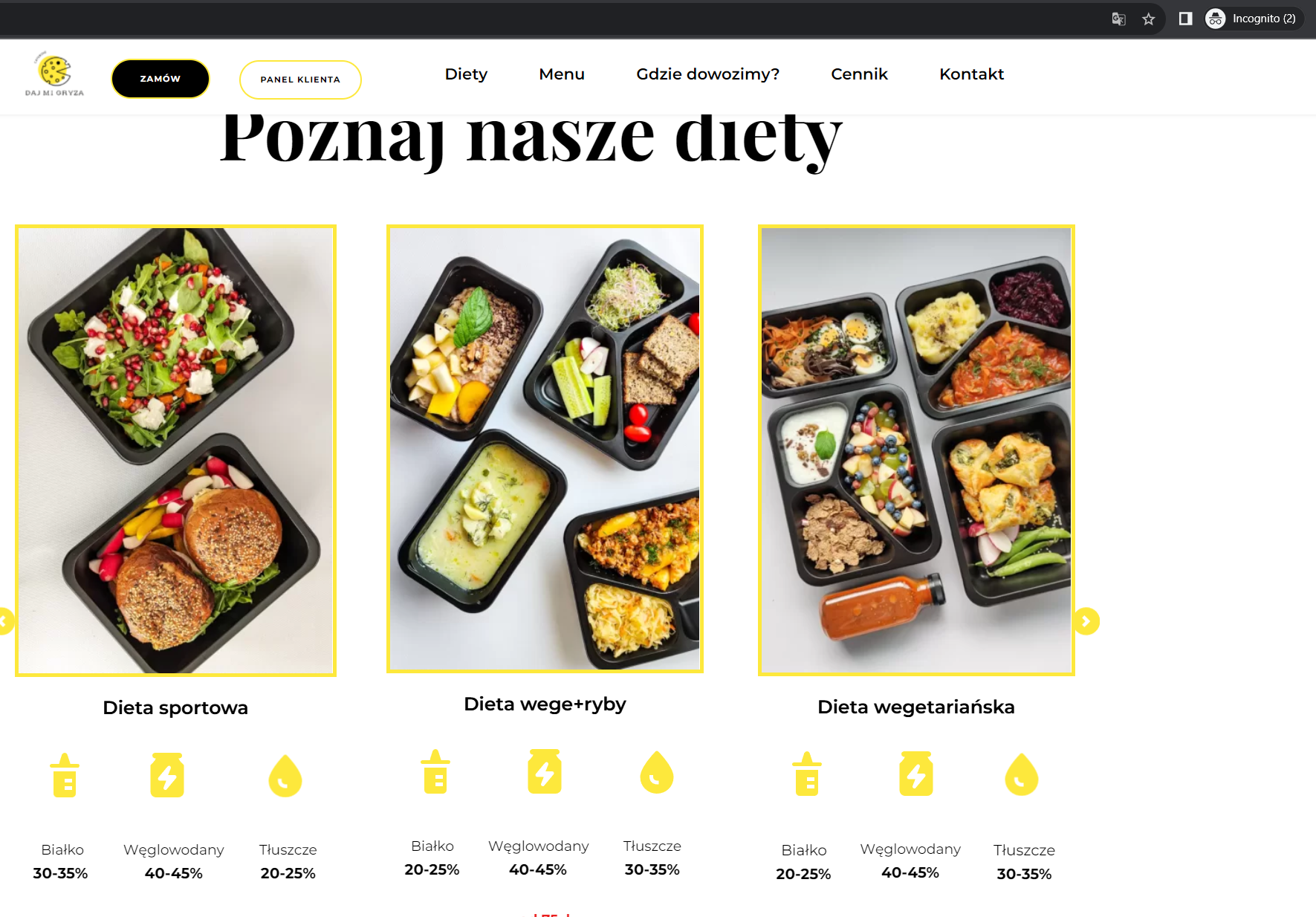
the photo carousel is not displayed

one of the blocks containing photos in the carousel is not visible on the website.
After updating, the problem still persists. There have been no new plugins installed recently
-

Hi Mateusz,
Can you deactivate these plugins and check if the issue persists?
- Jetpack
- Jetpack Boost
- Wp Smush
After deactivating the above plugins, if the issue resolves, please reactivate one plugin at a time and identify the plugin that causes a conflict with Brizy
0 -
Unfortunately, after disabling these plug-ins, the problem did not disappear
0 -

Hi Mateusz,,
Thank you for the update.
This is something we need to inspect from your WP Admin page. Please add us as an Admin user to your WordPress Dashboard and send the following details to: communitysupport@brizy.io
Community Post link: https://support.brizy.io/hc/en-us/community/posts/15608892501266
WordPress Admin URL:
Username:
Password:Please make a full backup of your site as a precaution.
Best regards,
Ariel H.0 -
done
0 -
Hi Mateusz,
Thank you for your cooperation.
Upon checking, it seems that the problem is caused by the LiteSpeed Cache plugin. When this plugin is disabled, the issue no longer occurs.
If you still want to use it, you might need to adjust the settings to potentially resolve the problem.
Additionally, I noticed that you have multiple optimization plugins enabled on your website, including JetPack, JetPack Boost, and Smush, which offer similar website optimization features. Having multiple plugins with overlapping functionalities can potentially lead to conflicts. To avoid such conflicts, I suggest selecting one of these plugins to use for optimization purposes.
If you have any further questions, please let us know.
Best regards,
Ariel H.0
Please sign in to leave a comment.
Comments
5 comments