Woocommerce - Categories without images

I'm simply trying to add categories along the top of my product page so people can navigate to other places. (See this example from Coldplay.) I want to remove the images and just have the words linked. Is there a way to remove images from the categories element??
Thanks!
-

Hi Paul,
To replicate this layout, please follow these instructions:
1. Go to Appearance → Menus and create a menu called 'categories'.2. Under the 'Product Categories' section, click on 'Select All' to choose all categories, then click the 'Add' button.
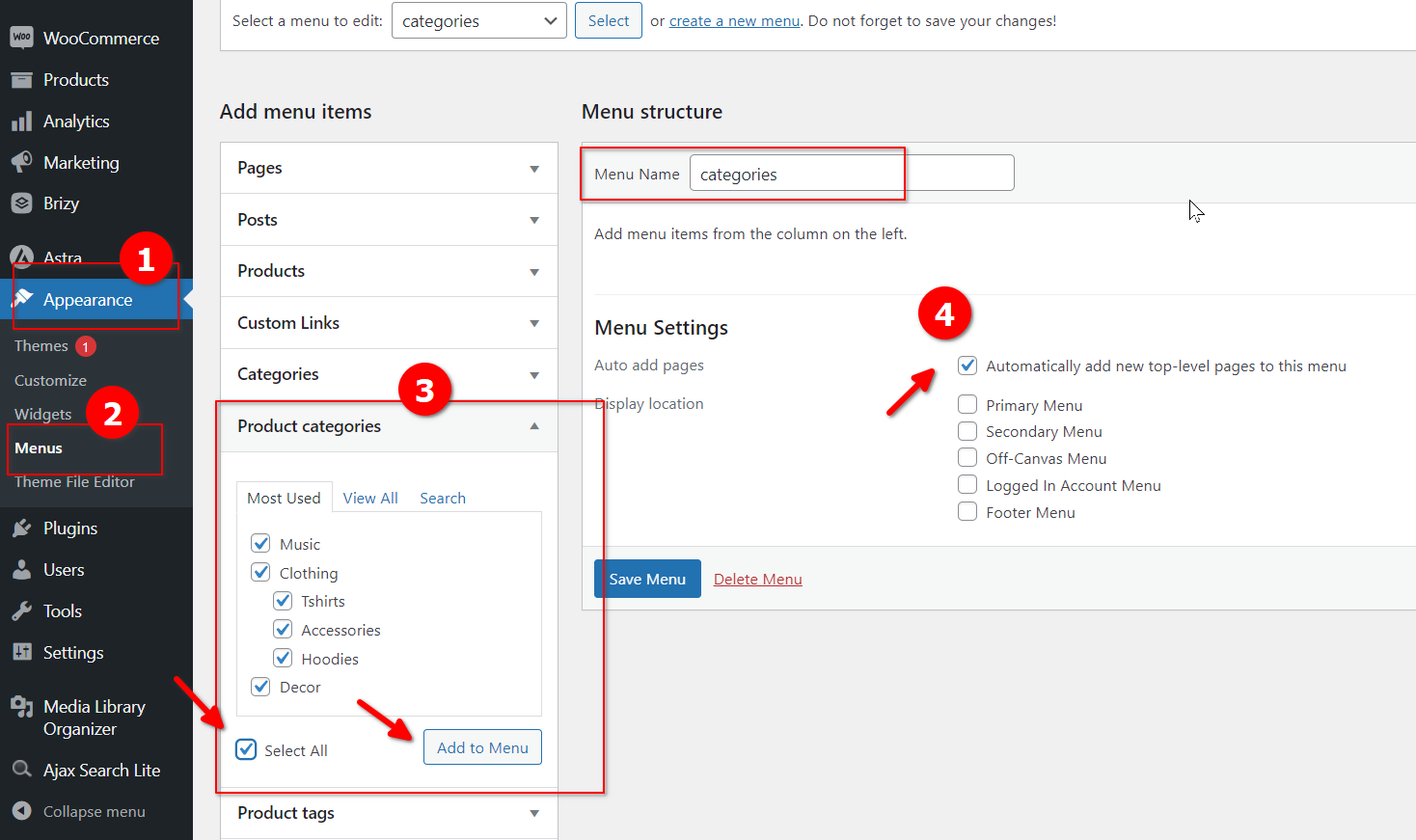
3. Your new menu should now display all categories. You can rearrange them as needed, including any sub-categories. Don't forget to check the box that says "Automatically add new top-level pages into this" and save your changes.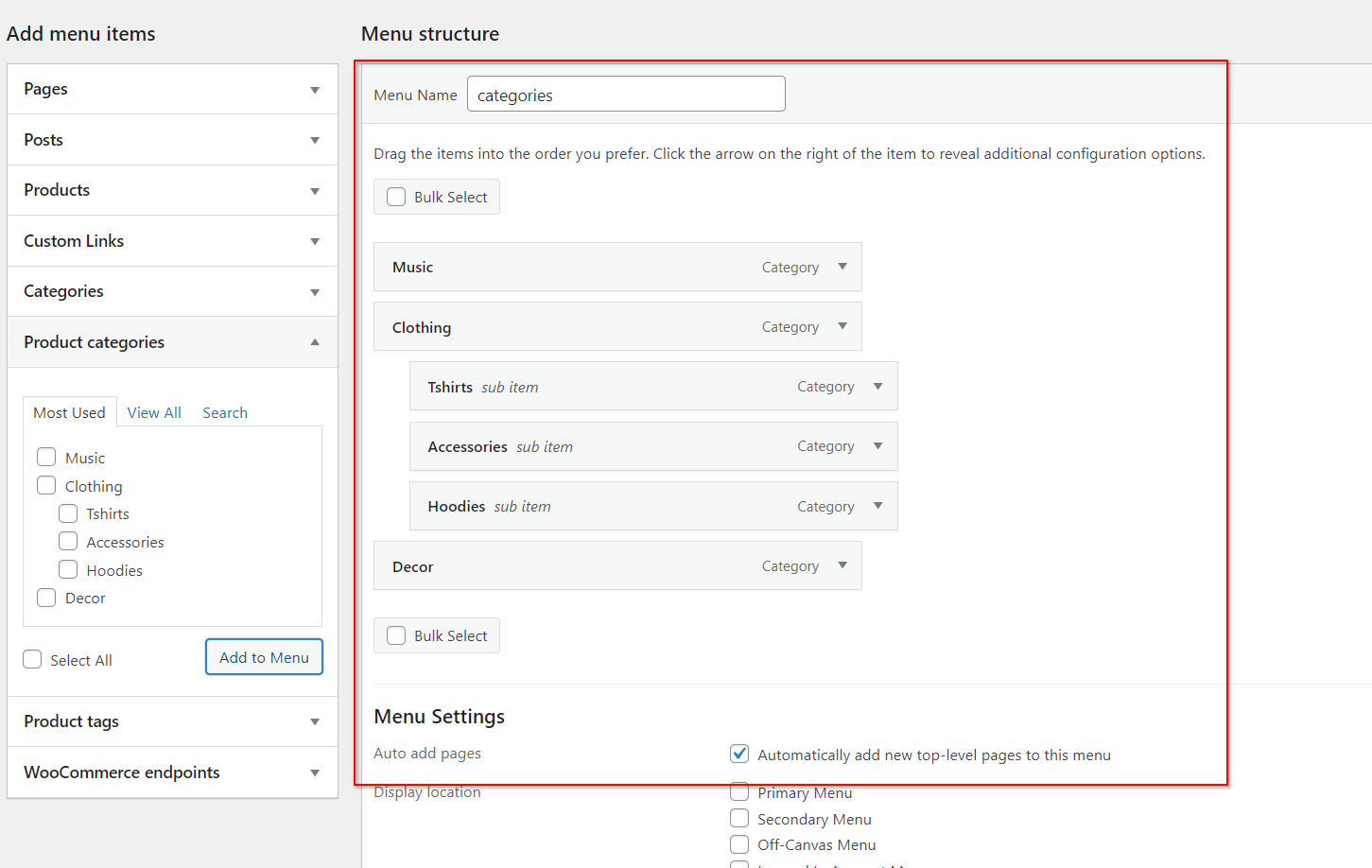
4. In your Product dynamic template, add the menu element and select the 'categories' menu you just created.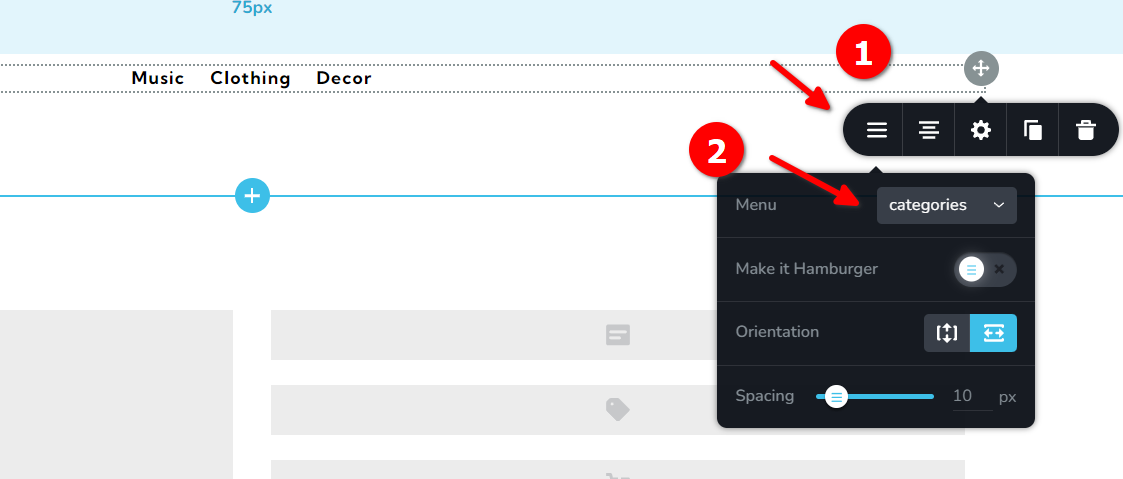
5. This is how the categories menu will appear in your dynamic template.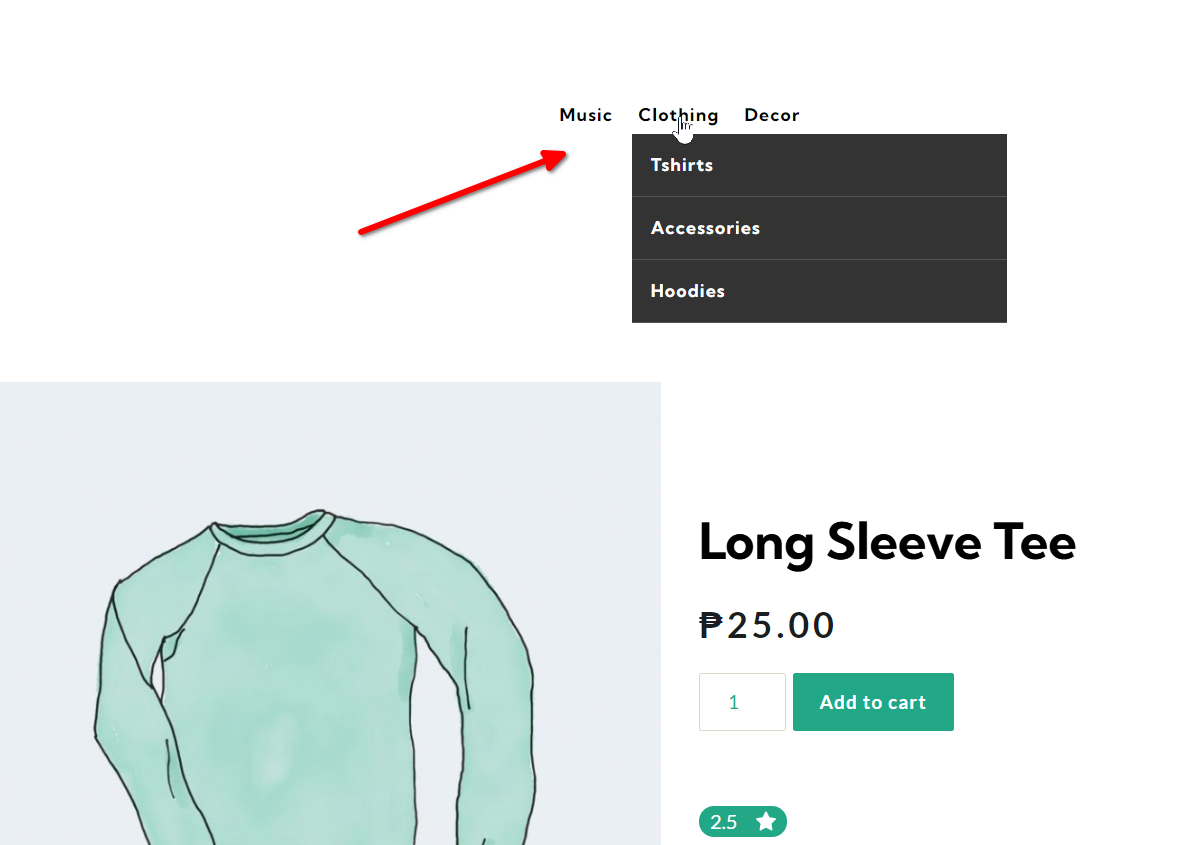
I hope these instructions are clear and helpful.Best regards,
Ariel H.0 -
Super helpful! Thank you!
0
Please sign in to leave a comment.
Comments
2 comments