Woocommerce Cart – Stuck with stock

Hello,
I'm putting together a woocommerce store and the cart always has the stock items next to it—which messes with the formatting and is uneditable in Brizy. I really just want to use the "stock" element to display it elsewhere on the page so that the quantity and add to cart button are the only elements.
Is there a fix for this yet?
Thanks!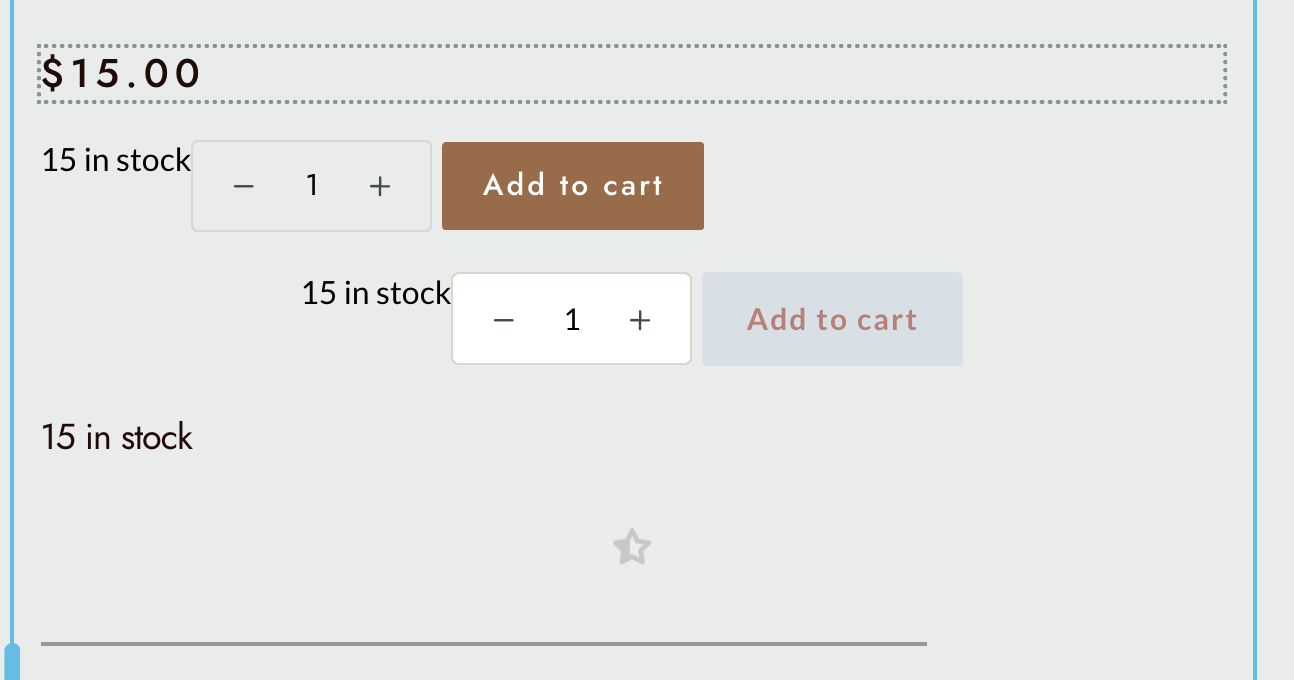
-

Hi Paul,
Thank you for reaching out to us.
Could you please try to disable the display of remaining stocks by following these steps: Go to WooCommerce ⇾ Settings ⇾ Inventory ⇾ and set the Stock display format to "Never show quantity remaining in stock."
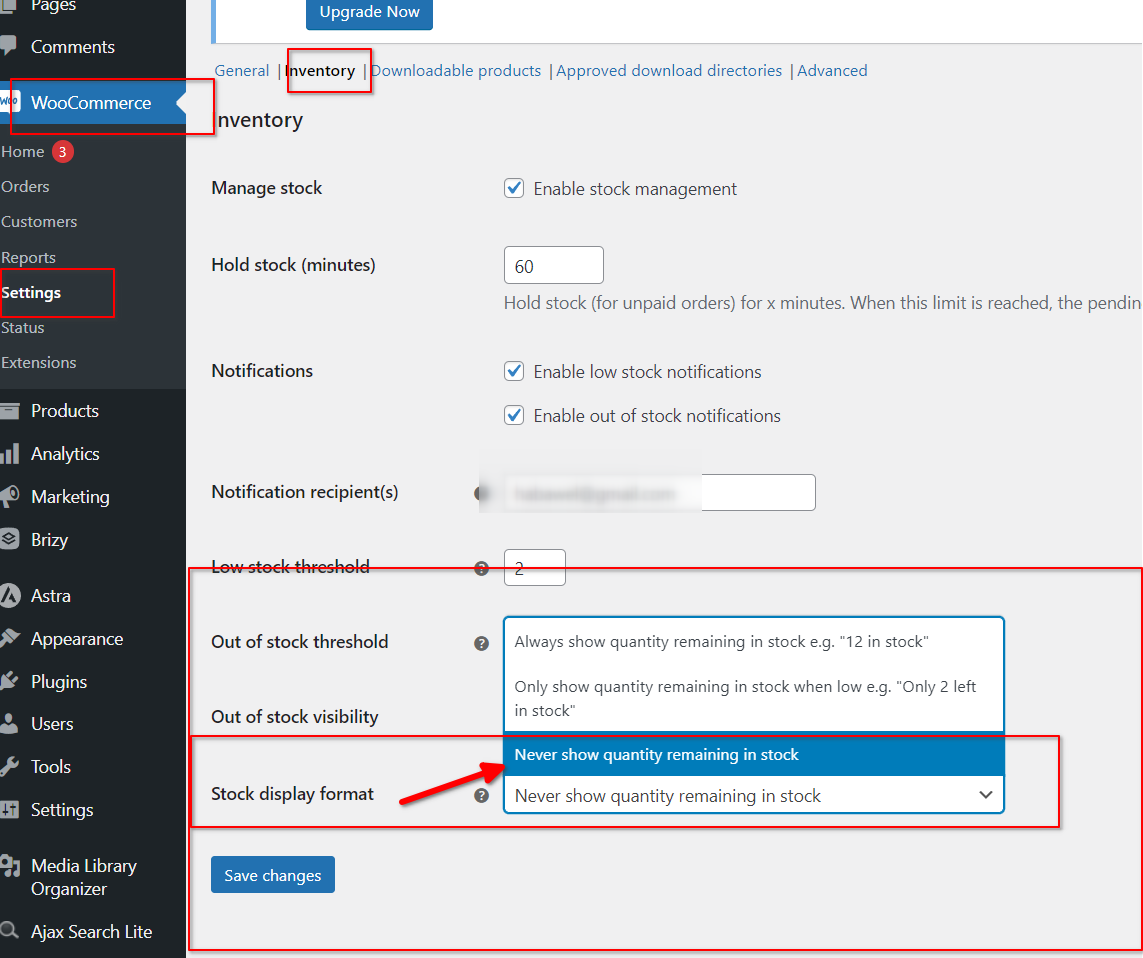
If this doesn't resolve the issue, please let me know if you experience the same problem when temporarily switching to another theme. It's possible that the issue is related to your current theme.
Please try this and let me know how it goes.
Best regards,
Ariel H.0 -
If I make that change, it removed the number "15" but still says "in stock."
I'm able to make it disappear if I uncheck "enable stock management" but that's not helpful when I want to know on the back end if there is still stock.
Any other ideas?
0 -
Hi Paul,
Thank you for the update.
To assist you further, could you please let us know the theme you're currently using? This will allow us to check if there's an option within the theme settings to disable it. If not, we can still provide you with a custom CSS code to hide the element.
Best regards,
Ariel H.0 -
Yes, I'm using Blocksy.
0 -

Hi Paul,
Please try adding this CSS in Additional CSS under theme customizer and check if the stock quantity gets hidden in our product page.
p.stock.in-stock {
display: none;
}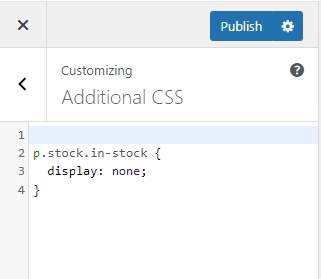 0
0
Please sign in to leave a comment.
Comments
5 comments