Every time I Update I get this error

I have upped my memeory in my C panel and I have reinstalled the wordpress
software on my page. It is very annoying and I need help.
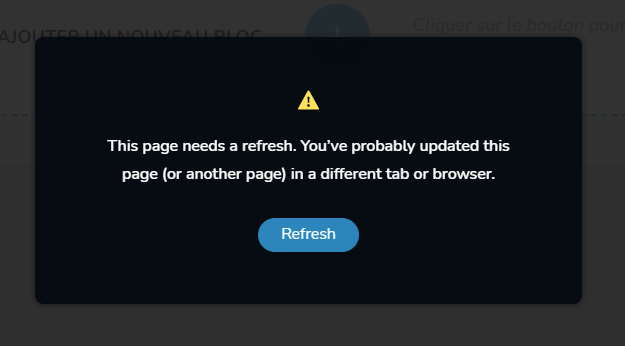
-

Hi Roy,
We apologize for the inconvenience. The error normally indicates that a software in your hosting server environment is interfering with Brizy editing. To fix the problem, please log into your hosting account and verify if any of this software is turned on in your server management system (like cPanel). Disable these systems one at a time and see if that makes a difference.
- Security system
- Malware protection
- Firewall
- DDOS
Please also check if you have installed a plugin which accomplishes a similar purpose in your WordPress Dashboard. Deactivate each plugin one by one to see if the error disappears. Once you identify the interfering software, relax the security restrictions to allow Brizy editing, in consultation with your hosting company.
If you have embedded external code, please remove the code and see if that helps.
Please contact us again if you need assistance in identifying the interfering software. We will require access to your WordPress Dashboard to troubleshoot this for you.
0 -
Server has been verified to be set up correctly and still getting the error
0 -
Hi Roy
Can you please share the URL of your website where you are facing this issue?
0 -
Hi Roy,
Looks like you are hosting with InMotion Hosting. Can you please check if you have enabled ModSecurity in your hosting cPanel? If it is enabled, please disable it and check if the issue gets resolved.
Please have a look at this article for the procedure. How to Disable ModSecurity in cPanel
0

Please sign in to leave a comment.
Comments
5 comments