Hover effect problem

1. I create a hover effect for an icon, it works perfectly. if I give the icon a link, the hover effect does not work. This only happens with the icon.
2. I set a hover effect for a column, the margin setting changes. I took a picture.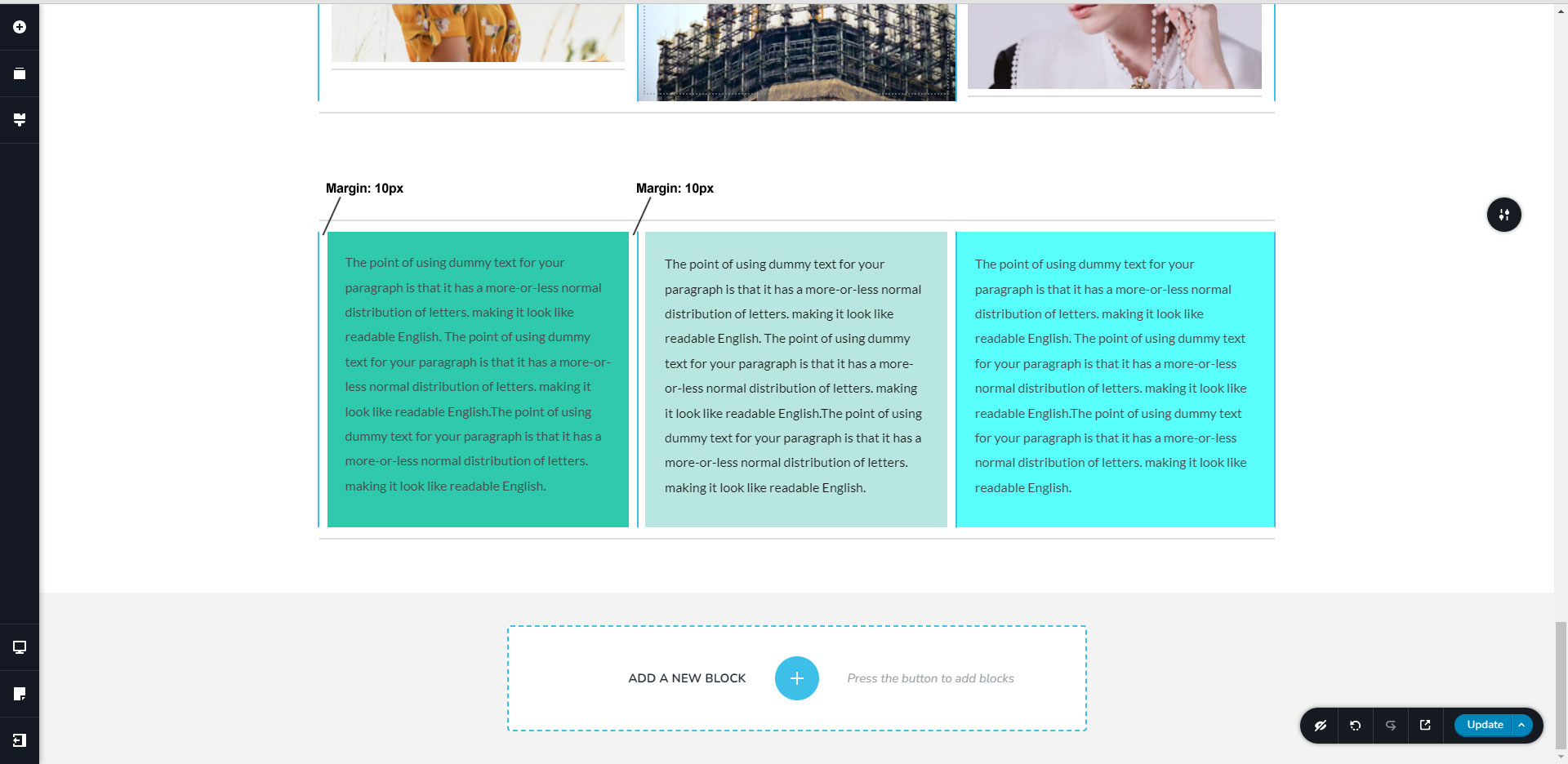

-

Hi Arcom,
Thank you for reaching out to us.
I'm sorry, but I'm having trouble replicating the issues you've mentioned. To help us better understand and replicate the issue, could you create a short screencast showing the issue you're experiencing? This will give us a better understanding of the issue and possibly offer a solution. You can use loom.com to create the screencast.
I am looking forward to your response.
Best regards,
Ariel H.0 -
Hi,
Thank you for your cooperation, Unfortunately, we are unable to view the screencast you shared.
Please set the General Access to "Anyone with the link" and set it to viewer. Please adjust the General Access settings to "Anyone with the link" and set the access level to "viewer".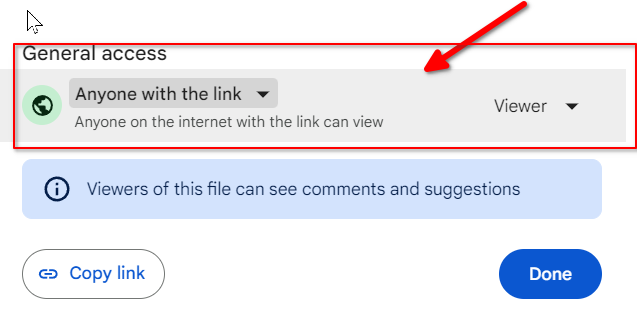
Rest assured, we won't publish the link on this support forum if you prefer to keep it private.
Best regards,
Ariel H.0 -
Hi,
Thank you for taking the time to make the screencast.
I would like to confirm that this issue was already raised to our developers, so this can be fixed as soon as possible. I will get back to you as soon as I have an update.
Kind regards,
Ariel H.0 -
Thanks, okay
0 -

Hi, I would like to confirm, that this problem still exists in Brizy WP 2.4.41 (and Pro 2.4.36). Whenever I add Hover effect to a column or a row for example, hover effect works, but it stops working after I add a link in the row settings – which then makes it meaningless to have a hover effect on an element that doesn't point anywhere...
Workaround is to inser the link to an image which is inside the row or column for example... yet it is noncomfortable ofcourse and time consuming.
0 -
Hi Marek,
Thank you for staying in touch.
I apologize for the delay in addressing your request. Due to shifting priorities, we have not made progress on this matter. Nevertheless, please be assured that your request is still open. However, we are currently unable to provide an exact date for when this will be fixed. I will give an update on this support thread as soon as I hear of any progress on this issue.
Best regards,
Ariel H.0 -

Hi
I have a similar problem. When adding a hover effect to a column, the "Raise Up" effect works correctly until you add a link. After adding a link to the column, the effect does not work.
0 -
Hi Timur,
Thank you for reaching out to us.
Sorry for the inconvenience. This should be fixed in one of our upcoming future updates.
Best regards,
Ariel H.0 -

I have the same issue with Flipbox element.
Adding a link on the box will ignore the hover effect...
Any plan of fixing this?
Thank you team!
Tristan0 -
Hi Tristan,
Thanks for bringing this up. This isn’t a bug but rather a limitation of how browsers handle links. When the entire container is linked, it can block hover effects like the flipbox animation.
Our developers are already aware of this issue, but unfortunately, we don’t have a fix at the moment. As a workaround, instead of wrapping the whole container in a link, we recommend adding a button or link inside the flipbox’s front or back where users can click to go to the external site.
Best regards,
Ariel H.0 -
Hi Ariel,
I did add a button inside the flipbox, however it is a bad user experience... a small clickable button is not convenient for the user in this case.
Instead, I added another container inside the flipbox that would be used for the link and remove all the padding/margin to make sure this container take the full size of the flipbox.
This workaround works perfectly, however it is not easy to set up.
It would be much better if Brizy team could solve the issue with flipbox/link
Best regards,
Tristan0 -
Hi Tristan,
Thanks for your feedback and for sharing your workaround. We’ll pass your suggestion on to our senior support team for consideration.
If you need further assistance, feel free to reach out.
Best regards,
Ariel H.0 -

I just added to this thread, having the same problem, but just figured it out, and am sharing in case anyone else happens upon this thread.
I had this exact same issue, but when looking at the design, I realized that the link was applied at several levels (at the module level, and at multiple div levels). I'm guessing the added layers caused some complications.
I recommend going back into your designs and checking to see where the URL is applied. If it is applied in multiple areas, remove them by clicking all the URL options and selecting "None." This will reset everything, so you can add a new url. I recommend adding the url at the div level (either on a row div or a column div).0
Please sign in to leave a comment.
Comments
14 comments