GMAIL DISABLED LESS SECURED APPS ALMOST YEAR AGO

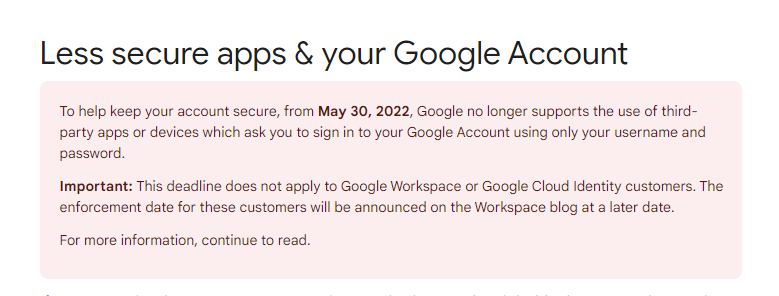
https://support.google.com/accounts/answer/6010255?hl=en
What should I do to connect Gmail now?
-

Hi Alexander,
You are right; Google has disabled the Less secure App option. To send out form Email Notifications through Gmail, you must now authenticate using your Gmail address and your Google App Password. Our Knowledgebase article Email notification via Gmail was outdated. I have now updated it.
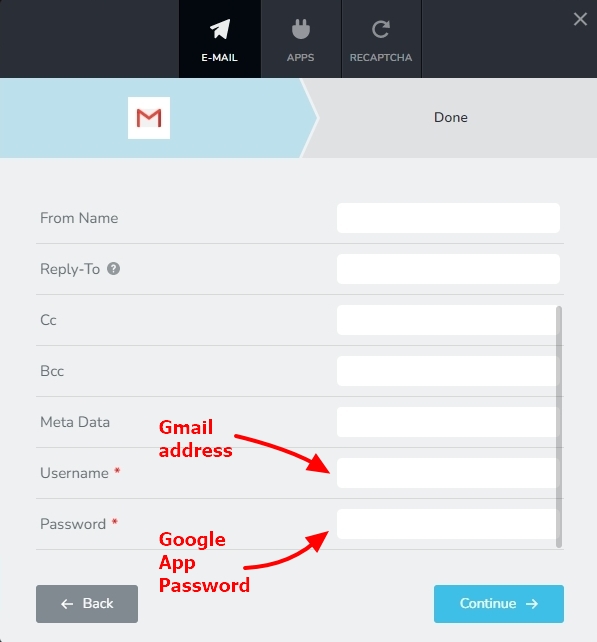
Please checkout the above article for the revised procedure to send out Email Notification through your Gmail account. If you have questions about the revised procedure, please get back to us.
0 -

Hi KC
1. I just discovered my contact form has failed to send leads for two months so I need to quickly fix the issues.
2. With Google retiring Gmail integration via “Less Secure Apps” by end Sept, I generated the 16-digit Google password and followed steps you updated in https://support.brizy.io/hc/en-us/articles/360044216151-Email-notification-via-Gmail.
The message I got says “You have successfully connect the form with Gmail” but the contact form keeps saying “Message Not Sent”.
How can I fix the situation?
0 -
Hi Albert,
Kindly share with is the URL of the page where you are seeing the error.
0 -
Hi KC
The contact form URL: https://www.linde-mh.com.sg/contact-us/ 1. Additionally: I did some test enquiries on the contact form yesterday and the Brizy leads dashboard shows the test enquiries BUTa. The error message of "Not Sent" appears after sending;b. The sales email address did not receive the test enquiries.I can send the Admin access.2. I just found out that 2 other sites' contact forms with Gmail integration via “Less Secure Apps” have also stopped sending enquiries with the "Message Not Sent" error.Thanks!0 -
Hi Albert,
I tested the form on your contact page. I see "SMTP Error: Could not authenticate" in Chrome DevTools. Have a look at https://jmp.sh/KC3p7fCn
Kindly regenerate the Google App Password, paste it into the Brizy form and check again.
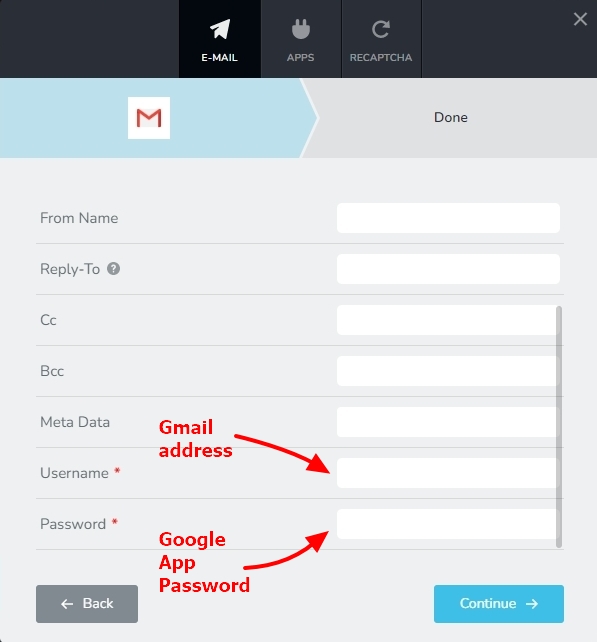 0
0 -
Thanks KC for your prompt help.
I have regenerated the password and my test message still cannot get through. BUT the messages are shown in the Brizy Leads (previously not captured). I saw a customer sending multiple messages today due to the Error message.
Please help. Should I give you the admin credentials to have a look?
0 -
Hi Albert,
Sure; we will take a look. Please add a new user to your WordPress Dashboard and send the following details to our email: communitysupport@brizy.io
- Support Forum link: https://support.brizy.io/hc/en-us/community/posts/15550579718929
- WordPress Admin URL:
- Username
- Password
Please let us know in this forum when you send us the email.
0 -
Hi KC,
I have regenerated again and it works now; thank God.
It would be helpful if the Gmail Integration doesn't keep saying OK when the password doesn't work.
Thank you.
0
Please sign in to leave a comment.
Comments
8 comments