Website Keeps Losing images - Problem with URL Address Causing This?

Hi team,
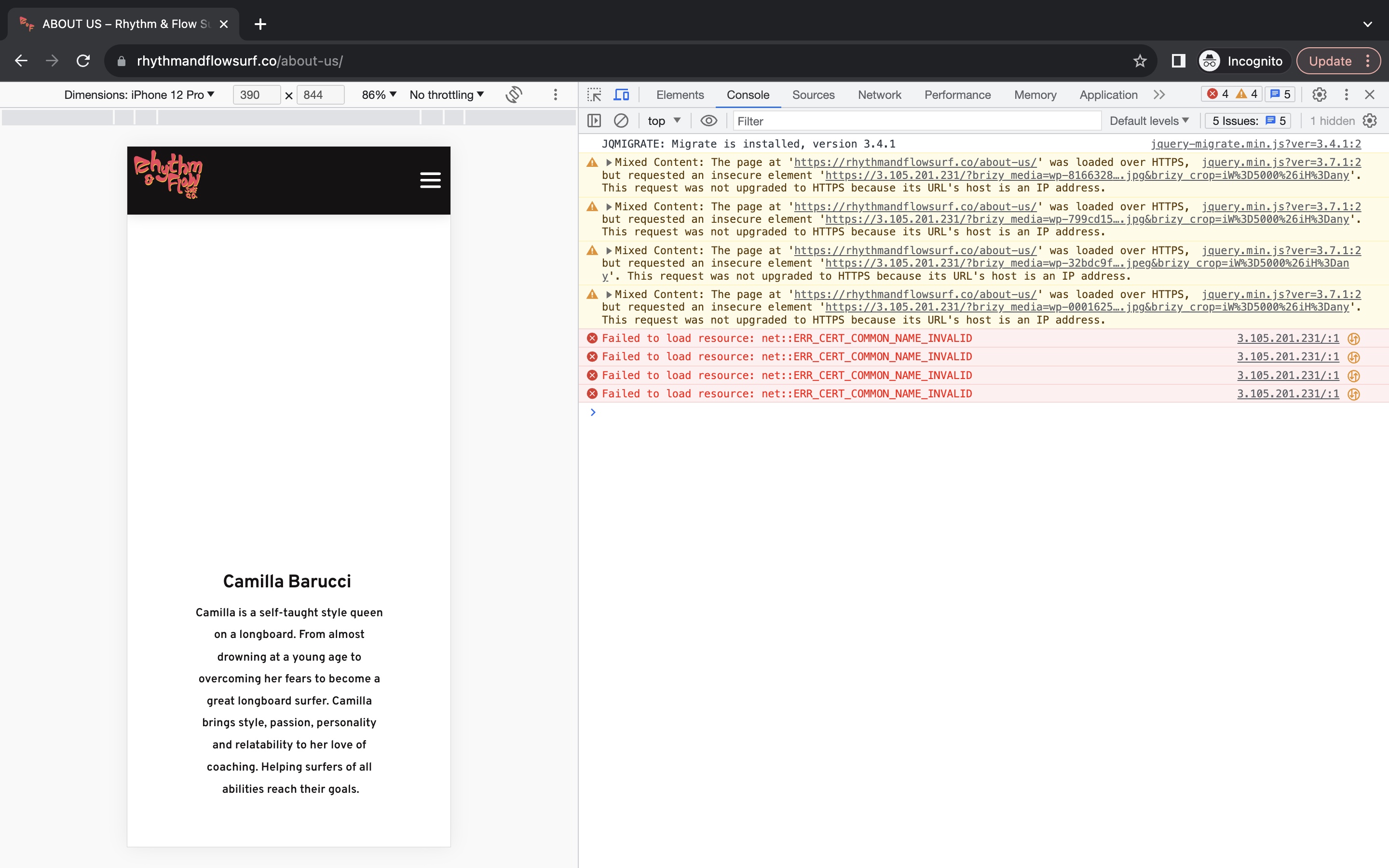
My new website keeps bugging out, I think it is trying to use an IP address instead of our HTTPS address and the images keep disappearing. This is really frustrating, can an admin help me?
Cheers,
Wade
-

Hi Wade,
Could you provide us with the project's history and explain how it relates to the IP 3.105.201.231? These issues were probably caused by an incomplete migration process if the project was initially developed in a local instance of WordPress. Please get back to us with more details about the history of this project and a step by step process you have followed for migrating the site.
You could also refer to this article https://www.wpbeginner.com/beginners-guide/how-to-fix-wordpress-redirecting-to-old-domain-after-migration/
0 -
Hi there,
We built the site on Brizy's builder from the start but are new to this so we may have made an error with using a local Wordpress theme. Can someone help us? The IP address is from our Amazon Lightsail install.
We think the problem is because on some of our pages we did not use https:// , so the site keeps reverting back to the IP address above.
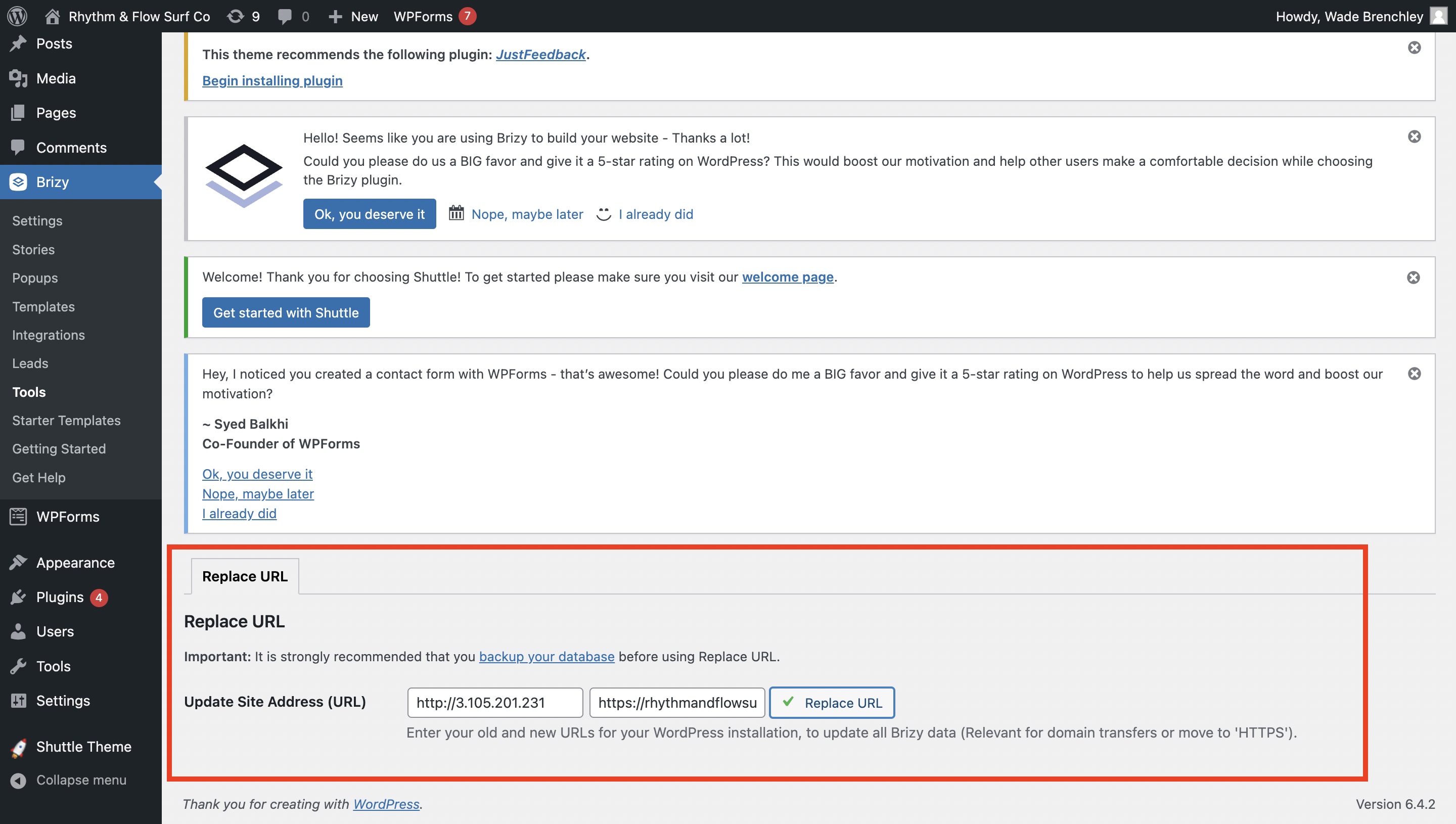
We have changed it numerous times from the IP address to https:// (see image below) but every time we make an edit or a change, our images disappear :(
Please help.
0 -

Hi,
To resolve the issue you're facing, we recommend installing the Really Simple SSL plugin. You can find the installation steps on this link: https://really-simple-ssl.com/how-to-install-really-simple-ssl-free/
If the plugin doesn't fix the problem, we would appreciate it if you could grant us temporary access to your WP Admin dashboard so we can take a closer look into this issue.
You can add us as an Admin user to your WordPress Dashboard and send the following details to communitysupport@brizy.io.Community Post link: https://support.brizy.io/hc/en-us/community/posts/15546860492434
WordPress Admin URL:
Username:
Password:Additionally, please provide us with a step-by-step procedure on how to replicate the issue you're experiencing.
Please make a full backup of your site as a precaution.
Best regards,
Ariel H.0
Please sign in to leave a comment.
Comments
3 comments