menu dropdown having a wrong color

Hello,
i have an issue with my menu dropdown color, once I view it normally and just hoven on it, the dropdown shows the wrong color which is dark color. I asked this question before and I followed one of the tutorials from Brizy support where you need to collapse the menu and then change the color to make the color change option work. Once i collapse the same menu header, the dropdown shows the correct color which is white. Please, see the screenshots below. When i view my live website the menu dropdown color is still dark and I'm note sure how to fix this.
I would really appreciate your help!
Best Regards,
Elizaveta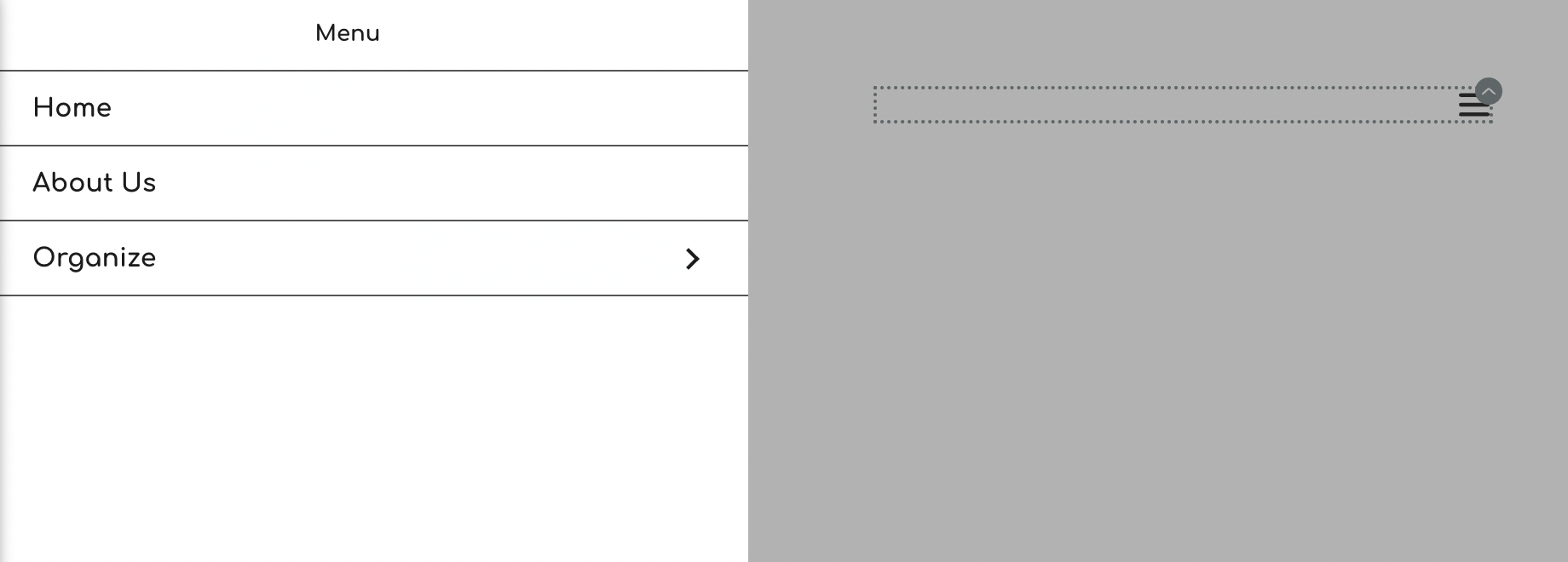

-

Hi Eliza,
You can set the hover color for your menu text by clicking on the color icon and then under the Text tab selecting the hover icon.
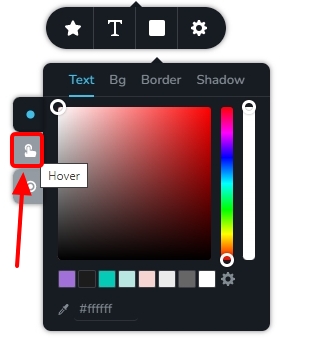
Please watch this video for more detailed instructions. https://jmp.sh/w5MoOGAl
0
Please sign in to leave a comment.
Comments
1 comment