Cloud - Blog Posts

I wrote a blog post, read all the support posts, but nothing makes it work as in the video.
I am completely lost as it keeps going to a blank URL, and goes around in circles.
See this screen recording: https://share.getcloudapp.com/xQuEPpmp
Are you able to work out what is going on and suggest a fix.
I expected that the post would be published as part of a URL /blog/post-name but that does not appear to be the case?
Thanks, Walter
-

Hi Walter,
From your video, we could not see the blog post content clearly. Can you please share a screenshot of the content you have added to your blog post in the Brizy Cloud editor? https://www.digitalinvestor.com.au/quality-of-earnings-8-expert-tips-business-exit-strategy
0 -
Hi, you can see it at 2:01 in the video, That is in the editor. There is nothing else as I have never been able to see it anywhere else even though it says Published? Walter
0 -
Hi Walter,
In the video at the 2:01, you are entering your blog post meta data. Meta data is the information about your blog post which is usually gets displayed in the blog archive listing. (Title, excerpt, author category etc.)
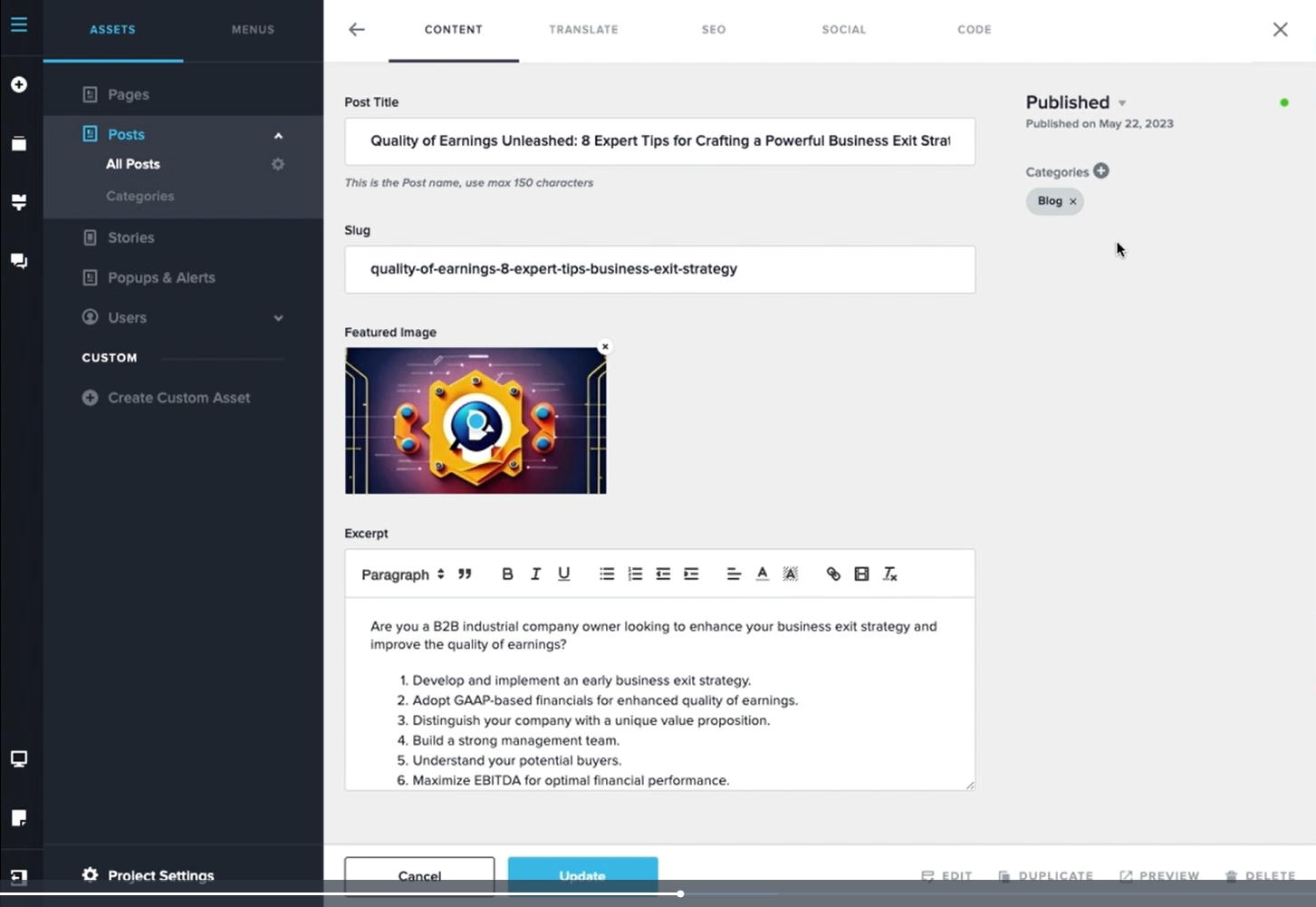
Once you add the blog post meta data, you normally click on the 'Edit' option at the bottom to add your blog post content. Have you added blog post content?
Please have a look at the first three videos in this playlist for the right procedure to add blog posts in Brizy Cloud. Blogging in Brizy Cloud 2023
0 -
In the first video it shows "Blog" in the Assets but that does not appear for me,
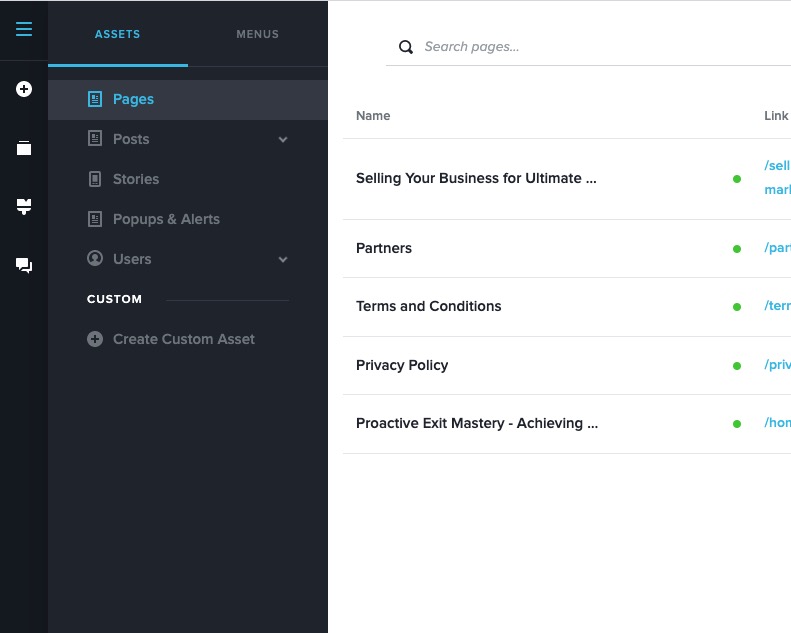 see screenshot 0
 -
Hi Walter,
In Brizy Cloud, Blog and Posts are the same. In the video, when it say click on Blog, you could click on Posts.
0 -
oh, I see, so I guess the video isn't too helpful. In any case, if posts are blog posts then from what I see that is straightforward, but I don’t see any SEO data associated with each post, is this right? How could I add meta data for each post? Thanks, Walter
0 -

Hi Walter,
Thank you for the update.
I apologize for not being able to view your video, as it seems to have been removed. Nevertheless, to incorporate your SEO information into a page, kindly follow these steps: first, navigate to the post in question, then click on the SEO tab, and proceed to fill out the SEO Title and SEO Description fields. Don't forget to save your changes. If you need to add metadata, please access the "Code" section and insert your metadata into the "Code injection" under the "Header" section.
This is demonstrated on this screencast - https://www.youtube.com/watch?v=fZGbJ6PFME4
If you have any further questions, please let us know.
Best regards,
Ariel H.0 -

Hey, I'm facing the same issues (sort of). In my case, I have created a custom CMS asset called Articles.
In the Articles CMS, I have many categories.
Anyhow, my real blogpost URL would be: mydomain/the-blog-postWhen I clicked Article > All Articles, I could see that the link was supposed to be: articles/the-blog-post
How do I ensure that the real blogpost URL is: mydomain/articles/the-blog-post?
In WordPress, we generally set this permalink ourselves, but I'm not quite sure how it works in Brizy Cloud.
Secondly, I also noticed that all my blog posts are listed under Articles in the Menu settings. If I had hundreds, it would be crowded.
0 -
Hi Aizat,
Yes, we tried to integrate this permalink structure, which is why you can see paths like mydomain/articles/the-blog-post in the editor. Nevertheless, this did not go as planned. This bug will be fixed at some point in the future. Since we aren't working on it right now, a fix may not be released soon.
At the moment, we do not have solution to this issue.
1 -
Thank you for your prompt response. I understand that a fix may not be imminent, which is quite a challenging situation. It raises concerns about the viability of Brizy as a comprehensive blogging CMS, especially considering that even small businesses today recognise the value of having a blog for awareness and SEO. While I'm uncertain about the prioritisation of these bug fixes, I sincerely hope that this issue will be addressed soon, as it is a crucial update.
0 -
Also in regards to have all your articles title listed down as menu option in the menu settings, is it there by design? If I have 20 articles the menu option will be very long...
0 -
Hello Aizat,
Kindly consider organizing your sub menus using Mega menu. Have a look at the "Treatments" menu at https://drjohnkc.com/ for an example.
Kindly watch the tutorial Mastering Menus & Navigation in Brizy WordPress | Lesson 17 for the procedure. Since the procedure for setting up mega menu is same for Brizy Cloud and Brizy WordPress you can watch this tutorial.
0
Please sign in to leave a comment.
Comments
12 comments