how to instal Brizy starter theme from Github.

I'm a newbee and using Brizy for my own website. I think I've learnt enough to build it...but when online i see that the theme is in neve... googling around it looks like the solution is that i have to download the starter theme from Github....really???
Ok...i found a zip and downloaded but it doesn't work.
Help please! surely this should be easier.
Thanks
-

Hi Edward,
Thank you for contacting us.
Neve should work well with Brizy, if you're looking for other alternate themes that work with Brizy, you can find a list here - https://www.brizy.io/theme-partners
The starter theme is not required if you're using any of the themes listed on this page.
If you have any further questions, please let us know.
Best regards,
Ariel H.0 -
 Hi Ariel. Thank you! I seem to have solved the issue by deleting some parts of Neve.
 My next issue is...Archive listing.
I'm following this youtube tut.
https://www.youtube.com/watch?v=cWJEetL4f-s&list=PLE9MzHoUu9c6dbaAR-QRV2G6fYZ5yIb2i&index=6
Blogging & Dynamic Templates in Brizy Website Builder | WORDPRESS | PRO.
When i get to 5:45 and want to add the archive element...its not there. I have gone over the steps before quite a few times and i never have the same elements as in the video including the archive element. I have made sure it's a template and I have made sure I've added the correct conditions.
All I am trying to do is to create a dynamic portfolio page where my posts will be my projects and i have a post menu above so the user can look at different types of projects......so very similar to the results of this tut.
What can i do!!??
0 -
Hi Edward,
Thank you for the update.
You may have added the conditions, but you did not update the template, which explains why the archive element doesn't show. This is demonstrated on this screencast - https://youtu.be/1007ff8YH_I
I apologize if my accent makes it difficult to understand, as English is not my native language.Best regards,
Ariel H.0 -
I found the Issue!
I hadn't realised that only one template can have the condition...it makes sense now :)
Thanks
0 -
Now I have another little issue :)
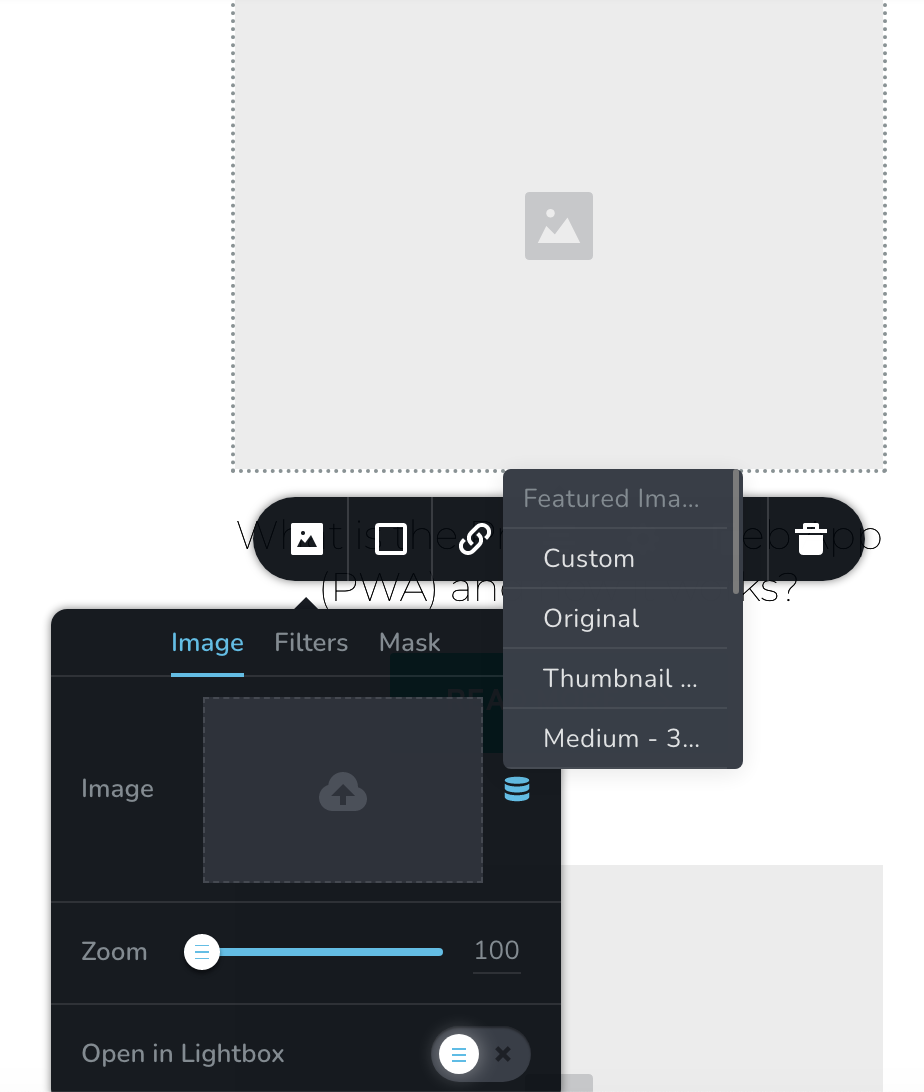
The featured image option is greyed out when i try to change it.
I've added a screen shot.
 0
0 -

Hi Edward,
Think of Featured Image in the above screenshot as the heading and Custom, Original, Thumbnail etc as options under Featured Image. For example, when you select 'Custom', you are selecting Custom sized Featured Image. When you select the 'Original' option, you are selecting Original sized Featured Image.
0 -
AH OK! thank you.
I think I've pretty much got it to a stage where i can start populating with my content.
Thank you so much for your help everyone!
0
Please sign in to leave a comment.
Comments
7 comments