Button issue in Brizy Cloud editor

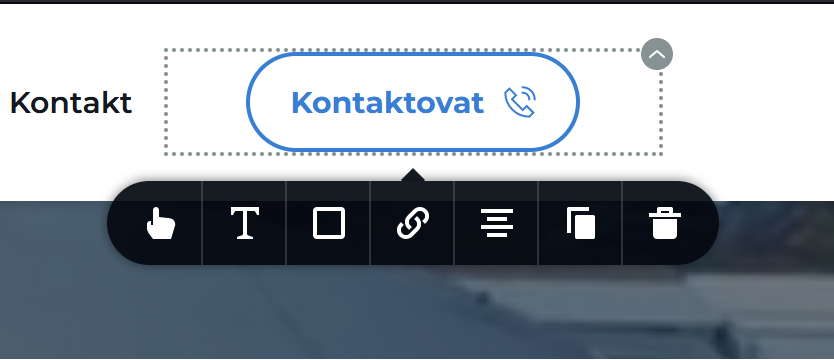
Hello, I wanted to bring to your attention an issue I've encountered in the editor that's causing trouble with the buttons. The button settings (specifically the 'settings' option) are not displaying at all, and there seems to be an issue during website uploads where the button elements appear incorrectly, despite having different size, width, and height settings in the editor. It is practically not possible to insert hover effects or any animations onto buttons.
This issue is impeding progress on my project, which I am aiming to complete by the end of this week. I would greatly appreciate your assistance in addressing this matter as soon as possible.
Thank you for your attention to this issue.
Best regards,
Tomas Vrtal

-

Hi Tomas,
Thank you for reaching out to us.
Have you tried editing your pages in incognito mode? Additionally, you can also try using a different browser to see if that makes any difference.
Please try this and let me know how it goes.
Best regards,
Ariel H.0 -
Yes, I have tried all the steps you wrote. Unfortunately, without success. I have a feeling that the error might be on the side of Brizy Cloud.
Best regards,
Tomas Vrtal
0 -
Hi Tomas,
Thank you for the update. I'm sorry to hear that you're facing difficulties with this issue.
Could you kindly provide us with the Project Name and Preview URL of your project in the Brizy Cloud Dashboard?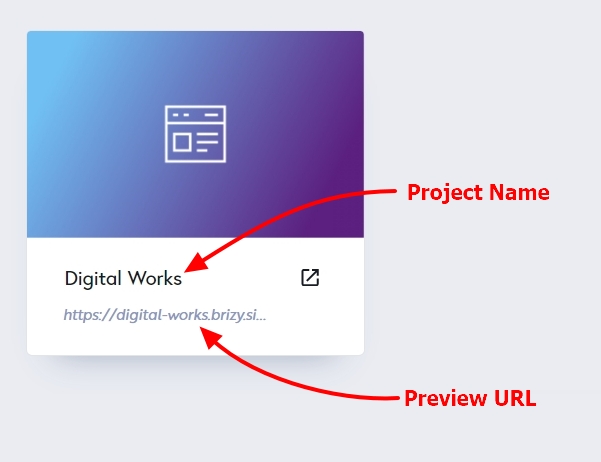
Best regards,
Ariel H.0 -
Hello, yes, here is the name of my project: PV-AUTO, and here is the URL address under which the website is synchronized: https://www.pvautoprostejov.cz. I would be grateful for quick support because I need to finish the project today. Thank you.
Best regards,
Tomas Vrtal
0 -

Hi Tomas,
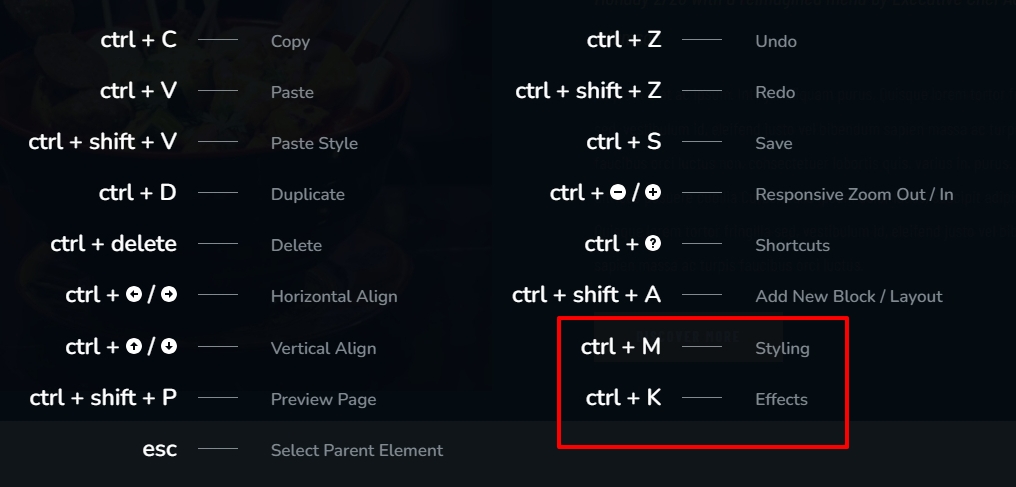
You are right. The cog icon is missing from the buttons. We will work on fixing this bug. In the meantime, please use the Keyboard Shortcuts to access the Styling and Effects side panel. Please click on the button first and use the shortcuts.
- Styling panel: Ctrl + M
- Effects panel: Ctrl + K
 1
1 -
Hi, it seems that the issue has already been resolved. Thank you very much for your quick response. I'm glad that the support is functioning as expected. :)
0
Please sign in to leave a comment.
Comments
6 comments