Gradient Overlay Issues: Opacity and Transparency Problems

The gradient overlays in different blocks are not functioning correctly and are causing issues. For instance, when creating a left-to-right gradient with black at 100% on the left and white at 1% on the right, it defaults to the most opaque color and applies it uniformly. It does not handle transparencies correctly, preventing images added underneath from being visible.
Previously, the opacity worked independently at each point of the gradient without any issues. We have observed this across multiple websites, leading us to believe that it may be related to a recent update.
-

Hi
We apologize for the inconvenience. The most recent Brizy versions have a bug with gradient overlay colors. We have developed a hotfix for this and are now testing it. We hope to release a fix soon.
0 -
Noted.
We also noticed some issues with aligment on hamburguer menus. Are you aware of that?
0 -
Please give us more information about the alignment of the hamburger menus
0 -
In one of our customer website we had a hamburguer menu with the items aligned at the left, with the update all goes center and we cannot adjust it.
0 -
Hi
Looks like it is possible to align hamburger menu elements to the left. For example, please check the hamburger menu at https://restaurant1.brizy.site/
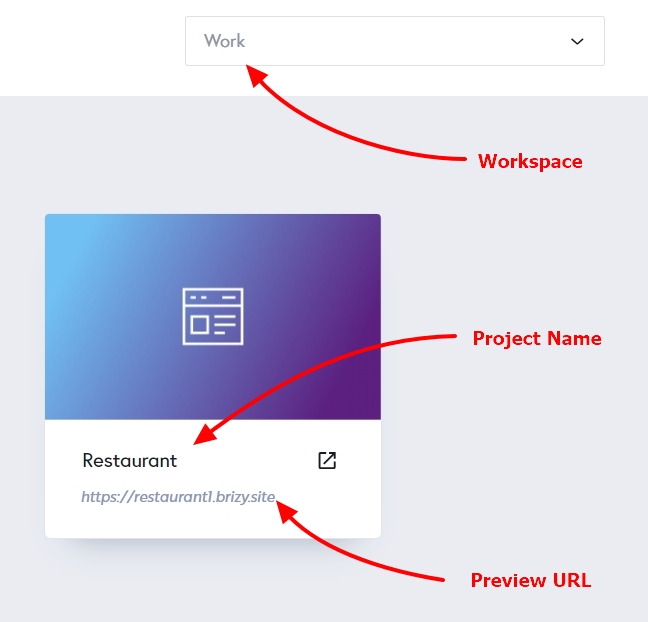
Can you please share with us the project details. We will check your project
- Workspace
- Project Name
- Preview URL
 0
0 -
Dont worry, customer likes center.
When will be the gradient problem updated?
0 -
We have fixed the gradient overlay bug. Please check
1
Please sign in to leave a comment.
Comments
7 comments