header not available for mobile

Hello I updated the header on my website but accidentally I deactivated it on the mobile (on desktop it's available) but I don't know how to activate it on mobile again. I can't find an option to solve this. Please help me.
My website is boatsconnect.com
0
-

Hi Cris,
Open any page in the Brizy Editor and on the bottom right corner, click on the 'eye' icon to see all hidden elements.
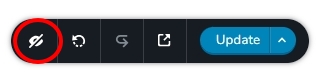
Switch to the mobile design view. The header block would appear blurry. To make the header block visible again, click the eye icon in the block settings.
 0
0 -
thank you so much, it worked!
0
Please sign in to leave a comment.
Comments
2 comments