Text characteristics not brought into Brizy Template

In this website, on the Post Page, we are clearly adding links and BOLD text,,,

But, when it loads into the template, the links are there, but no text coloring and no BOLD font...

Why might that be?
-

Hi Michael,
Thank you for reaching out to us.
Would you mind sharing the URL with us for further inspection? Rest assured, if you wish to keep it confidential, we won't display the link in this support thread.
Meanwhile, could you possibly try switching to a different theme temporarily to see if it brings about any changes?Best regards,
Ariel H.0 -
The URL is ---
For some years now, having been introduced to the theme by one of your training videos, I always use Blocksy. I switched to Twenty Twenty-Four and the links are still in black, not bold, but underlined. I certainly prefer the flexibility of Blocksy, so if you can suggest a corrective measure, I would welcome it.
0 -
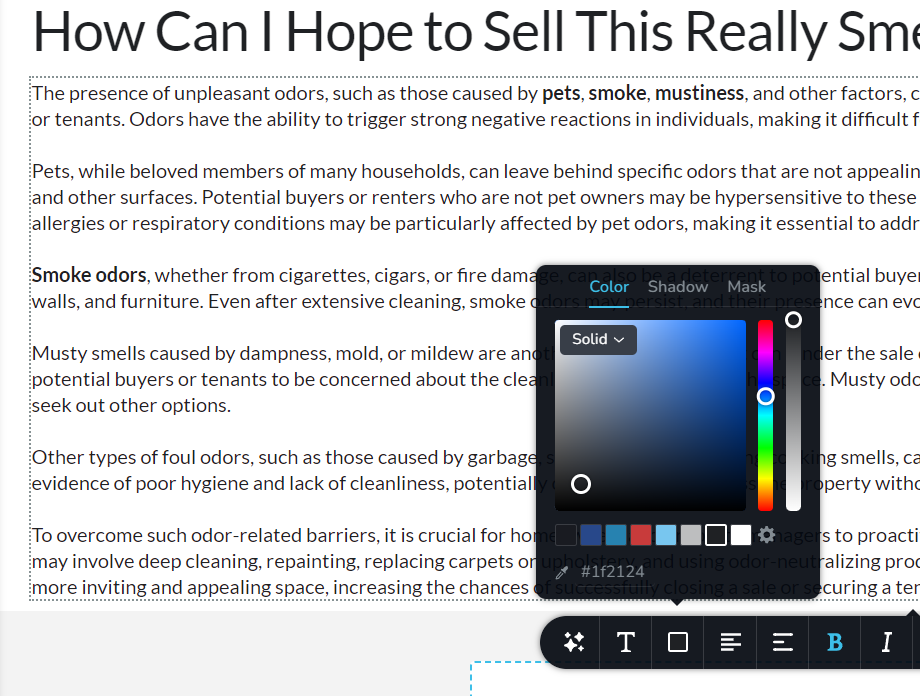
Here's a thought for a future update...
Add a text color category for LINKS. Each of these bold words are being linked to another page within the site. I also discovered that the 'Search' function on the link page feature doesn't work very well.
 0
0 -
Hi Michael,
Thank you for the update.
Upon checking, it seems that the text rendered from your CDN, specifically the text with the <strong> tag, may be affecting the font display.

Based on my understanding, you are currently using SmashPro or Hummingbird plugins from WPMUDEV. To troubleshoot this, I suggest exploring the option to temporarily disable the CDN and observe if it makes any difference in the font rendering.
Best regards,
Ariel H.0 -
Thanks, Ariel.
I certainly wish there weren't so many conflicts between your plugins. I love you both but it always seems to come down to a conflict between you!
0 -
Hi Michael,
Thank you for the update.
CDNs implement caching to improve performance, if the font file is not properly cached or if there are caching conflicts, it may lead to inconsistent font rendering. It is often possible to resolve it by either purging or clearing the CDN cache.
https://wpmudev.com/forums/topic/hummingbird-clear-cdn-cache-on-page-update/Best regards,
Ariel H.0 -
You're the best. Thanks. I will try it now. But I still think adding a Link Color option in your text editor is a good suggestion.
0 -
Hi Michael,
We appreciate your feedback regarding the ability to change link colors. We currently have this as a feature request and will consider it for potential inclusion in future updates.
Best regards,
Ariel H.0
Please sign in to leave a comment.
Comments
8 comments