Databases heavily increased

We work on several staging sites and the plan to move to another server we noticed that the databases are too heavy, even when its a simple page.
We have databases from 200mb to 2gb, thats anormal. Why is that? Any way to avoid o decrease its size?
Thanks.
-

Hi
On my test website at https://brizytest.online/, I have 13 Brizy pages, 6 blog posts, 12 WooCommerce products and 7 plugins. The total database size of this website is 115.6 MB. A 1-3 page Brizy website should normally have a database size of close to 40MB.
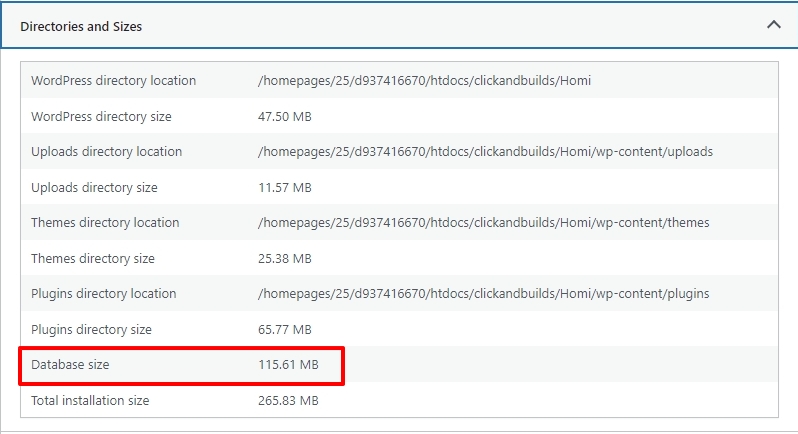
Database size ranging from 200 MB to 2GB looks on the higher side.
Are you using a plugin which takes snapshots of your WordPress database like WP Reset ? This plugins takes a website snapshot every time you make a change and saves it in the database. This can cause the database to grow very fast.
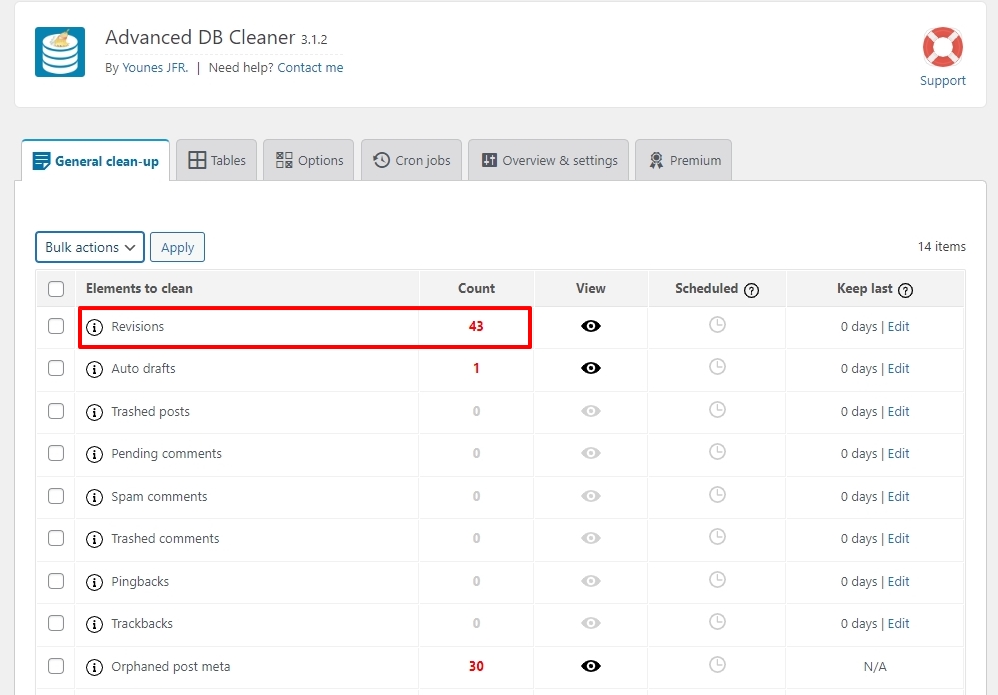
Do you have a too many Post and Page revisions in the database? This can take a lot of database space as well. To check this, please install the plugin Advanced Database Cleaner and check the Revisions count under the 'General Cleanup' tab
 0
0 -
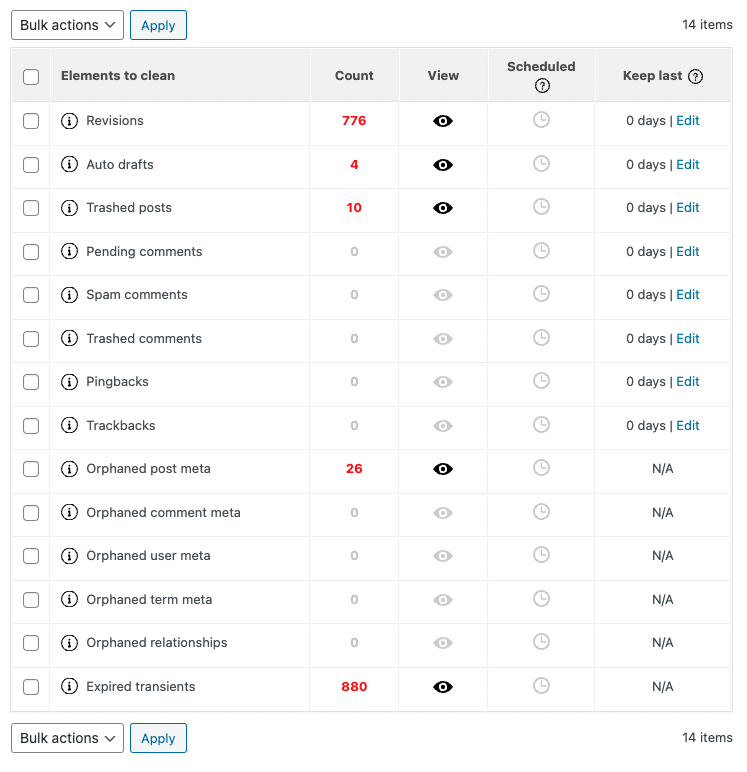
I install that plugin and shows me a lot of revision, but we dont have WP reset.
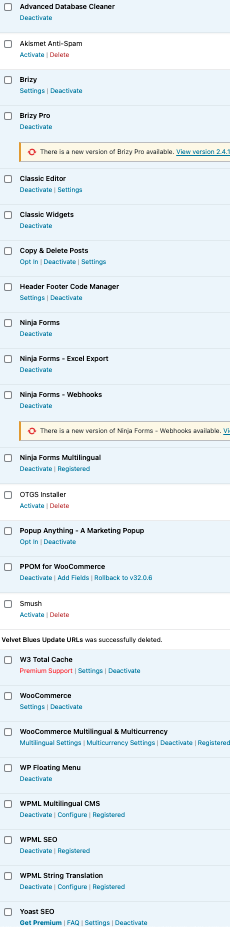
Check our plugin list
 0
0 -
Hi
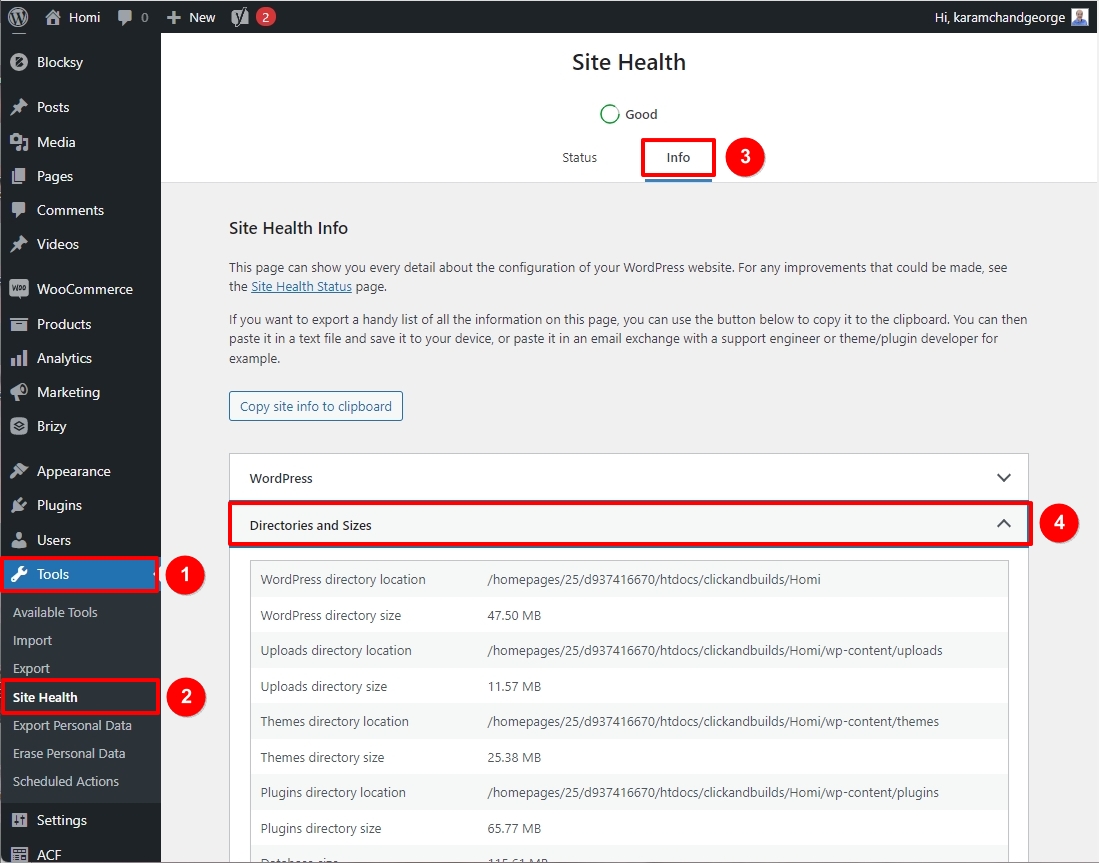
Can you please share one more screen from the above project? In your WordPress Dashboard under Tools- Site Health - Info tab, please share the 'Directories and Sizes' accordion screenshot. https://jmp.sh/JTzd4ZcR
 0
0 -
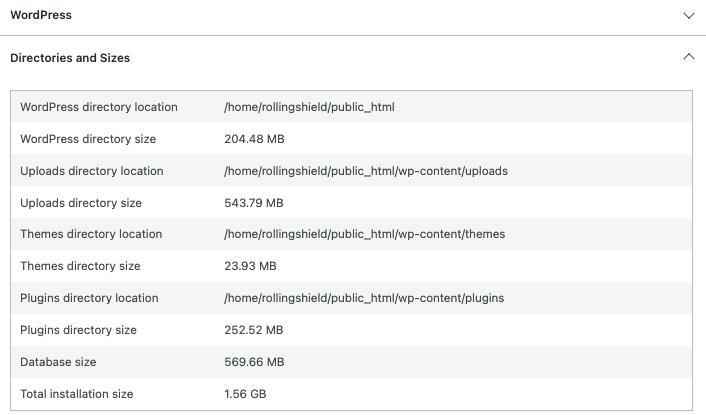
Here you have
 0
0 -
Hi
The Uploads directory size looks unusually high in your WordPress project. For every image you add to WordPress, it adds meta data to wp_posts and wp_postmeta tables. https://www.metaslider.com/media-wordpress-database/
Please consider these two activities to reduce the database size- Cleanup the Post revisions using the Advanced Database Cleaner plugin
- Consider doing a media cleanup following the procedure in this article. How to Clean up Your WordPress Media Library (2 Easy Methods)
Please take a full backup of your website before carrying out any of the above activities as a precaution.
1
Please sign in to leave a comment.
Comments
5 comments