brizy builder functionality question

Hello
I make a website with brizy builder pro (wordpress plugin) and i activated the license for the domain.
if i want to move the website locally in my intranet (using xamp in our local network) the website will be working properly? The intranet do not have internet connection.
Wordpress work fine in a xamp installation and even if the local pc/server does not have internet connection. Do brizy web pages (web pages that have been designed with brizy plugin pro) work properly in a local xamp pc without internet connection?
thanks
Marios Filippas
-

Hi Marios,
You will need internet access to use Brizy on a local instance of WordPress. It is required for license verification and for syncing saved blocks and layouts. License validity is checked every time you use the Brizy Pro plugin. Hence you can't use Brizy without internet connection.
0 -
Hello George. Thanks for your reply.
The license verification is completed for the website. It is the first thing that i do when i make a whitelabel website using brizy builder plugin. The license verification happen every day? not only the first time that you do the verification?
If i want just to view the webpages that i designed using Brizy on a local instance of Wordpress (like xamp), can i do that? I mean, i do not need to use the brizy pro plugin to edit the web pages, just view the web pages via a webbrowser (https://locahost....)
I have paid for the brizy lifetime license and i suppose that i have the rights of the web pages which i design, if i just need to have read access (via a web browser) on a local instance machine.
waiting for your reply
thanks
Marios
0 -
Hi Marios,
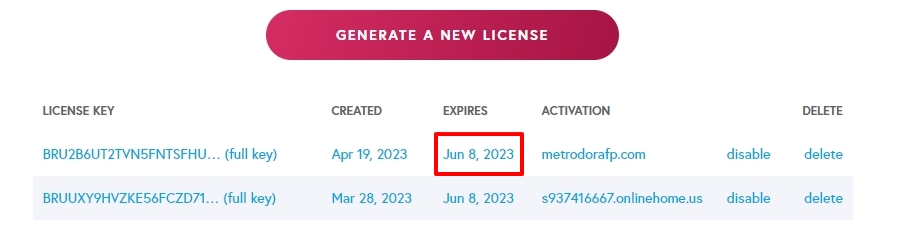
Yes; the license expires on the same day your subscription ends. Hence license validity is checked every time you access Brizy Pro.
If i want just to view the webpages that i designed using Brizy on a local instance of Wordpress (like xamp), can i do that? I mean, i do not need to use the brizy pro plugin to edit the web pages, just view the web pages via a webbrowser (https://locahost....)
I have not tried it yet. If you connect to the Internet and use Brizy Pro to design a WordPress page and save it, you should be able to view the page frontend using the localhost IP or the localhost URL. Are you not able to see the page previews?
I have paid for the Brizy lifetime license and i suppose that i have the rights of the web pages which i design, if i just need to have read access (via a web browser) on a local instance machine.
Of course you have full rights over the design you have created using Brizy and Brizy Pro. If you are unable to see the preview of pages developed using Brizy, please do a screen recording of the problem for us to understand the issue better.
0 -
Hello George
thank you for your reply. I have bought the lifetime license of brizy builder (i bought the license from the first 1000 licenses that you had)
I tried it and it s working in my local instanse using xamp (apache and mysql locally). I can have read access (pages preview) and also edit access via brizy builder. The only problem is that the background images (if i set a background image in a section) are not visible in the browser (preview access) , while i can see them via the brizy builder.
Do you know why?
thanks
Marios
0 -

Hi Marios,
Thank you for contacting us.
I also have a local instance of WordPress using XAMPP, but I am unable to reproduce the issue – https://youtu.be/0LlWPucL5ow
If this is a website that is newly migrated into your local test environment, please try using the Replace URL tool and see if this makes any difference - https://prnt.sc/7VLw-chM8-bx
Did you also try using another browser?
Please try this and let me know how it goes.
Best regards,
Ariel H.0
Please sign in to leave a comment.
Comments
5 comments