Categoriesed product carousels on homepage

Hi,
I would like to display multiple product carousels on my homepage similar to the following page:
where I would categorize different headings like "summer colours, leggings for winter, post yoga outfits, etc". Can I call up such categories with tags using WooCommerce shortcodes?
In another post, I've seen that George has recommended 'WP Carousel' plugin for pictures. I would like to know whether I could do something similar to the above-mentioned site with a Brizy Pro element and without the use of additional plugins.
-

Hi Chinthaka,
Please have a look at https://brizy.tech/carousel/ for a Product Carousel design you can implement using the Brizy Carousel element. Because there are fewer than three products in Sofas category, sofas on this page did not form a carousel. Here is the procedure to add a Brizy Product Carousel to a page https://jmp.sh/KnBLs9Xq
WooCommerce shortcodes do not display products in a carousel, but you can use them to display products within a category. For example, this shortcode can display 8 products within the 'Chairs' category
[products limit="8" columns="3" category="chairs"]
0 -
Hi George,
Thanks for your reply. This certainly does give useful options, but I couldn't find a way to display the name, price and variation information similar to in the picture (although it's not a WooCommerce site).
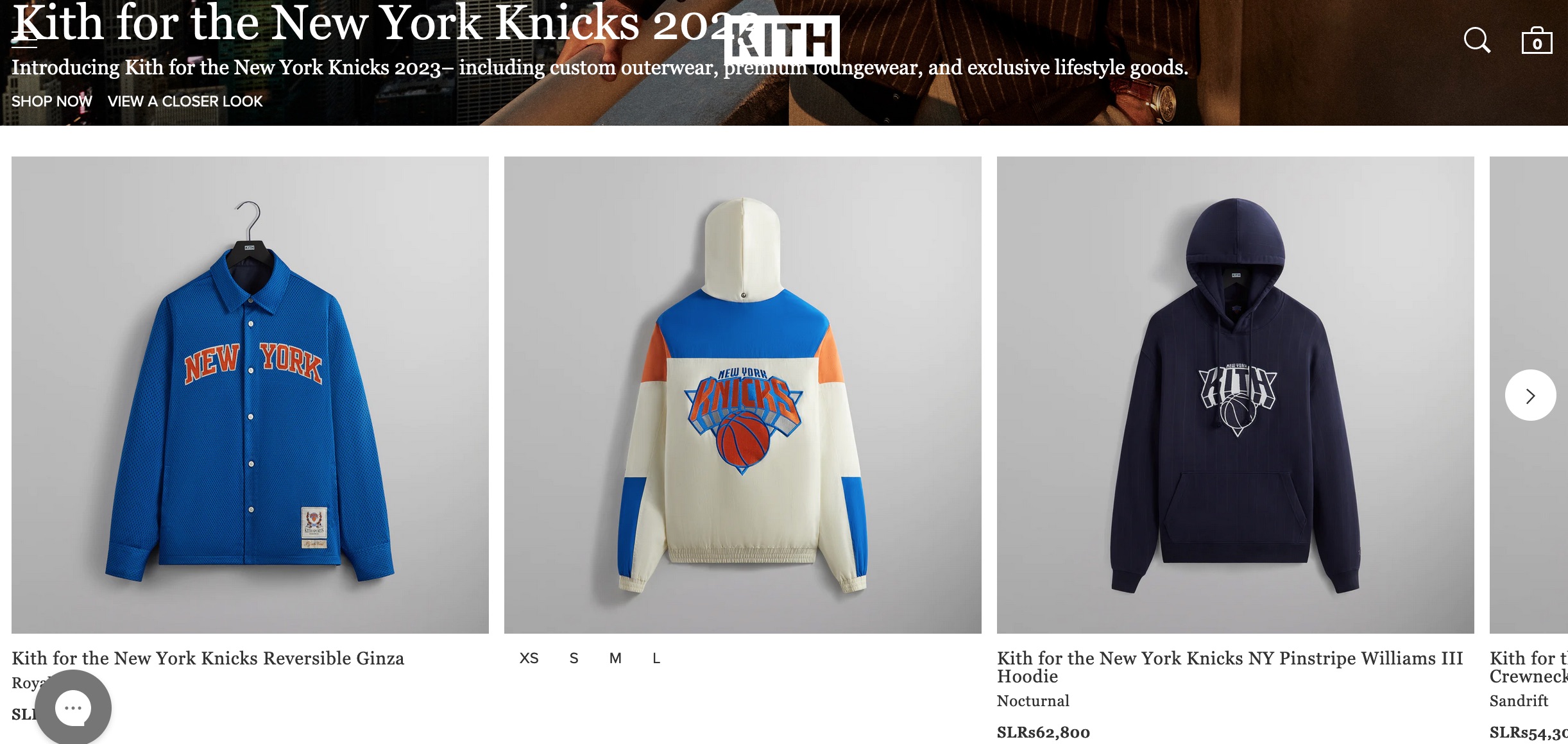
Is it still possible to do it with the carousel element? I believe this could be possible with shortcodes as you mentioned but is there a way to add navigation arrows like in the picture?
0 -
Hi Chinthaka,
For a carousel with Price and Variation details, you may need a premium plugin. You could consider these options
0 -
Thanks for the handy suggestions.
0
Please sign in to leave a comment.
Comments
4 comments