Mail form not working

Hello,
it appears that when i am trying to fill up the classic form for an email address, it always says that somtehing went wrong and then nothing happens.
I have tried with mailchimp plugin and classic email integration but nothing works. The website is not in draft, it is published and it works correctly.
-

Hi Fabio,
Thank you for reaching out to us.
To help us understand the issue better, could you please provide us with a screenshot / screencast demonstrating the issue? This will help us to reproduce the issue on our end and find a solution for you.
I am looking forward to your response.
Best regards,
Ariel H.0 -
This is shown whenever i try to submit a mail in the site. Im using my own domain that i bought on godaddy and im currently using email notification as a plugin (im using brizy cloud).
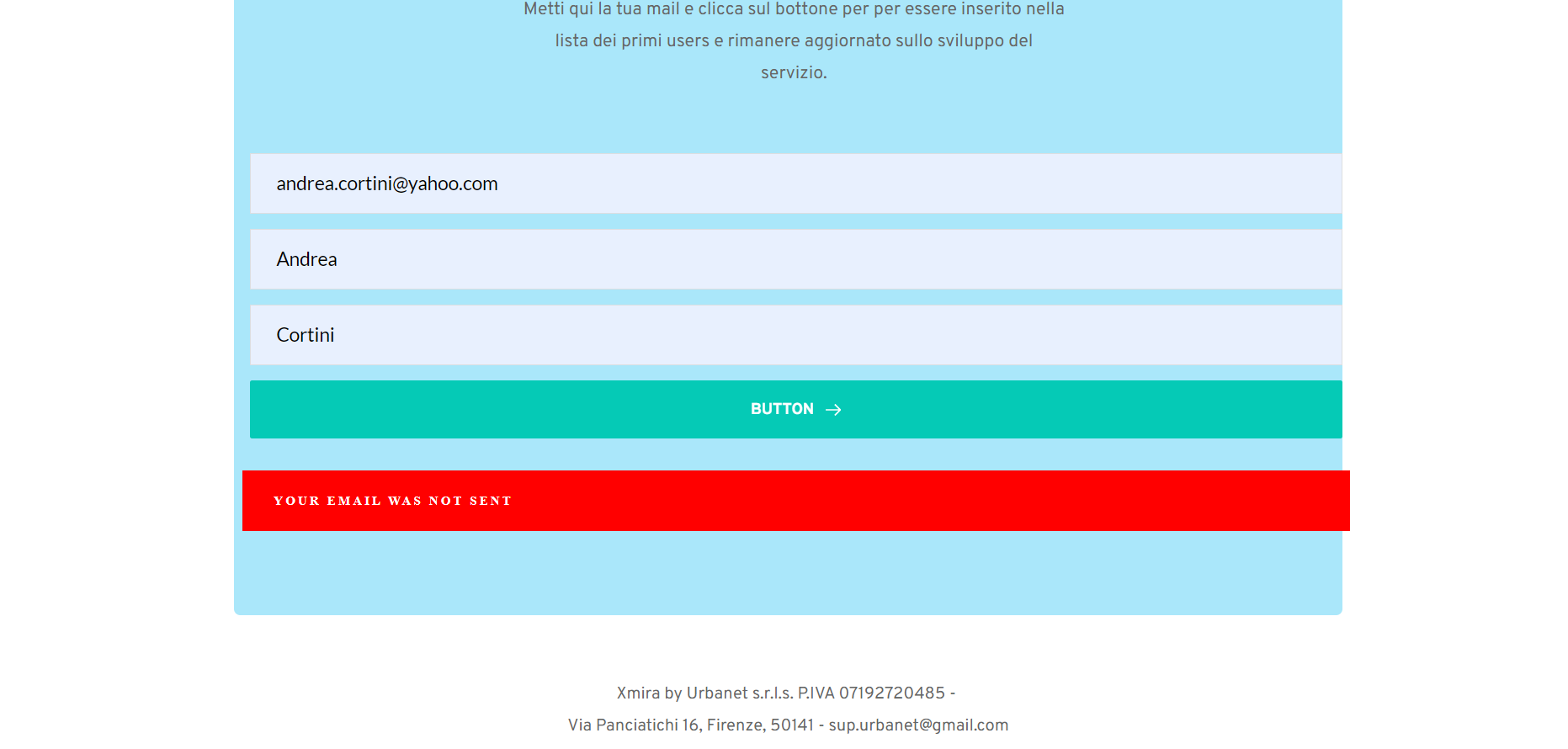 0
0 -

Hi Fabio,
Please try this and let us know if it resolves the problem
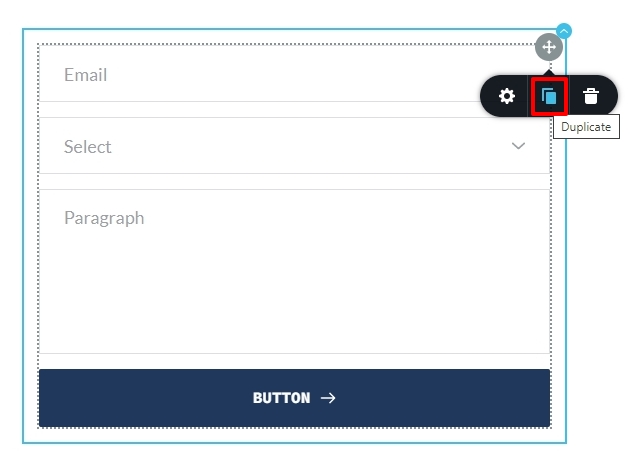
- Duplicate the form by clicking on the top right corner and selecting the 'Duplicate' icon.
- In the duplicated form, add the Email Notification settings one more time and do not add any App.
- Delete the original form
Now test the duplicated form in the frontend.
 0
0 -
No it doesn't work. In the email notification im putting a gmail address. Maybe there is an issue with it?
I don't know, just guessing. If you need any more screenshot or information Don't hesitate to ask.
0 -
Hi Fabio,
Can you please share the URL of the page where we can see this issue?
0 -
Of course
This Is the URL of my landing page
0 -
Hi Fabio,
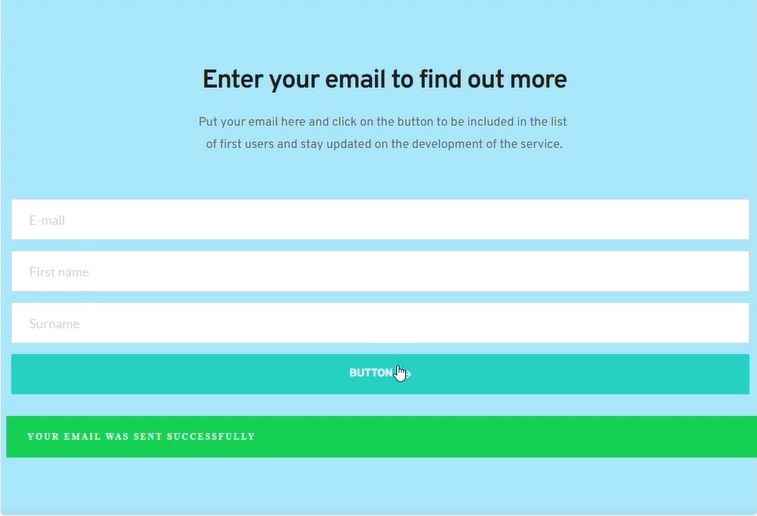
I am getting the message "You email was sent successfully" when submitting the form. Please test the form again after refreshing the page.
 0
0 -
i recieved your test emails but when i try to do that it doesn't work
0 -
Can you test the form from alternate browsers and other devices?
0 -
Done that, i have the same results. I've tried with edge and with my smartphone too but it doesn't work.
0 -
Hi Fabio,
I tried using the same email address in your contact form; however, I am unable to reproduce the issue.
This is demonstrated on this screencast - https://youtu.be/9nlI5uibtlYThe problem is probably related to your network. Please also try contacting your friends and having them try out the form.
Best regards,
Ariel H.0 -
it appears that the form is working when my friends use it. I am the only one with this issue
0 -
Hi Fabio,
Thank you for the update.
It looks like you're the only one having this issue, it's likely that this is coming from your security software running in the background.
If you are using Kaspersky, Malwarebytes, or similar security software, try to temporarily disable it and see if this resolves the issue. If it does, you can enable it back and add your website to the safe list.Likewise, It is also possible that you're using browser extensions or add-ons that are blocking the forms.
This could also be coming from your ISPs firewall.
As much as we wanted to help, network issues are beyond our scope of support.
If you have any further questions, please let us know.
Best regards,
Ariel H.0
Please sign in to leave a comment.
Comments
13 comments