Pulling in data from an excel table

I have an excel table with a lot of data, which changes on a regular basis and which I would like to show in Brizy. Since (as far as I know) Brizy does not support any form of database connection. Unfortunately, in the way Brizy Tables works in the CMS, I am also unable to copy and paste the content of the excel table into the Brizy table, except for cel by cel, which is too much work and sensitive to mistakes. Is there a work around?
-

Hi Rene,
Thank you for reaching out.
Currently, Brizy does not support direct importing of Excel sheets into its tables. However, there is a workaround you can try. You can export your Excel sheet into Google Sheets and then share the link of the Google Sheets document on your Brizy website, it is also possible to link it to a button.
I understand that manually copying and pasting each cell can be time-consuming and prone to errors, so using Google Sheets as an intermediary can help streamline the process.
Fore more information, please refer to the following links:
https://blog.hubspot.com/marketing/how-to-convert-excel-to-google-sheets
https://support.google.com/docs/answer/2494822
Please note that when sharing the Google Sheets document, it is important to update the permissions to "View Only" to ensure that nobody can tamper with your data.I hope this helps.
Best regards,
Ariel H.0 -
That will not really work in my usecase, where I want to display an agenda of concerts. I'll be on the lookout for new features that include this one. And I will add it to the roadmap in the meantime.
0 -
I'm still waiting for a solution to pull data from an online spreadsheet/google sheet. Is there a solution in the making?
0 -
Hi Rene,
Thank you for following up.
Currently, pulling data directly from an online spreadsheet or Google Sheet isn’t supported yet. However, I checked and saw that this feature is marked as planned on our Ideas & Roadmap page.
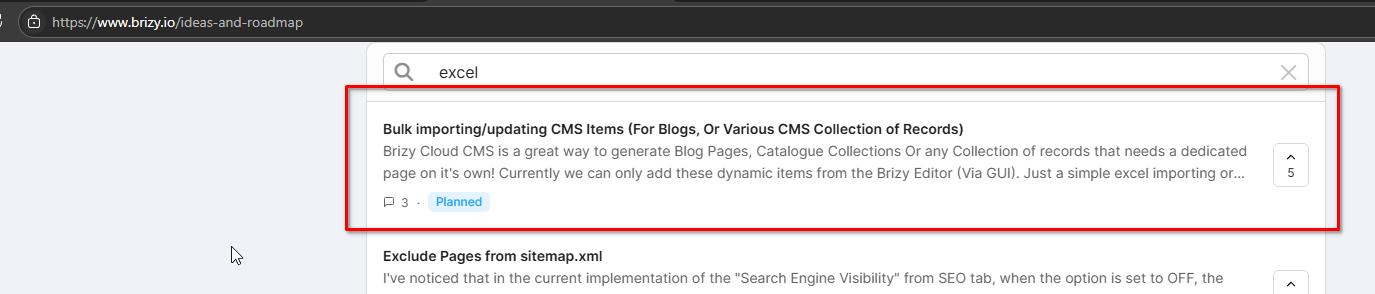
While we don’t have a specific release date at this time, it’s definitely on our development radar.
We appreciate your patience and understanding.
Best regards,
Ariel H.0
Please sign in to leave a comment.
Comments
4 comments