Mobile Hamburger Menu not working

Hi there. On this page the mobile menu isn't sliding out and disappears on click: https://visitlajunta.net/you-would-never-guess/
I've cleared the WP Engine cache (as well as my browser cache) and tested in incognito mode. I've also moved it to a staging environment and disabled all plugins besides Brizy and Brizy Pro and the issue is still happening: https://visitljstaging.wpengine.com/you-would-never-guess/
Any ideas? Thanks!
-
I should also add that the dropdowns on desktop were being very funky and not letting you click on them. To work around that I added this CSS which I found on a comment here. I tested with and without that CSS to see if that was causing the mobile menu to not work and it doesn't seem to be the issue either.
@media (min-width: 991px) {
.brz-menu__ul > .brz-menu__item-dropdown > .brz-menu__dropdown {
top: calc(100% + 2px) !important;
}0 -
Oh and it is working on this page: https://visitlajunta.net/la-junta-tarantula-fest/
But not on the new landing page - You Would Never Guess.
Thanks!0 -

Hi Cait,
On both the pages https://visitlajunta.net/you-would-never-guess/ and https://visitlajunta.net/la-junta-tarantula-fest/ I see a 'Uncaught TypeError' in the browser console. See this screenshot https://jmp.sh/VteIdZbF This error prevents a Brizy JavaScript files from loading fully and could the possible reason why the hamburger menu is not working well.
Please try these
- Deactivate the plugin 'WPFront Scroll Top', clear all WP Engine cache by clicking on the 'Clear All Caches' button and check if it makes a difference. (See the attached screenshot)
- In the staging site, please change your theme from LaTourism to Blocksy and check if the issue persists. (This should not be done on the live site)
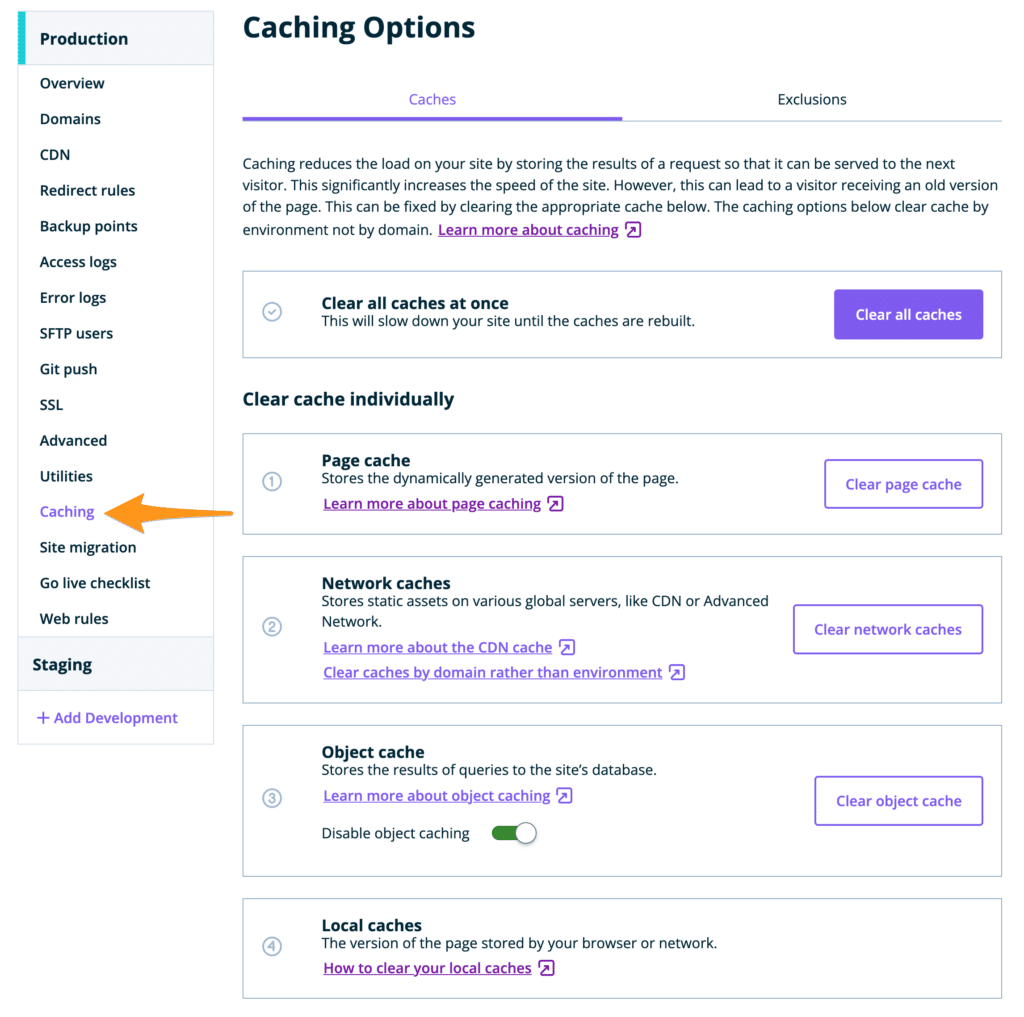
Would using the theme header and footer for the above two pages be a good option for you, since the rest of the website uses the same header and the footer? This could be an easy solution to the problem. Please follow these steps to implement this solution
- Open each page in the Brizy Editor and on the left side bar, select the Page icon.
- Select the 'Default' option under 'Page Template'. The page will reload with the theme header and the footer
- Delete the Brizy header and the footer.
 0
0 -
HI KC George, Thanks for the steps to troubleshoot. Here's what I found out.
- I tried the WP Front Scroll option before contacting you and did try it again just in case. Unfortunately, that did not work to make the hamburger menu work. I also tried excluding the You Would Never Guess page from it where the front scroll plugin would be active, before writing to you, and that did not work either.
- The Blocksy theme option did solve the problem but that won't work for the client since their entire theme was custom coded to that theme and would break the rest of their site with that deactivated.
- I tried using LaTourism's header and footer by switching the page template to default on the staging site. When I do that the default header menu doesn't appear and it makes the brizy page a smaller width. See screenshot attached.
Is there another workaround? This other page, La Junta Tarantula Fest: https://visitlajunta.net/la-junta-tarantula-fest/
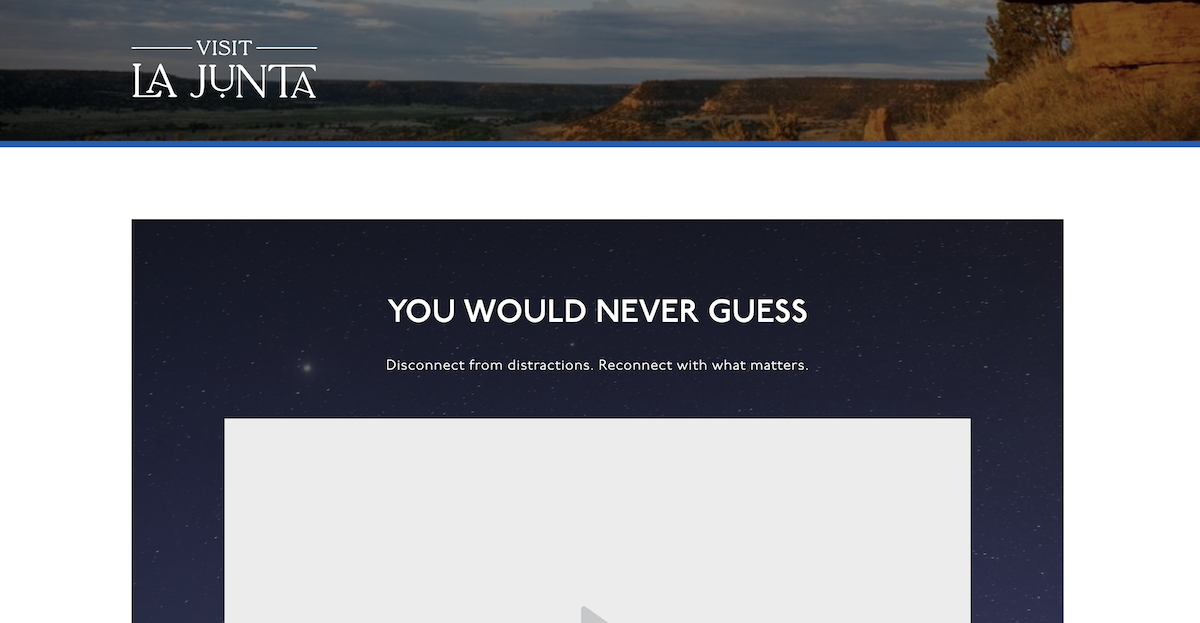 , is built with the brizy editor and the mobile hamburger menu works. Is there a way you could help figure out why it would work on that page and not this new one? Thanks! 0
 -
Hi Cait,
Both the pages https://visitljstaging.wpengine.com/la-junta-tarantula-fest/ and https://visitljstaging.wpengine.com/you-would-never-guess/ are still using the Brizy header and footer and not LaTourism's header and footer. This could be because these pages are being served from WP Engine's outdated cache. After switching these pages to the Default Page Template, please 'Clear All Caches' in your WP Engine account and check again.
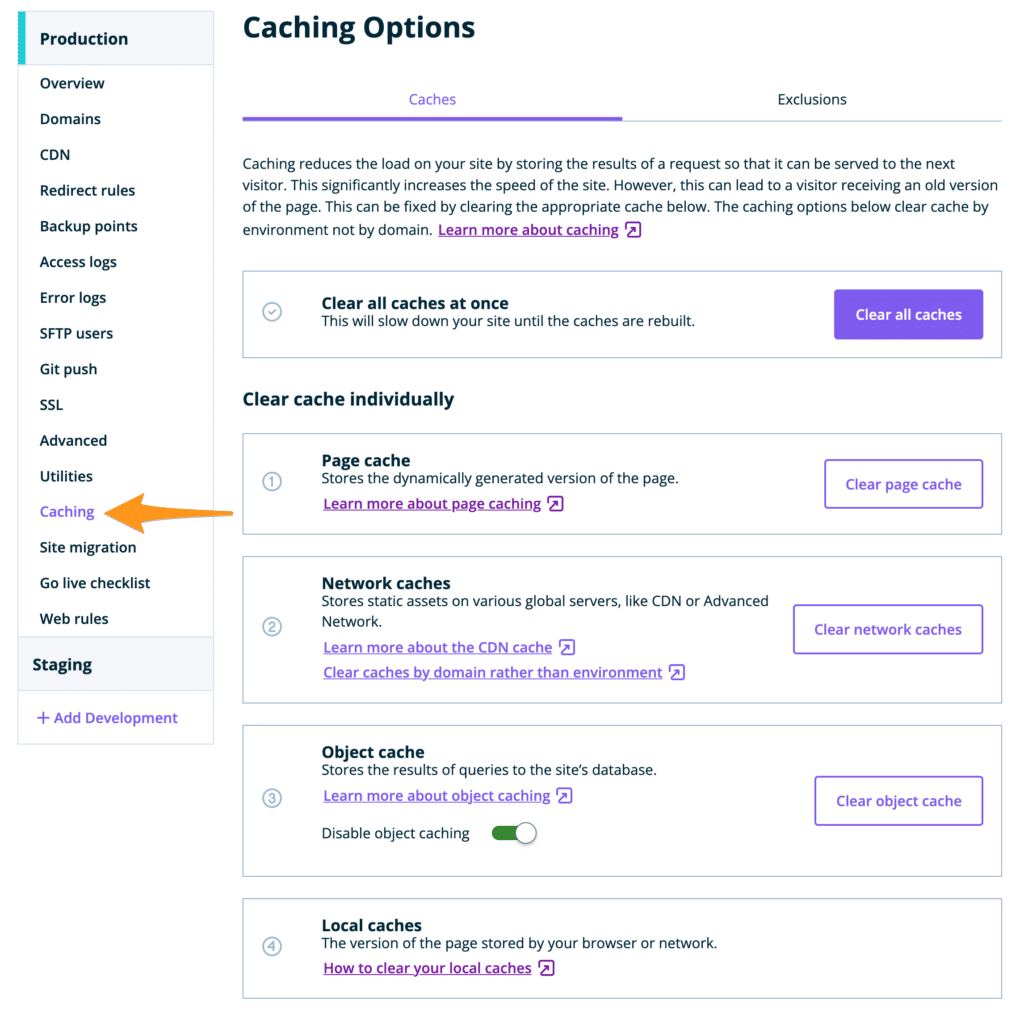 If this does not help, we would like to take a look at your project. Please add a new user to your WP Engine account following this procedure https://wpengine.com/support/users/ with the email communitysupport@brizy.io
Please also add a new user to your Staging Dashboard and send the following details to the above email:
- Community Post link: https://support.brizy.io/hc/en-us/community/posts/15173542565138
- Staging Admin URL:
- Username
- Password
Please let us know here when you send us the email.
0 -
Hi KC George,
The hamburger menu is working now. It was the parallax effect on the block below it that was making the hamburger menu not work.
Regarding the use of default LaTourism header and not the brizy template - it made the brizy page have a smaller width and not be full width (the screenshot I attached before). So, I changed it back to the brizy template since using the default header wasn't going to be an option for us. I did not want to troubleshoot how to make the brizy page design be full width and work with the LaTourism header - especially, because the menu is working perfectly on this other page - https://visitlajunta.net/la-junta-tarantula-fest/
I normally wouldn't use Brizy with a theme like LaTourism but it's a client's site that I jumped into help design. They will be transitioning to full brizy next year but for the meantime I'm stuck figuring out how to make it work with Brizy + LaTourism theme.
I'm running into another issue with the desktop menu dropdowns disappearing before a user can click on it. It was working before (with the CSS I found from another person's support ticket) but now it is not. Would you like me to start another thread/support ticket? I'm using this css:@media (min-width: 991px) {
.brz-menu__ul > .brz-menu__item-dropdown > .brz-menu__dropdown {
top: calc(100% + 2px) !important;
}
}
Thanks for your help. I'm really trying to get this working for them smoothly.0 -
Hi KC George, I got it all working. Disregard the new issue. I deleted that css I found from someone on a support ticket here and it is working better. Thanks for your help troubleshooting!
0
Please sign in to leave a comment.
Comments
7 comments