Account Upgrade

How do I roll my personal account into my newly purchased freelancer account?
0
-

Hi Troy,
Currently, you are subscribed to both the Personal Cloud and Freelancer Cloud plans. By following these steps, you can remove the Personal Cloud plan from your account.
- Sign into your https://www.brizy.io/ account
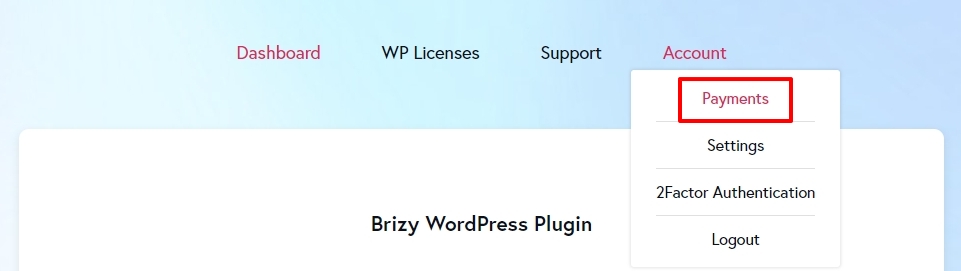
- Click on 'Payments' under the 'Account' tab (see the attached image)
- In the Stripe page that opens up, click on the 'Cancel Plan' button next to your Personal Cloud subscription. See this screenshot https://jmp.sh/YR3wu2O2
 0
0
Please sign in to leave a comment.
Comments
1 comment