Brizy, with woo commerce on Blocksy theme, brake the column

Good afternoon,
after upgrading WP to 6.2 and all plugins, a WP site with Brizy PRO with BLOCKSY theme, a Brizy block containing Woo Commerce products with code to split products into 3 columns, put products one below the other.
This the code in Brizy builder

Looking at the CSS with the Inspector Tools I see that Brizy automatically generates an "IMPORTANT!" which is the cause of the malfunction.
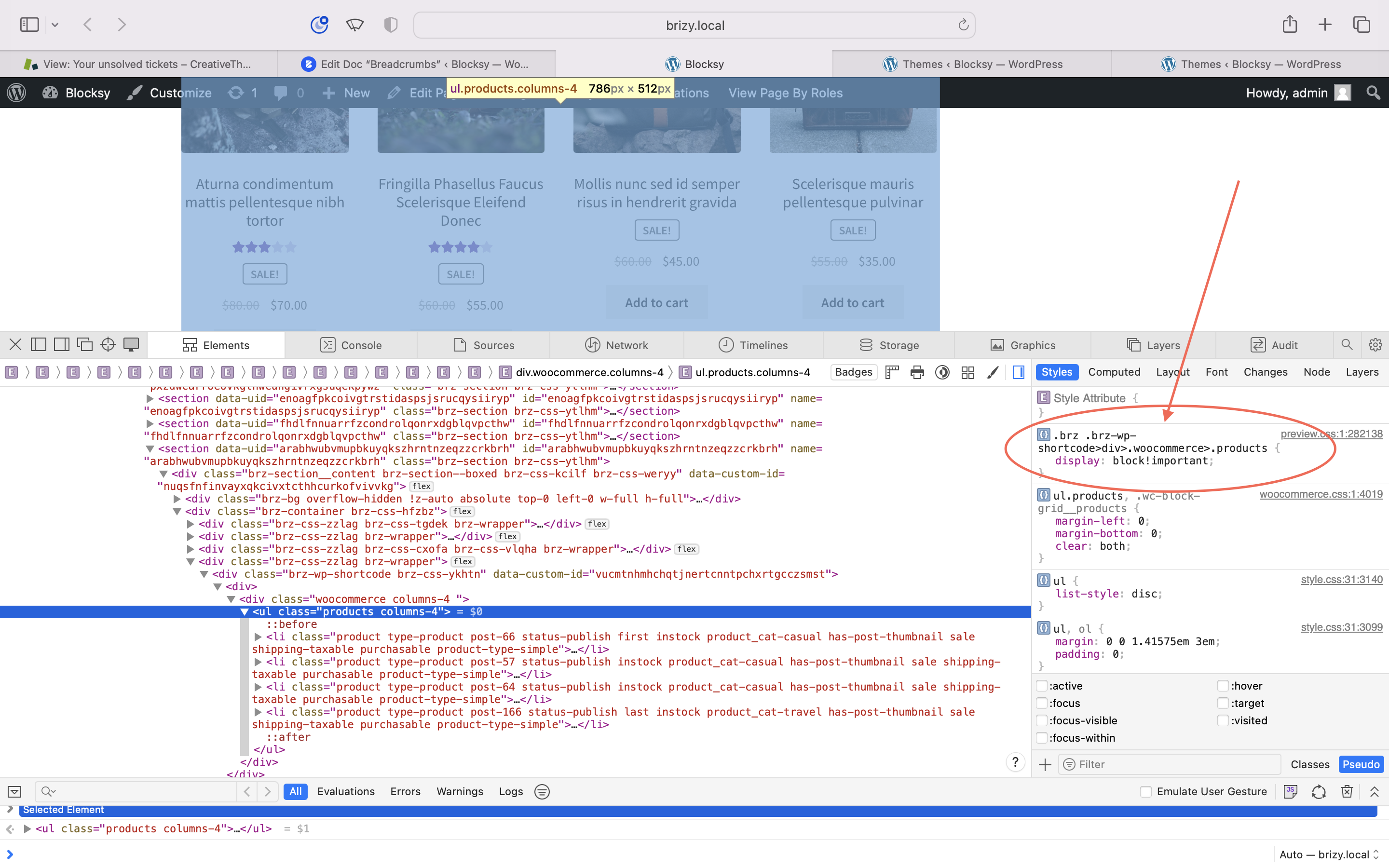
so the result is like this (URL cantinettadibolgheri.com)

instead of being like that

Can you please suggest how to fix this?
-

Hi Gabriele,
The most recent Brizy versions have an incompatibility with the WooCommerce shortcodes when used along with Blocksy theme. We have a solution available at our end it is likely to be part of the next Brizy update.
In the meantime, if you would like to roll back to previous versions of Brizy, please use these ZIP files
- Brizy 2.4.17 https://jmp.sh/lwguyOJL
- Brizy Pro 2.4.16: https://jmp.sh/FfizdSgs
Please follow this procedure to roll back.
- Deactivate and delete Brizy Pro
- Deactivate and delete Brizy
- Download Brizy 2.4.17 and in your WordPress Dashboard under Plugins - Add New - Upload Plugin, upload Brizy
- Download Brizy Pro 2.4.16 and under Plugins - Add New - Upload Plugin, upload Brizy Pro
0 -
Good morning,
Thanks KC George,
for the moment I've used a patch in CSS for the block that breaks.brz .brz-wp-shortcode>div>.woocommerce>.products {
display: grid !important;
}
But I bring Brizy back as you suggest and look forward to the new update.Thanks as always KC George you are always very efficient
0
Please sign in to leave a comment.
Comments
2 comments