Sticky section

Hi, I'm using Brizy WP Pro and am trying to make a section fixed so that the next section can scroll on top of it on scroll. I've tried giving the section a CSS class then using:
.class{
position:fixed:!important;
top:0px;
}
I’ve tried putting the code both in the section's Custom CSS box under the Advanced tab and also in Customiser under Additional CSS section (Blocksy). I have also tried changing z-index for the next section to be a higher number. But nothing works. Can you suggest how I can achieve this? Thanks!
-
Sorry I meant -
position:sticky!important;0 -

Hi Claudia,
Thank you for reaching out to us.
Regrettably, the CSS might not function appropriately with Brizy. The easiest way to achieve this is to use the header element, which already has a sticky option. You can do this by adding a header element to the area of your page where you want the sticky effect. Inside this header section, you can remove the existing elements and substitute them with the ones you require, like text and images. Essentially, anything placed within this section will become sticky, as shown in this screencast - https://youtu.be/3ezffP2c5Tg
Please try this and let me know how it goes.
Best regards,
Ariel H.0 -
Hi Ariel, Thanks for that. It's not quite what I'm trying to do, sorry if I didn't describe it well. If you have a look at this page, https://www.joinrora.com/ - see how section 2 moves up and over section 1 when scrolled. How can I achieve this? Thanks
0 -

Hi Claudia,
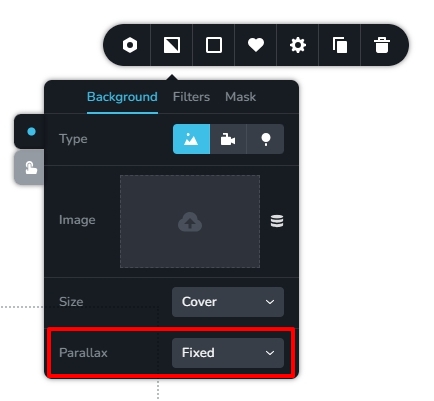
The hero section of the https://www.joinrora.com/ uses parallax effect. You can add a background image to a block/section and add the fixed parallax effect in your Brizy page. Please see my test page here https://brizy.tech/parallax/
The parallax effect does not take effect on mobiles at moment. We are working on fixing this bug.
 0
0 -
Well that's what I initially assumed, so I tried putting a plain white image as the background, as that's the required colour of it and set it for parallax, but it didn't work. I wonder if it's because I am using a local instance. I'll have to see when it's live. Many thanks anyway!
0
Please sign in to leave a comment.
Comments
5 comments