Adding mp3 to WP site custom vs. soundcloud

Hi, experiencing some partially(!) troubleshooting with adding mp3 to our websites. Our website is multilingual. We have successfully added a custom mp3 to our german site. Looks good, works like expected:
https://nancy-heiber.com/kundenstimme/
Here is the PROBLEM:
We set up the same page for our english pages, did everything the same, changed the mp3 to the english one, but the file will not play!
What we did so far we tried to track the problem:
1. added the german mp3 file to the custom window (it works perfect on the german site), but: doesn't work either. So it is not a problem of the mp3 file.
2. Tried to add the english mp3 with the soundcloud tool. This works, but: When the site opes, the visitor sees a window stating to push a blue "LOAD" button. This is NOT what we want:
https://nancy-heiber.com/customer-voice/?lang=en
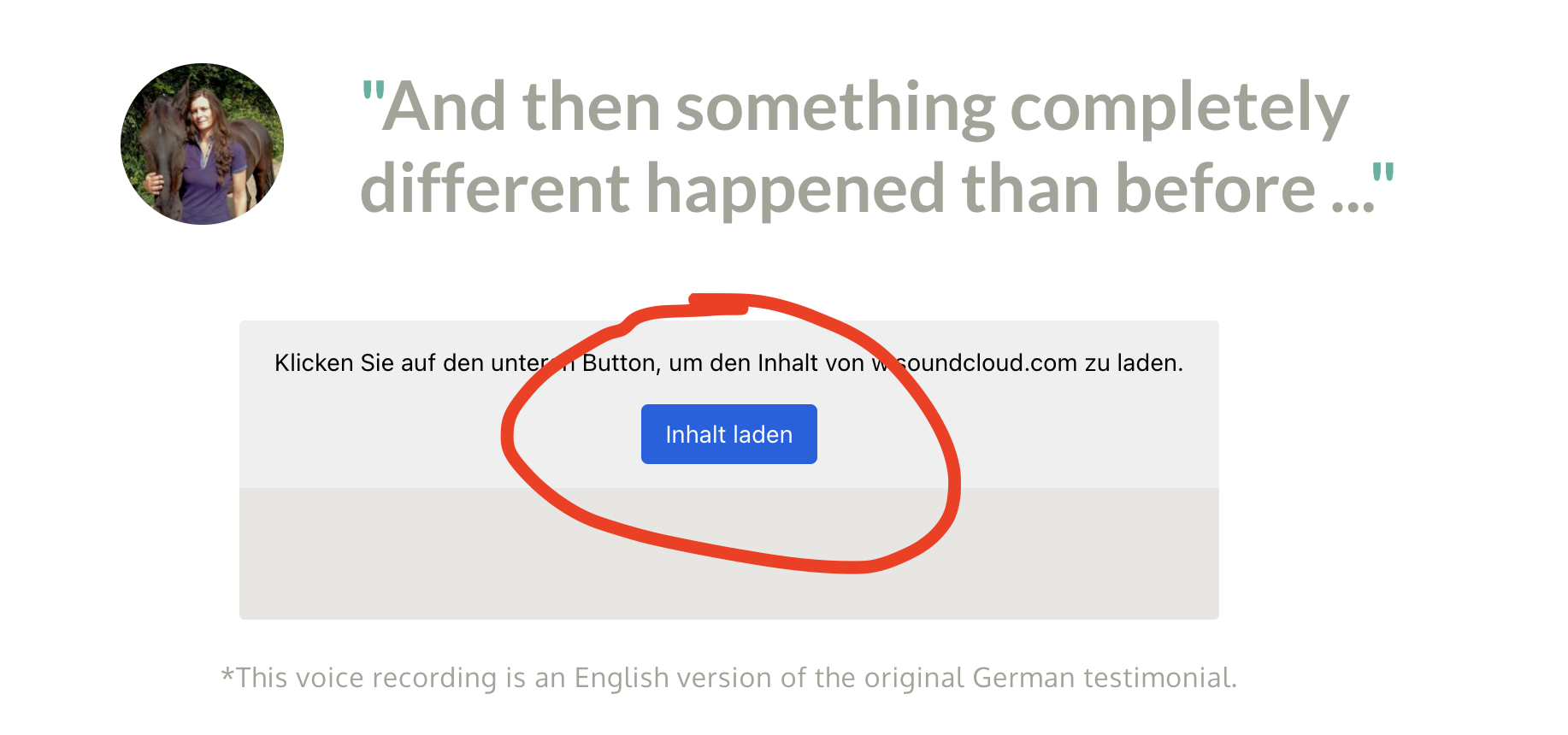
Is there anything we can do to solve these problems?
Best regards, Leslie
PS. We also tried it with the embed code: same problem: shows load button first
-

Hi Leslie,
I created a test page with your English and German audio files. Please have a look at https://brizy.tech/audio/ This is how the Brizy Audio element normally displays on a webpage.
On your website it is possible that 'Borlabs Cookie' plugin interferes with the Brizy Audio element. Please temporarily deactivate the plugin and check if you continue to see the blue 'Inhalt laden' button.
0 -
Hi KC, thanks for being so quick. I deactivated Borlabs Cookie Plugin an now it works directly without the "Inhalte laden" Button first.
Now, how do I proceed? The site without the cookies is not legal.And: I tried to add the custom way with the mp3 file from the mediathek: this still does not work.
Thank you, Leslie
0 -
OK, thank you. This helps for now.
0
Please sign in to leave a comment.
Comments
4 comments