Assistance Needed - Website Display Issues and Server Synchronization Problem

Hello,
I am writing to inform you about an issue I have encountered with the website after uploading it to the server. Additionally I am facing difficulties with server synchronization.
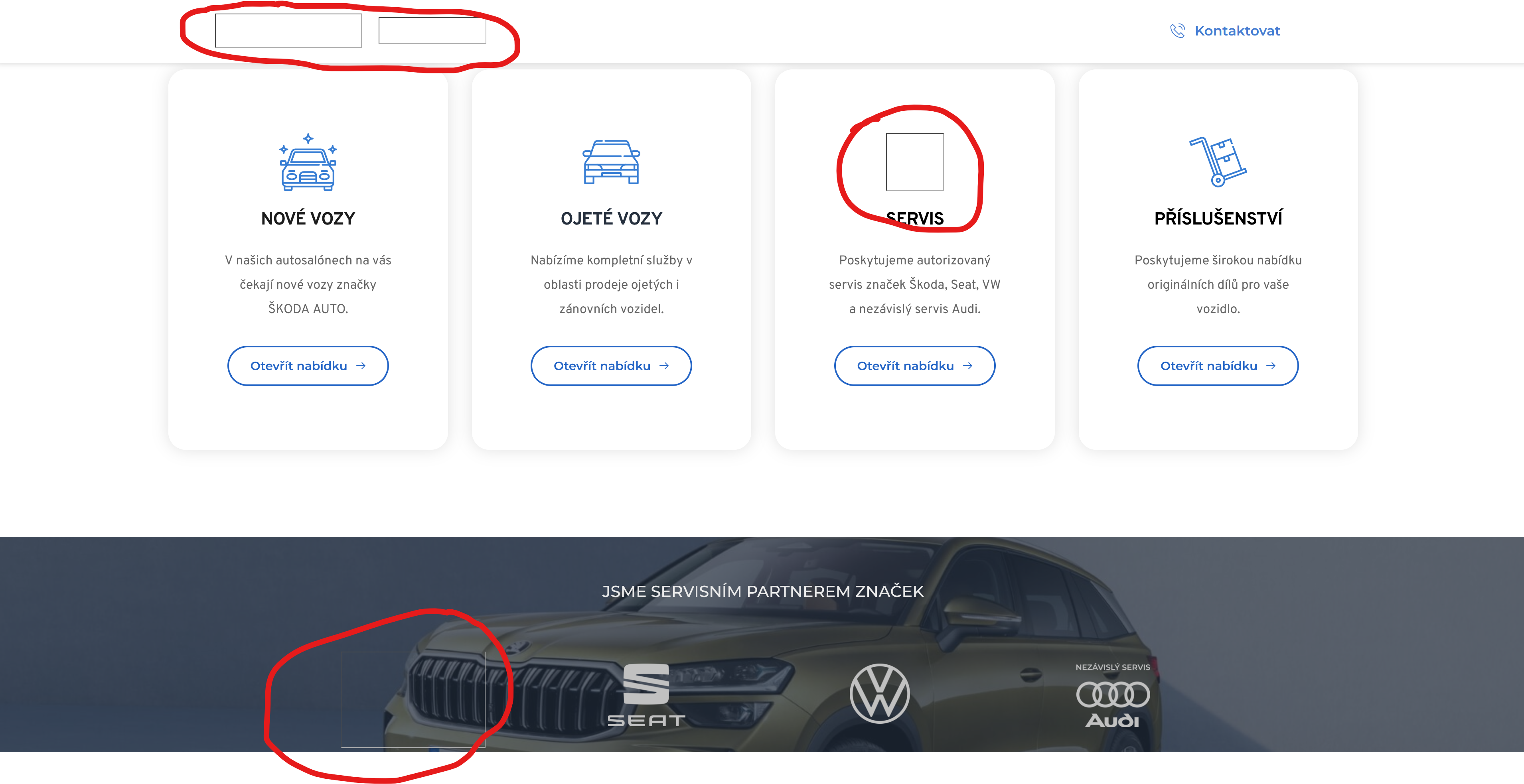
After successfully uploading the website I noticed that some images are not displaying at all. For example, the logo in the top left corner is not visible on the website you can access via the provided link. Despite following the instructions in the htaccess file the problem persists and I have been unable to resolve it.
I have attached the link to the project below for your reference:
Your expertise in troubleshooting and resolving such matters would be greatly appreciated. Please let me know if you require any further information or access to specific files. I am eager to have the website functioning as intended.
Thank you in advance for your time and assistance.
Best regards,
Ing. Tomas Vrtal
-

Hi Thomas,
Thank you for reaching out to us.
To resolve this issue, please follow these steps:
1. Access your server either through FTP or by using the File Manager in your hosting panel.
2. Navigate to the root directory of your site and locate the /cache subdirectory. Delete all the files contained within this subdirectory.
3. Return to the root directory and find the /var subdirectory. Delete all files inside this folder.
Note: It's important to only delete the files within the /cache and /var subdirectories. Deleting the entire /cache and /var subdirectories themselves could cause further issues.Once you've completed these steps, go back to your pages and click on the "Update" button. It may take some time for the updates to appear on your website, so please be patient. If the changes don't immediately reflect in your browser, try accessing the site in incognito mode or using a different browser.
Please try this and let me know how it goes.
Kind regards,
Ariel H.0 -
I have followed all the steps that were communicated to me, server sync is working yet but unfortunately, the problem with some pictures persists, and several images are not displaying correctly.
0 -
Hi Tomas,
Thank you for the update, and I'm sorry to hear that you're facing difficulties with this issue.
To assist you better, would it be possible for you to provide us with temporary access to your FTP credentials? This will allow us to investigate the issue more thoroughly and provide a more accurate solution. Please send your FTP details to communitysupport@brizy.io, and in the subject line, include the reference number: 15070127968914.
I am looking forward to your response.
Best regards,
Ariel H.1 -

Hi Tomas,
Older Brizy Cloud projects have issues in publishing using server sync option. The images do not display well in case of older Brizy Cloud projects
While the projects with the current project format have the 'Collaboration' option the older projects do not have this option. If you see only the 4 options as in the left screenshot, it means that your project follows the older Brizy Cloud project format.
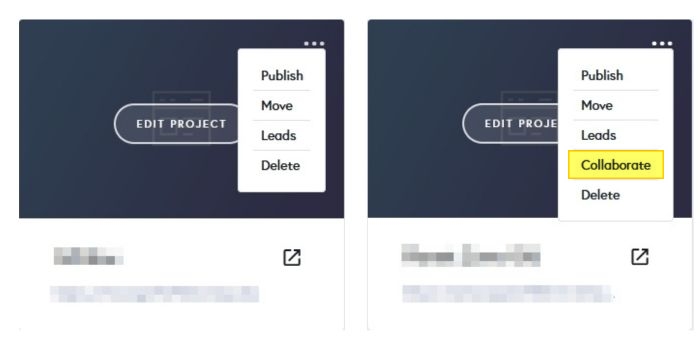
Please check if your project was developed using the older Brizy Cloud project format.
1 -
Hello, my project was created in the format of a new project since it contains 5 lines.
0 -
Hi Tomas,
The source and destination projects look different. Your are syncing the ŠKODA project to your server using Server Sync whereas you had linked to Electric Bikes project in Brizy Cloud.
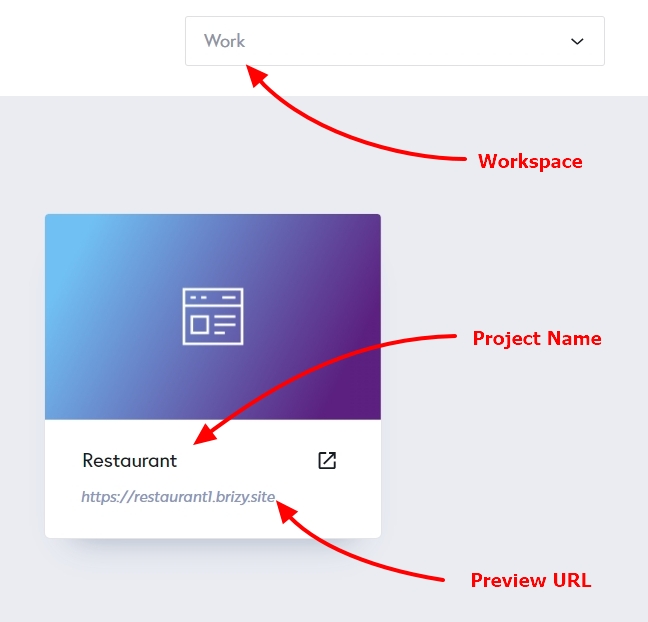
We also need the Workspace, Project Name and the preview URL of of the project you are trying to sync along with FTP details to offer further help. As Ariel suggested, please send the details to the email address provided in his comment.
 1
1 -
I have just sent you an email to the address: communitysupport@brizy.io with the reference number: 15070127968914. Therefore, I kindly request a prompt response to my inquiry. Thank you very much for your time and effort.
Best regards,
Tomas Vrtal
0 -
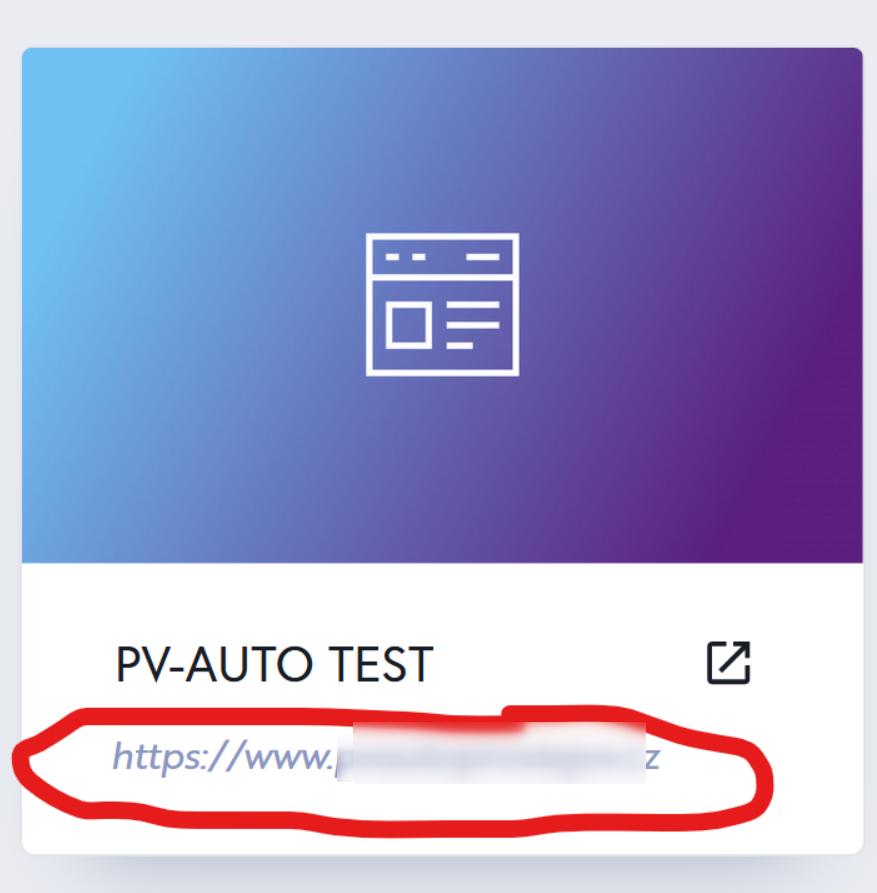
Project name is: PV-AUTO TEST and URL of the project is: https://www.brizy.cloud/projects/19202535/editor/page/4290876
0 -
I currently have the project synchronized with the website. The only issue is currently with the display of some images on the website. Because of that, I have already sent you an email.
 0
0 -
Hi Tomas,
Thank you for your patience.
Our developers are currently investigating this issue, and I'll reach out to you as soon as I have an update for you.
If you have any further questions, please let us know.
Best regards,
Ariel H.0 -
Alright, thank you very much for your patience and the time you have dedicated to resolving this issue. I will be looking forward to your feedback. Have a nice day.
Best regards,
Tomas Vrtal
0 -
Hello, I would like to ask if someone is addressing the issue that still persists in my Brizy Cloud. Please solve this issue as soon as possible, as I need to have the project completed. Thank you.
Reference Number: 15070127968914
0 -
Hi Tomas,
My apologies for the delayed response.
I will follow this up and get back to you as soon as I have an update.
Best regards,
Ariel H.0 -
Hi Tomas,
Thank you for your patience.
We've republished some of the pages, but we've noticed that the images on some of your pages have spaces in their file names, causing them not to display properly.
Here is an example - https://jmp.sh/r3v3hUur
To address this issue, please change the file name "jen skoda_NEW2 1.svg" to "jen.svg" or something similar without spaces, and then upload them again. You can use an underscore or a dash if you need to separate words. Please check the rest of the pages and make the necessary changes.
Please try this and let me know how it goes.
Best regards,
Ariel H.1 -
Hello, yes, that was the main issue. I apologize for the complications. The mistake was on my part. Thank you very much for your assistance.
Best regards,
Tomas
0
Please sign in to leave a comment.
Comments
15 comments