Migrating a site from a Brizy free Account to Brizy Wordpress

I have a client who has created a site in a free Brizy Cloud account.
I want to transfer that site to Brizy Wordpress.
I have create the Wordpress instance and installed Brizy Pro. I thought I'd then be able to connect to their Brizy Free account to copy pages across but I cannot.
Can you please advise the best way of achieving this transfer.
Many thanks
0
-

HI Simon,
Please consider these steps.
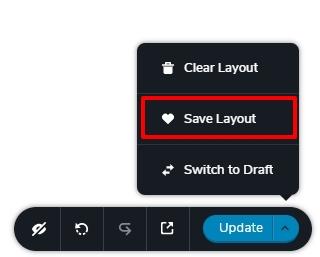
- Open pages one by one in Brizy Cloud and save each page as a layout by selecting the 'Save Layout' option at the bottom right corner. (see the 1st image attached)
- In your WordPress Dashboard, open any page and click on the + sign in between two blocks (or at the very bottom of the page) to access the Blocks and Layouts library.
- Select the 'Saved' tab of the Blocks and Layouts library. On the left sidebar, if you see a 'Disconnect' button, click on it. If you see a 'Connect' button please click on it also.
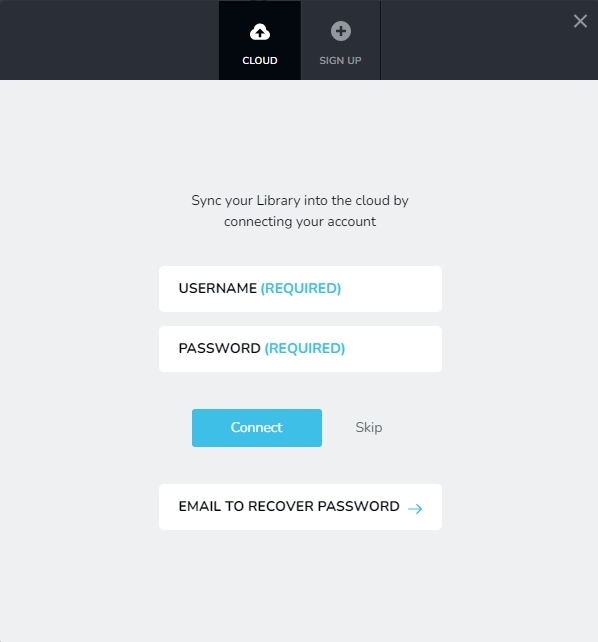
- Connect to the saved blocks and layouts library of the Free Brizy Cloud account by typing its username and password here. (see the 2nd image attached)
- When you connect to the Brizy Cloud account, you should see the layouts you had saved in Step 1
- Create pages one by one in WordPress and import different layouts to different pages.
 0
0
Please sign in to leave a comment.
Comments
1 comment