Archive Template display problem

After une of the lasts updates, one of my templates stop working as desired.
as you can see in the difference between this two pages:
This one doesn't work:
https://koshertherapy.com/category/profesionales/
This does work.
https://koshertherapy.com/profesionales/
-

Hi Daniel,
Thank you for reaching out to us.
Please try the custom permalinks provided below and check if it resolves the issue. To configure this, navigate to Settings → Permalinks, and select Custom Structure.
/%category%/%postname%/
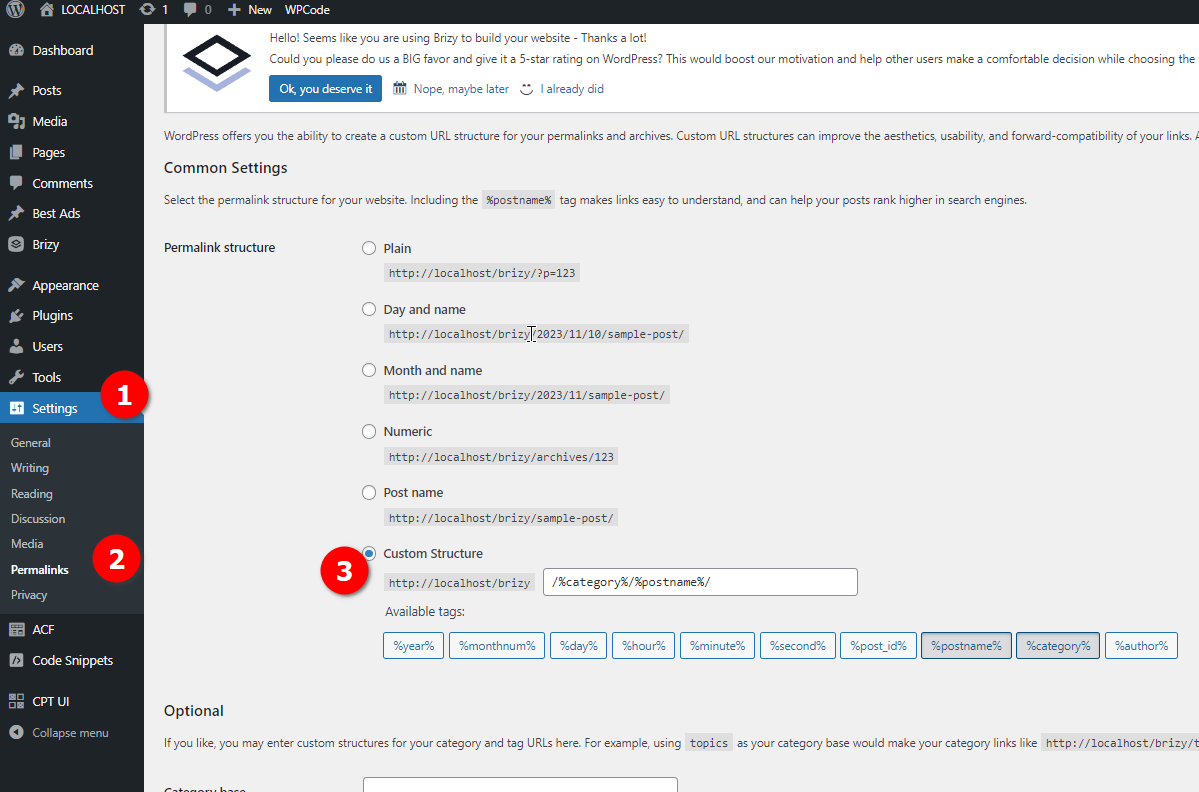
Please try this and let me know how it goes.
Best regards,
Ariel H.0 -
Hi Ariel,
Thanks for your anwer. I did it but didn't solve the problem.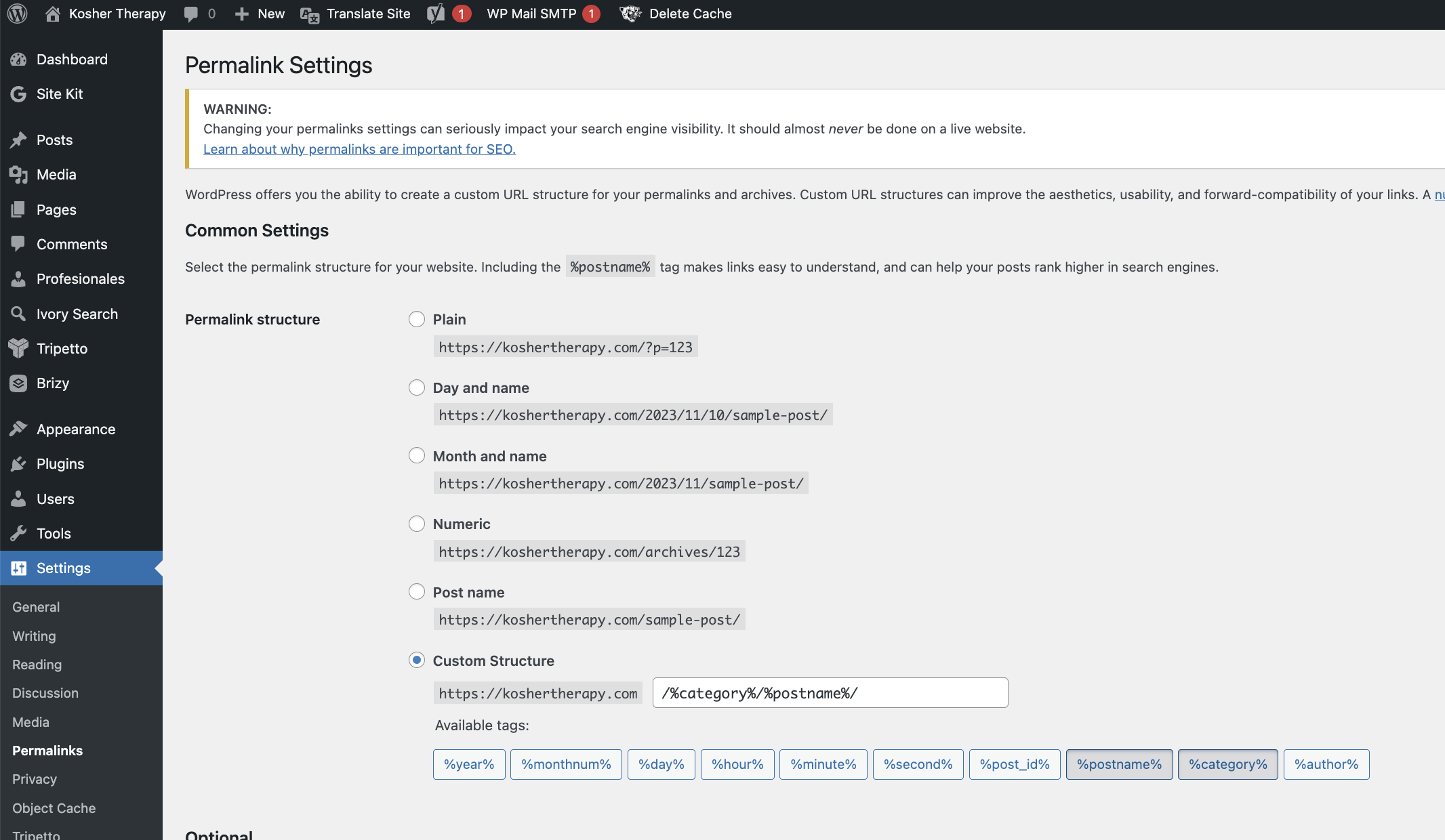
Also deleted the cache, tried it on a private browser window, and didn't work either.
Here I provide you a little more information on the template: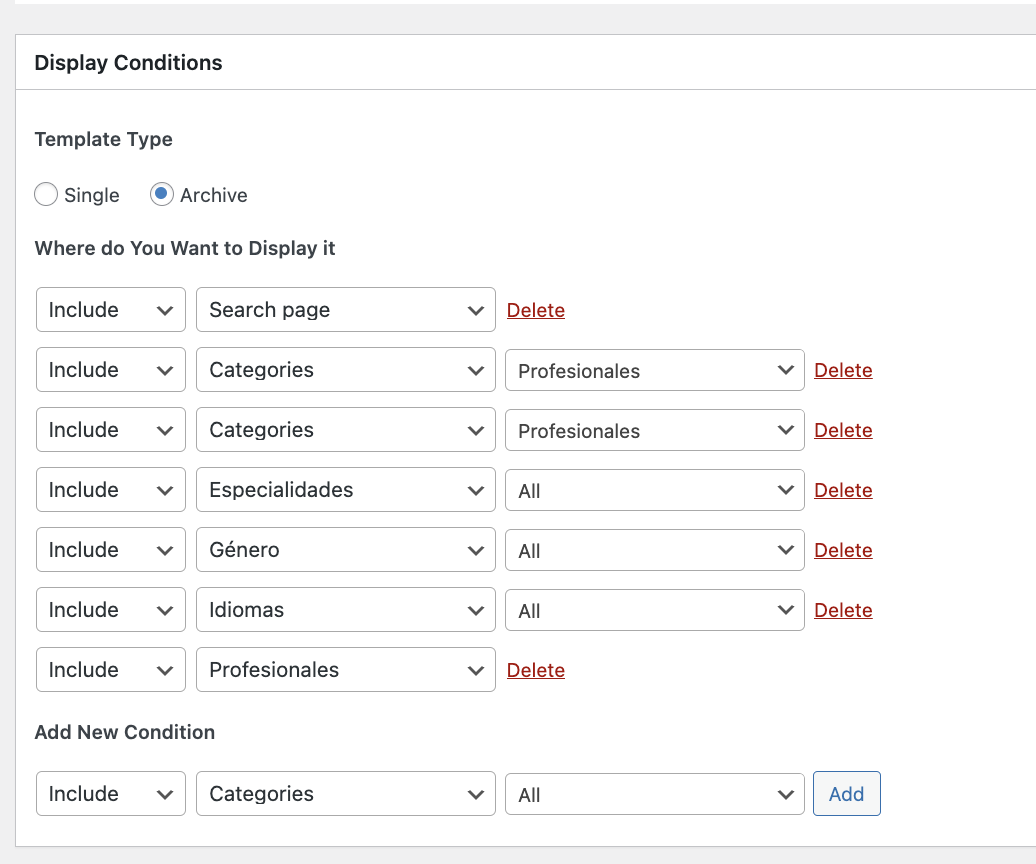
For example, for the search it is working fine, for example:
https://koshertherapy.com/?s=fede&id=12735&post_type=profesionales
But for the left meny options it is not working, for example:
https://koshertherapy.com/especialidad/adultos/
https://koshertherapy.com/genero/hombre/0 -
Hi Daniel,
This is something we need to inspect from your WP Admin page. Please add us as an Admin user to your WordPress Dashboard and send the following details to: communitysupport@brizy.io
Community Post link: https://support.brizy.io/hc/en-us/community/posts/14987524918290
WordPress Admin URL:
Username:
Password:Please make a full backup of your site as a precaution.
Best regards,
Ariel H.0 -

Hi Daniel,
As I understand the Profesionales archive template https://koshertherapy.com/profesionales/ is working well while the Profesionales category templates do not.
I recommend the following steps to fix the issue
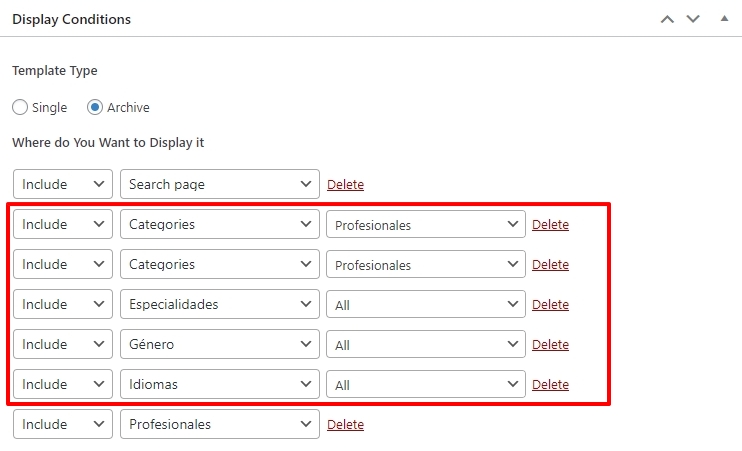
- Delete the category conditions from the Profesionales archive template (see the attached screenshot)
- Develop separate Profesionales category template with the deleted conditions.
How do you suggest we do this? Is it possible to make the above changes on a staging site and later apply the same changes to the live site?
0 -
Hi KC George,
Just made a backup. You can go ahead with the modifications you suggested. Thanks!!
0 -
Hi Daniel,
Are you currently signed into your WordPress Dashboard and have the Professionale Category Archive template open? Please close the Brizy Template window and any other Brizy page windows which are open. Once you do this, I can make the change I have suggested above
 0
0 -
Sorry! Already closed it
0 -
Hi Daniel,
I have added a new Profesionales Category template and have attempted to design it to make it similar to https://koshertherapy.com/profesionales/ However, there are some differences between the two templates
- The location and the fees of professionals are missing in the category template
- Specialities are underlined in the category template
Looks like the latest Brizy versions have a bug in displaying dynamic data from Pods. We have reported this issue and will work on releasing a fix. If you would like to roll back to previous versions to fix this issue, please let us know we will do that.
I have also updated your Profesionales menu link to https://koshertherapy.com/profesionales/ While this change has taken effect for the logged in users, for non logged-in users this change does not take effect. Please purge all cache to see the latest changes in the live site.
0 -
Hi KC George,
Do you have any updates regarding this issue?Thanks!0 -
Hi Daniel,
We have a solution available for this issue at our end. It will be made available in a later update. A release date is hard to estimate, though.
It would be good to work on an interim solution until we can release a fix (like rolling back to previous Brizy versions)
0 -
To wich version would I need to rollback?
Thanks!0 -
Hi Daniel,
Thank you for keeping in touch.
Please try to revert to these specific versions of Brizy and Brizy Pro. You can download and install them from this link: https://tinyurl.com/84dbdjjj
If you have any further questions, please let us know.
Best regards,
Ariel H.0
Please sign in to leave a comment.
Comments
12 comments