brizy styling frame right bar for moving up an down blocked or not visible

Hello , I'm working on windows 11 pro platform with last update done.All browser updated and brizy free and pro updated today.
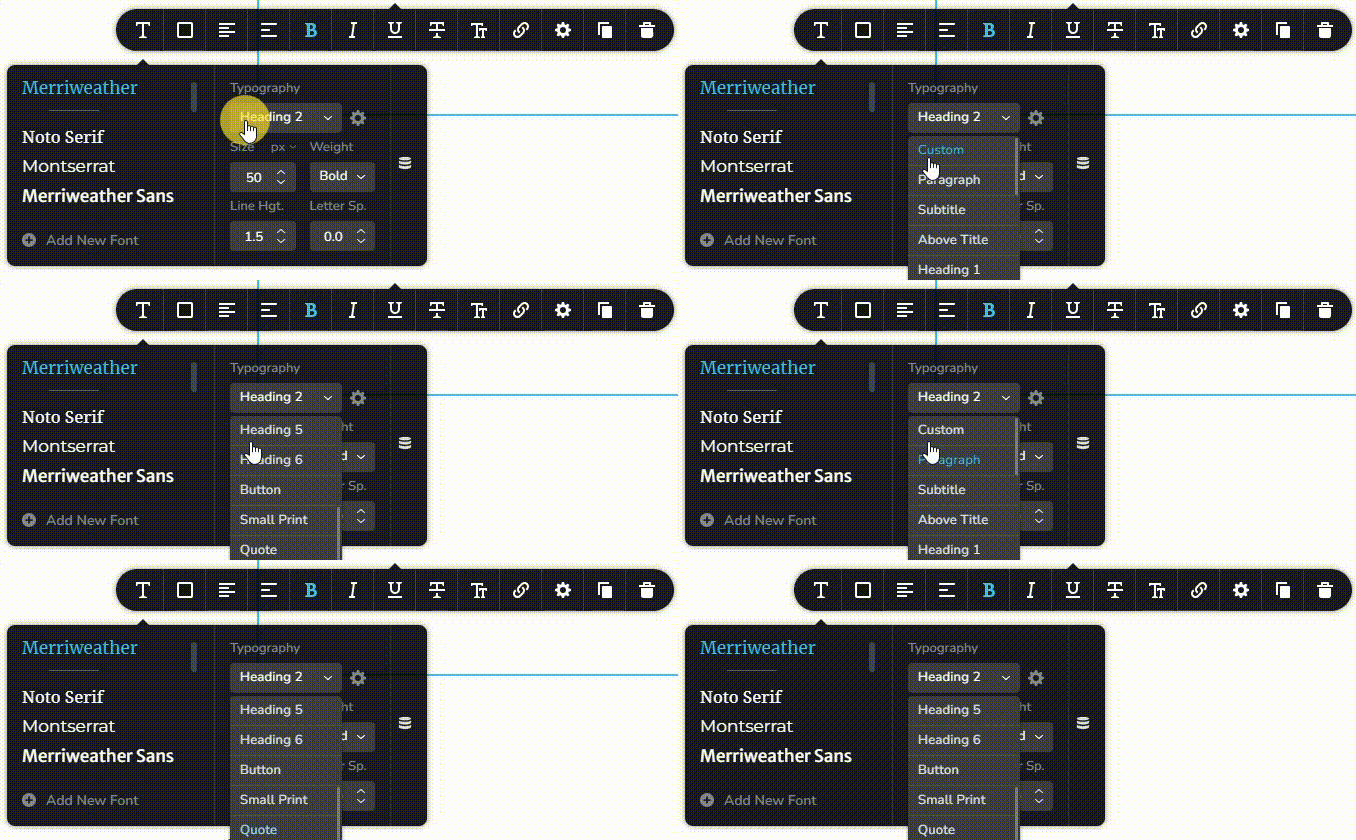
Using Edge,Chrome or Firefox I can't go down in the styling frame (on edit pages on the left side of the page), so I can't modify or see style below Heading1.
With chrome and edge I can see the right bur but is not possible to move it to scroll down.
with firefox the right bar is not visible. No way to scroll down using mouse or arrow of the keyboard.
Is it a bug or Am I wrong ?
thanks
-

Hi Gianmarco,
Are you saying that the scrolling movement in the Typography toolbar is not possible? This seems to work fine at my end on a Windows 11 laptop using Google Chrome and Firefox.
Do you face this issue if you access your WordPress Dashboard from a different computer?
0 -
Hi George , thanks for your answer.
I tried on another computer as you suggested but it's the same.
The problem is not related to the text box where you choose which style you want assign but on the management of the styles where I would go to customize each style that now are with the default value for the template (beach resort).
I'm Italian , this is my first wp site from scratch (I'm coming from joomla platform).
I'm using polylang free version for this site , nothing change if I try to use my admin user with english or italian language.Hereafyer the screenshot where I can't go down to customize from header 2 and the other.
 0
0 -
I just found a workaround , I have to do a click with the mouse around the button of one of the styles and then the arrow key of the keyboard allow me to move up and down to see all the styles.
For me it is enough but I guess the usual bar on the right have to do the same if i click it and move the bar with the mouse as for every other windows or frame on any computer.
Thanks
0 -
Hi Gianmarco,
You are right; if you click on the scroll bar and drag it down, you cannot scroll down. If your mouse has a scroll wheel, please try using the wheel to scroll down. This works at my end.
This seems to be a bug. I will report this and we will work on fixing it,
0 -
Thanks George , I'm using a touchpad mouse without a scroll function. In case of "normal" mouse I'll follow your suggestion.
Thanks
0
Please sign in to leave a comment.
Comments
5 comments