cover image bug

Since the last version (2.4.30 and pro 2.4.27), there is a bug with cover images in templates.
In editor, all is fine, but on the front, that doesn't work properly.
As you can see here, all is fine in the editor : 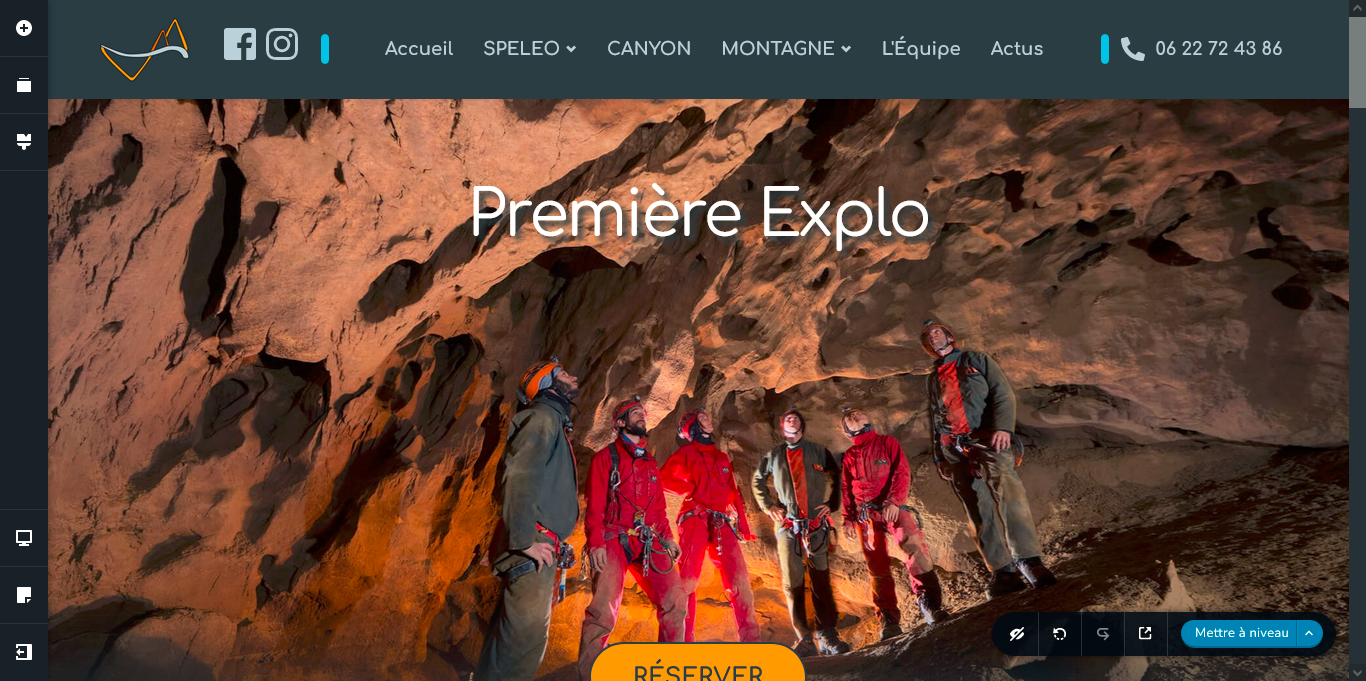
But after publication, we can see that :

I temporarily fix that by adding a class to my section with this css rule :
.couverture-produit .brz-bg {
background-size: cover;
}
But that is what this selected parameter must do ! 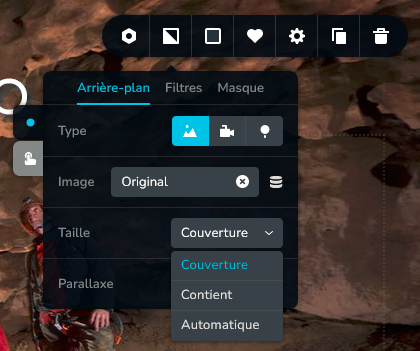
Can you fix it quickly ?
Thanks a lot !
-

Hi Théophile,
Thank you for reaching out to us.
Unfortunately, I am unable to reproduce the issue as described.
Could you kindly verify whether the issue persists when you temporarily deactivate all other plugins except for Brizy and Brizy Pro? Additionally, please try to switch temporarily to another theme to see if this resolves the issue.
If the issue continues, this is something we would like to investigate from your dashboard. Kindly share the WordPress credentials with us, so we can take a closer look into this issue.
Please add us as an Admin user to your WordPress Dashboard and send the following details to: communitysupport@brizy.io
- Community Post link: https://support.brizy.io/hc/en-us/community/posts/14928570762386
- WordPress Admin URL:
- Username
- Password
Please make a full backup of your site as a precaution before providing us access.
Best regards,
Ariel H.0 -
Hi, I've done some tests, I don't see any currently.
This page is constructed with CPTUI, to add a new sort of content in the website.I send you an email, but be very careful, this website is in production.
And first you will have to disable css rule, or you will not see the bug.
0 -
Hi Théophile,
Thank you for the update. I was waiting for the email, but it hasn't arrived yet. Kindly double-check and resend it.
Best regards,
Ariel H.0 -
Hi Théophile,
Thank you for your cooperation.
We just received the credentials, and were about to start inspecting the page and I noticed that something is off in your home page - https://imgur.com/G7LAYsq
The domain name is appearing in the menu, you might want to correct this first.Best regards,
Ariel H.0 -
You are currently using brizy, I can't modify it, but normaly it's "accueil", and not the url like it. I think a simple update fix it.
Thanks
0 -
Hello Théophile,
Thank you for your patience. We are a bit cautious about troubleshooting this issue since this is a live site. Would it be possible for you to create a staging version of your website?
Best regards,
Ariel H.0
Please sign in to leave a comment.
Comments
6 comments