Change the blog slug from blog-2 to blog

How can I change the blog slug from blog-2 to blog?
-

Hi Evangeline,
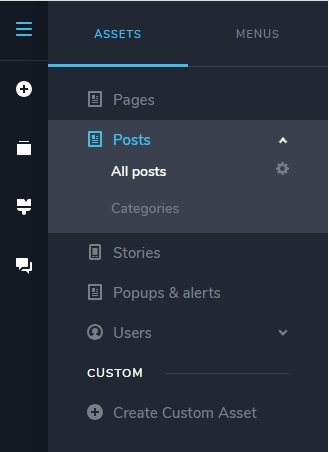
If a page automatically assigns the slug /blog-2, it means that the /blog slug is already taken. Please look through all your Pages, Posts and taxonomies (like categories) and check if any asset/taxonomy has the /blog slug assigned.
Please rename the original /blog slug and then the same slug can be assigned to another asset.
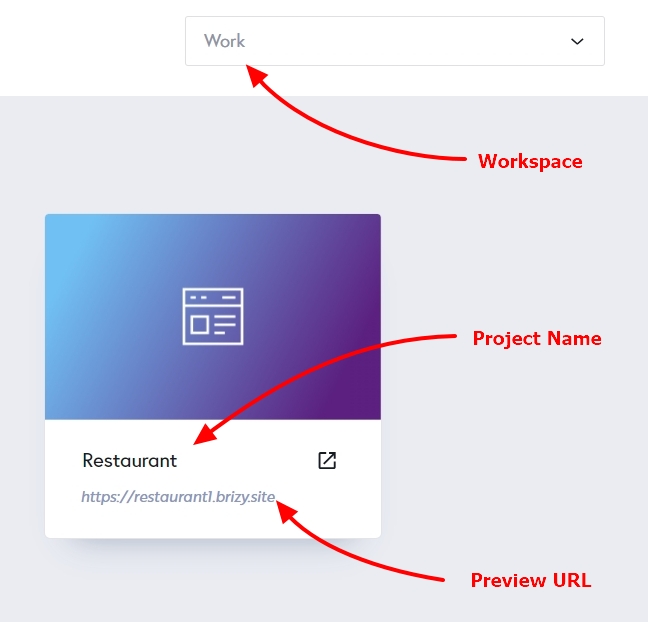
If you need help in identifying which asset has the /blog slug, please let us know your project details: Workspace, Project Name and Preview URL
 0
0 -
I am not able to find the /blog page so that I can rename it or delete it. Please log in and locate it for me. Thank you!
Please see my Dashboard.
- Workspace: My Personal Projects
- Project Name: RD Agency THIS
- Preview URL: https://plum19099760.brizy.site/
0 -
Hi Evangeline,
You have a blog category called 'Blog'. The slug for this category was set to /blog. I have changed its slug to /blog1
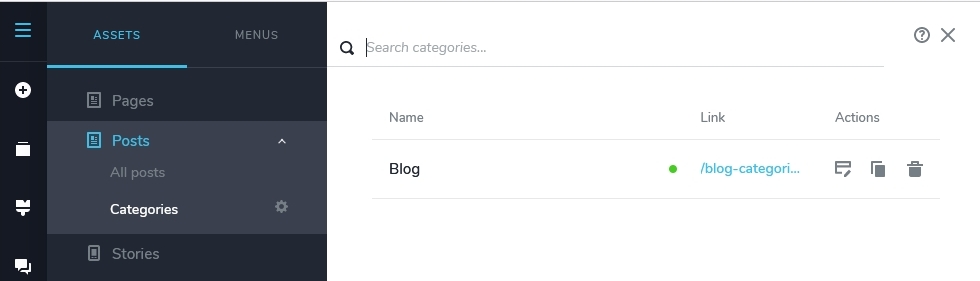
Now it is possible to set the slug for your Blog page to /blog. Please check
0 -
Thanks for your help. Appreciate you changing the blog slug to /blog.
Can you please help me find where I can change /blog1? I'd like to name it something else.
Thanks again!
0 -
Hi Evangeline,
- In the Brizy Editor, select the CMS (hamburger icon) on the left side bar
- In the list of assets on the left side panel, select 'Posts'
- Click on 'Categories' under Posts and you will see the 'Blog' category on the right pane
- Click on the name 'Blog'
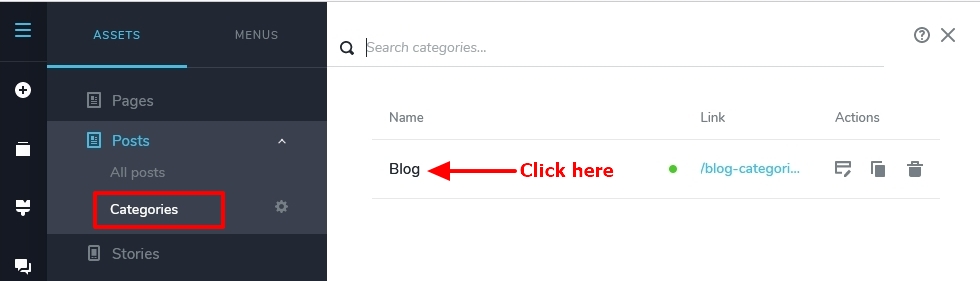
Change the slug from blog1 to something else. Please have a look at this screen recording for more detailed instructions https://jmp.sh/RzmLpVkh
0 -
Thank you! Perfect. Didn't know that the black text was clickable.
0
Please sign in to leave a comment.
Comments
6 comments