500 Internal Error

Oops! An Error Occurred
The server returned a "500 Internal Server Error".
Any idea why im receiving this error? No changes have been made on our end. Also only some projects are resulting in this error.
Looking forward to hearing back from the team.
-

Hi,
Thank you for contacting us.
Please try the following steps and see if this will help:
1. Please ensure that you are already using the latest versions of Brizy and Brizy Pro - https://prnt.sc/3q_BFSv7TFmd
2. Deactivating one plugin at a time and checking if the problem resolves.
3. Temporarily switch to another theme and check if the issue goes away.
4. Also, try raising the PHP memory limit to at least 256MB or higher.
https://www.wpbeginner.com/wp-tutorials/fix-wordpress-memory-exhausted-error-increase-php-memory/If all the above didn't help, please provide us temporary access to your WP Admin credentials, so we can further check the issue. Add us as an Admin user to your WordPress Dashboard and send the following details to: communitysupport@brizy.io
Community Post link: https://support.brizy.io/hc/en-us/community/posts/14902701729938
WordPress Admin URL:
Username:
Password:Please make a full backup of your website as a precaution.
I am looking forward to your response.
Best regards,
Ariel H.1 -
Hey Ariel, thank you for the speedy response. We are currently not using Brizy Wordpress. We are only using Brizy.Cloud
No changes to the project were made before receiving this error.0 -
Hi,
Sorry about that, please share with us the Project Name and the Preview URL of your project in the Brizy Cloud Dashboard, so we can further check the issue.
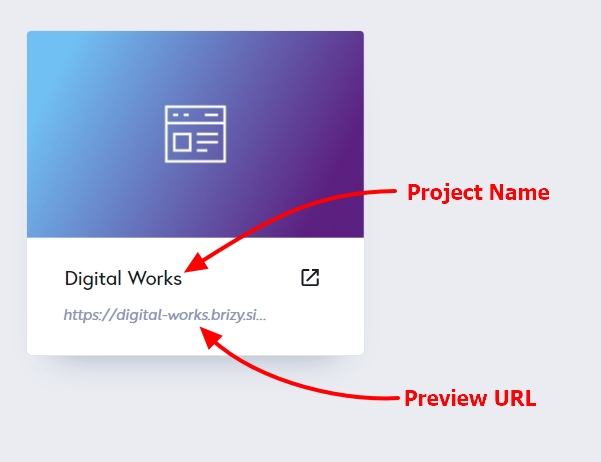
Kind regards,
Ariel H.1 -
Demo Site
www.--------------------------------
Is it possible for you to delete this post after receivng the URL details you need? We want to keep this project private.0 -
Hi,
Thank you for the update.
We're now looking into this issue and I will provide you with further information as soon as possible.
Best regards,
Ariel H.1 -
Thanks Ariel!
Look forward to hearing back from you.0 -
Morning Ariel.
Any updates?
We are still experiencing the same error.0 -
Hi,
My apologies for the delay. Unfortunately, this is still an ongoing issue, and we're waiting for an update from our developers. I will reach out to you as soon as I have an update.
Best regards,
Ariel H.1 -
Thank you Ariel.
Will closely monitor this space for your update.0 -
We are now experiencing this error across all our projects.
0 -
Hi,
Thank you for your patience. We have recently rolled out an update to address this issue. If the site is not appearing in preview, we recommend clearing your browser cache and/or updating the page in editor mode. After doing so, please check the preview mode again.
Please try this and let me know how it goes.
Best regards,
Ariel H.1 -
Absolutely legendary Ariel. All projects are working again.
Thank you so much for your help!0
Please sign in to leave a comment.
Comments
12 comments