Contact form not working

Hi, the contact form has been working fine during October, but now all of a sudden it stopped working and giving an error when you try to contact the client. The error does not provide ANY information of what is wrong. Please advice. See screenshot. The form uses Google connector instructed by you previously.
I can provide more details private, since a client website. Thank you in advance. 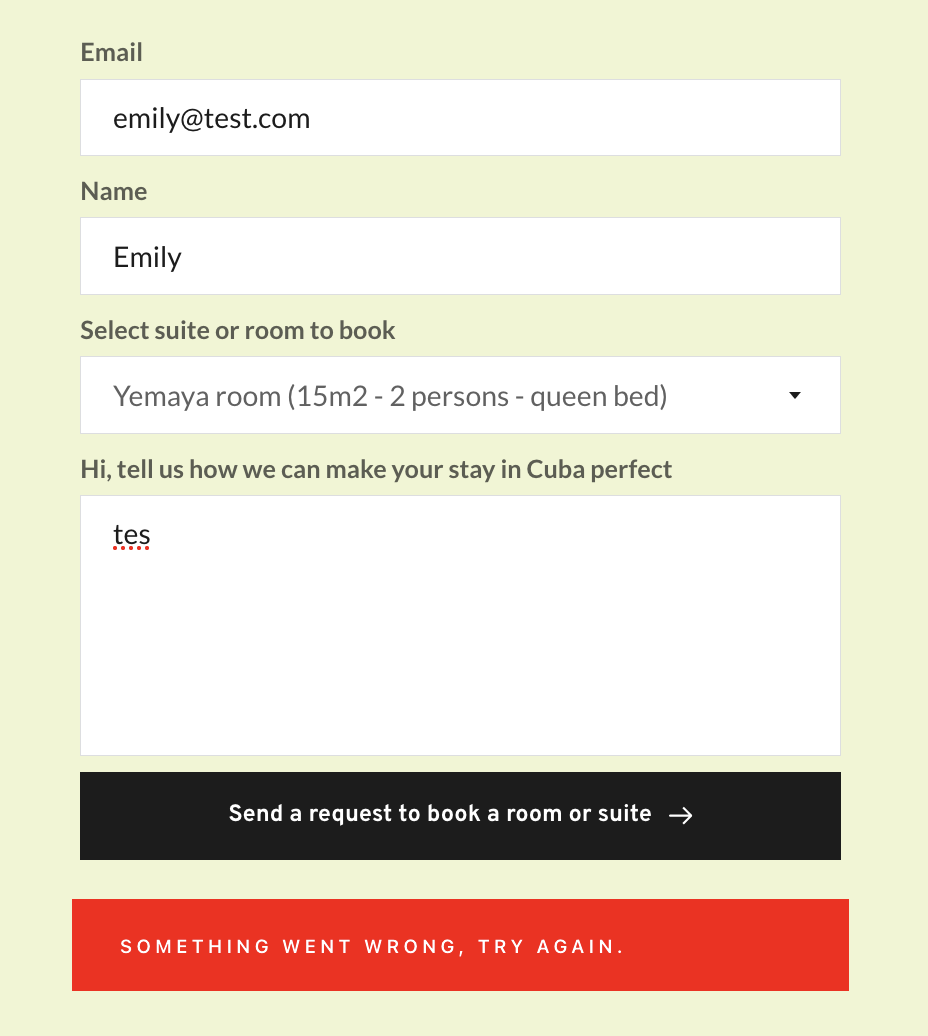
-
Also, is it safe to update PRO version? We have WP 6.3.2.
 0
0 -

Hi Emily,
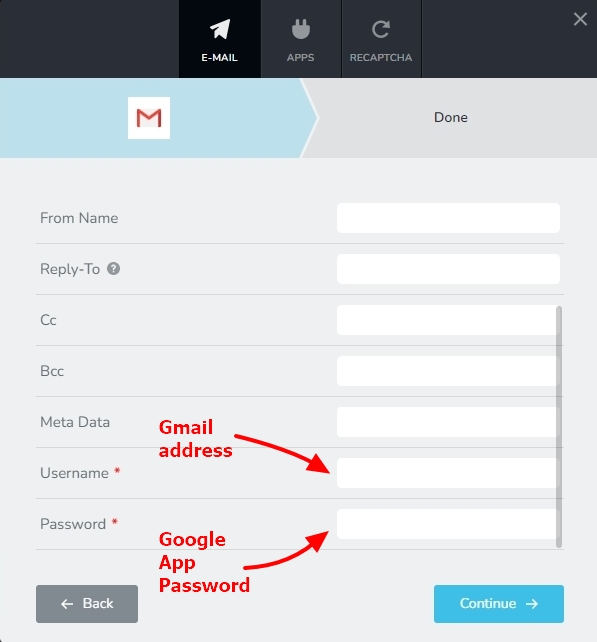
When checking your contact page using Chrome DevTools, I see the message "SMTP Error: Could not authenticate". If you are sending out email notifications via Gmail following the procedure outlined here, https://support.brizy.io/hc/en-us/articles/360044216151-Email-notification-via-Gmail please generate a new Google App Password and add it to your form and check if the issue resolves.

It is safe to update to Brizy Pro 2.4.26 with WordPress 6.3.2.
 0
0 -
Hi! Thank you for the update. We are using this as you suggested it last time. We will try this.
However, does this Google App Password expire? It creates stress for the client that the form stops working randomly and they don't know when it happens.0 -
Hi Emily,
As per a statement from Google Support here, https://support.google.com/accounts/thread/212790902/google-app-password-expiration Google App passwords do not expire. However, Google revokes App Passwords if a user changes the Google Account password. The App Password needs to be reset whenever your client resets the password for his Google account.
0 -
Hi, Okay, understand. I will check with client. Thank you.
0 -
Hi, we decided to use another email than outlook and gmail since they only create issues. So, as adviced in the community here, we made a copy of the form and set to use the wordpress solution. Now when clicking on the button in the form it goes to a new page returning "0". https://casacuarteles.com/contact.
After using the button in the form the link redirects to /wp-admin/admin-ajax. This look like a security risk?
Need support on this ASAP thank you.0 -

Hi Emily,
Thank you for the update.
It seems like there might be a conflict causing the issue.
To investigate further and resolve the problem, could you please grant us temporary access to your WP Admin? We kindly request you to add us as an Admin user and send the following details to communitysupport@brizy.io:
- Community Support link: https://support.brizy.io/hc/en-us/community/posts/14881280027410
- Admin User:
- Password:As a precaution, please make a full backup of your website.
Best regards,
Ariel H.0 -
Hi Ariel, What kind of conflict? And, if we send the information to this address it will not be posted publicly? As, of last time it was. Not safe for the client.
Thank you,
Best regards,
Emily B0 -
Hi Emily,
Thank you for keeping in touch.
To identify the source of this conflict, we'll require temporary access to your WP admin credentials. Please refer to the instructions in my previous message to send us the necessary details. Rest assured, your site's privacy is our priority, and we won't disclose any of your details on this public forum.
Kind regards,
Ariel H.0 -
Hi Ariel,
I have sent you information and credentials now.
Thank you in advance,
Best regards,
Emily0 -
Hi Emily,
Thank you for your cooperation.
We have resolved the issue by updating Brizy Pro to the latest version. Please refer to the screencast sent to you via our community support email.
If you're still experiencing any difficulties, such as the background not appearing or the contact form not functioning, we recommend clearing your browser cache or trying a different browser.
If you have any more questions or concerns, please don't hesitate to reach out.
Best regards,
Ariel H.0 -
Hi Ariel,
I have aswered you now by email regarding the contact form.
Best regards,
Emily0 -
Hi Emily,
Thank you for keeping in touch.
During my testing of the page, I noticed that the email address was successfully captured in the Leads area under the Brizy menu in the dashboard. However, it's possible that there may be an issue with email delivery that we need to investigate on your site.
Would you mind sharing the temporary link to access your site again? This will allow me to revisit the page and conduct further checks. I have deleted the last email in the community support for privacy reasons.
I appreciate your cooperation.
Best regards,
Ariel H.0 -
Hello again,
The email setup with a non gmail/outlook email address have been working good before. With different domains - But seems to have stopped working past weeks. Should be sufficient to test with any non gmail/outlook email address?
Yes, all the leads are saved correctly in admin. But the client wants, as before, to get a copy by email. To easily manage submissions.
OKay, I will email you the link again.
Thank you in advance,
Emily0 -
Hi Emily,
Thank you for your cooperation.
PHP Mail, WordPress' built-in email sending feature, has limitations. Emails sent with PHP mail have low deliverability because it lacks SMTP authentication, spam protection features, and correct email header settings. Some ISPs block emails sent with PHP mail to prevent spam. To improve deliverability, use SMTP instead of PHP mail() function for Form email notifications.
I've tested this on a temporary form I created on your website. You can check it out by going to the Pages section and opening the "01-form-test" in your browser. I used Brevo SMTP settings to send emails from your website, and you may have already received the test emails from this form. To confirm that the emails are being sent, I included my email address as CC on the form and received the email from your site. You can see a demonstration of this on this screencast: https://youtu.be/bu60EpUudoM
To resolve this issue with your contact form, it is recommended to use the SMTP option instead. This is similar to configuring your email address on your email software. To obtain your SMTP details, please contact your hosting provider and follow the steps provided in this link: https://support.brizy.io/hc/en-us/articles/360043766792-Email-notification-via-SMTP
If you have any further questions, please let us know.
Best regards,
Ariel H.0 -
Hello again,
This has, however been working fine with my email on my own domain before, with the wordpress solution. What has changed the past month?
Understand about the SMTP solution. Will have a look, thank you.
I saw that your test email arrived in the inbox today.
Best regards,
Emily0 -
Hi, I have tested the email by https://www.gmass.co/smtp-test and it's working. I followed your instructions https://support.brizy.io/hc/en-us/articles/360043766792-Email-notification-via-SMTP. But The is still issues with the form, giving and error and not sending an email. What can it be at this point?
Thank you in advance,
Best regards,
Emily0 -
Hi Emily,
Thank you for keeping in touch.
To troubleshoot the issue, I suggest trying the following steps:
1. Change the Port number to Port 25 or Port 587 and set the Encryption to TLS. If this doesn't resolve the problem, proceed to the next step.
2. Change the Port number to 465 and set the Encryption to SSL.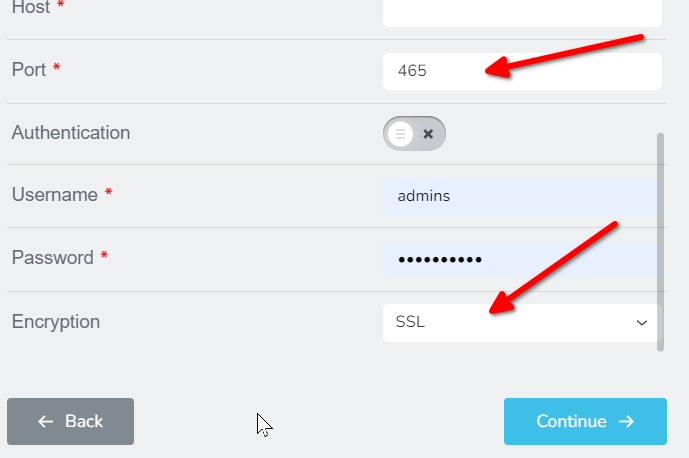
Please try this and let me know how it goes.
Best regards,
Ariel H.0 -
Hello again;
Tried port 587 with TSL (this is what the webhotell says to use) = error
Tried port 465 and SSL = error
What else could be done? Can it be the issue that I copied the form?
Best regards,
Emily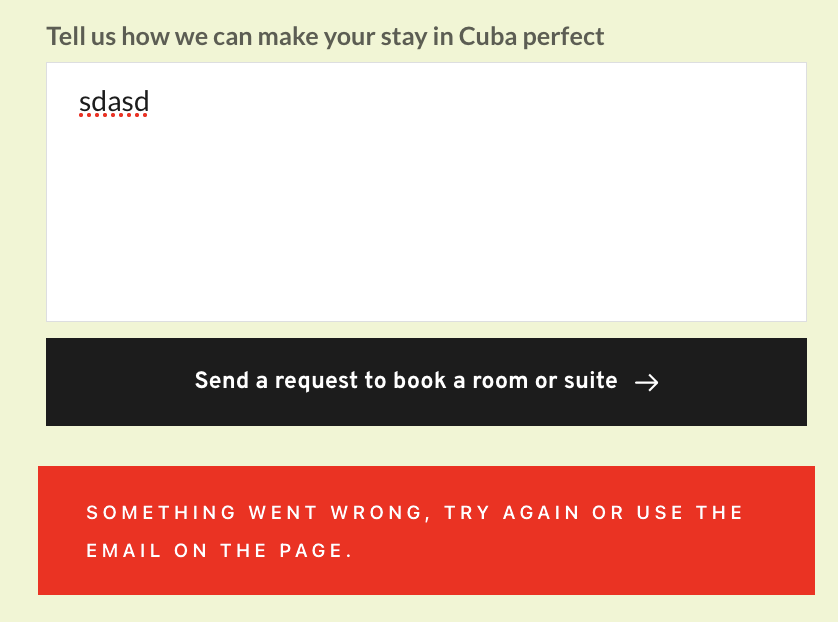 0
0 -
Hi Emily,
I tested your contact form and the form was submitted with a success message.
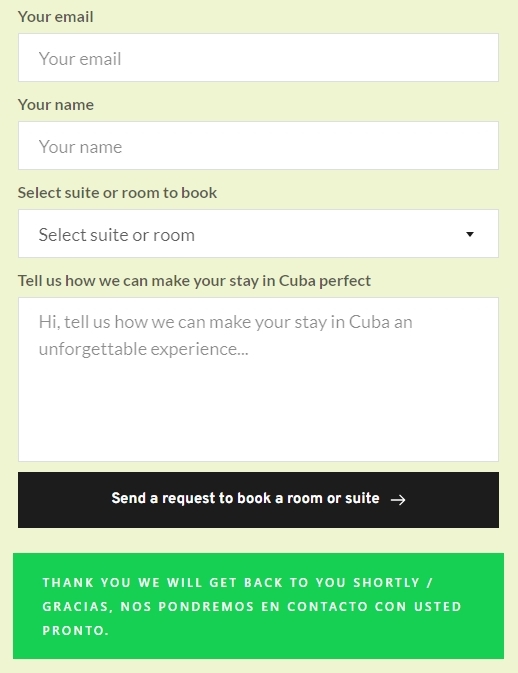
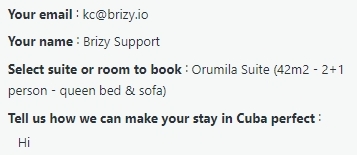
Can you please check if you received an email notification with these details in your email address?
 0
0 -
Hi, thank you for all your advice. We got some assistance from hosting Simply.com https://www.simply.com/se/support/faq/mail/385/ using other details for webscripts. This made it work finally.
Best regards,
Emily0
Please sign in to leave a comment.
Comments
21 comments