Two Quetstion about Howto.

1. Text numbering level. I need more complicated lists format in text created with brizy text form. Now, I can make only one numbering level.
"1.śmierci członka,
2. złożenia pisemnej rezygnacji z członkostwa,
3. zalegania w opłacaniu składki członkowskiej za okres dłuższy niż 3 miesiące."
but I need this type of the numbered list (with two levels).
"1. Członkostwo zwyczajne ustaje w przypadkach:
1. śmierci członka,
2. złożenia pisemnej rezygnacji z członkostwa,
3. zalegania w opłacaniu składki członkowskiej za okres dłuższy niż 3 miesiące."
How can I make it with brizy text form?
2. Tabs - When I use this format and have a long list of tabs, when I select any of the bottom tabs, the browser doesn't scroll the window to the top tabs where the tab content is on the right. Can it be improved? Screenshot in attachment.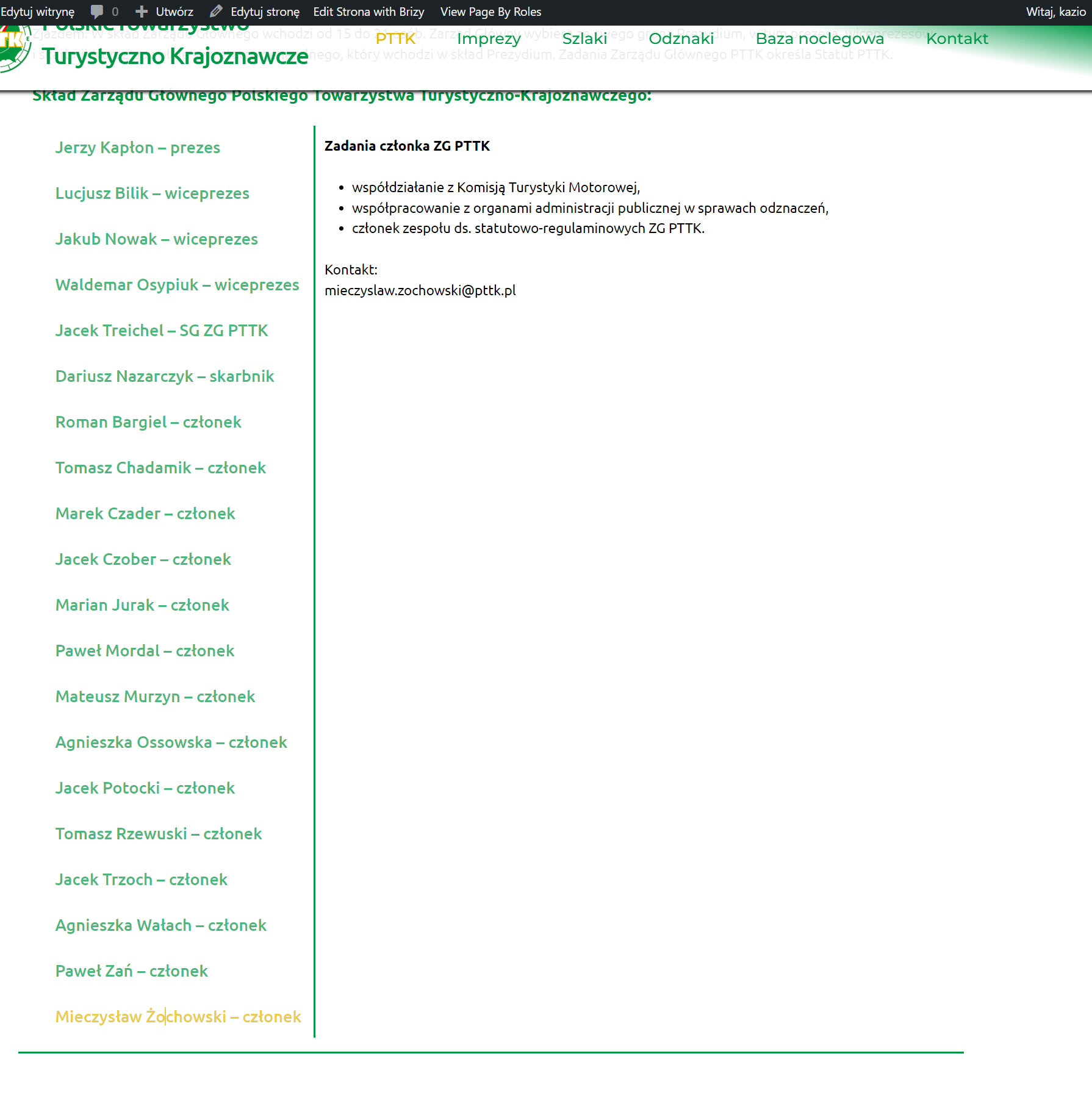
--
BR
Kazik Karczewski
-

Hi Kazimierz,
Thank you for contacting us.
About the numbering level, this issue was already reported by another user and this was already forwarded to our developers for future improvements.
Please try the temporary solution found on this link:
https://support.brizy.io/hc/en-us/community/posts/14484302722321About the tabs element, this is how it is designed for now, however, I can also submit this as a feature request, so this may be considered in future updates.
If you have any further questions, please let us know.
Best regards,
Ariel H.0 -
Hi
Ariel,Thank you for the fast reponse. Solving problem number one is fine. Should I report issue number two as expected functionality somewhere or will you do that? When can I expect this new functionality?
--
BR
Kazik0 -
I have one more question. Is it possible to change the word Home in breadcrumbs? From an entry in PHP functions or something like that? I don't want to install additional plugins. I don't have time to look for it in your code and I really need it.
0 -
Hi Kazimierz,
Thank you for the update.
I have already submitted this as a feature request, so it may be considered in future updates. Unfortunately, we are unable to provide a specific timeframe.
Your theme manages the breadcrumb.
To change it without using a plugin, please refer to the solution offered on this link:https://zemez.io/support/wordpress/how-to/change-home-title-breadcrumbs-wordpress-themes
I hope this helps.
Best regards,
Ariel H.0 -
Hi, Ariel,
What you wrote about breadcrumbs is not true. When I'm using a simple theme as an example TwentyTwentyTwo, breadcrumbs is managed by BrizyPro. To change word Home to another, my propositon is use WP filter funcions. Please add to the next version of the Plugin when it is possible:
(File: \brizy-pro\content\placeholders\breadcrumbs.php),line (after 35 global $post; )
$set = apply_filters('change_breadcrumbs', $set);
To change word Home in the breadcrumbs just add snipets in theme functions.php.function change_breadcrumb_home_text( $set )
{
$set = array(
'home' => esc_html__( 'new_word_insted_Home', 'brizy-pro' ), // text for the 'Home' link
'category' => esc_html__( 'Archive by Category "%s"', 'brizy-pro' ), // text for a category page
'search' => esc_html__( 'Search Results for "%s" Query', 'brizy-pro' ), // text for a search results page
'tag' => esc_html__( 'Posts Tagged "%s"', 'brizy-pro' ), // text for a tag page
'author' => esc_html__( 'Articles Posted by %s', 'brizy-pro' ), // text for an author page
'404' => esc_html__( 'Error 404', 'brizy-pro' ), // text for the 404 page
'page' => esc_html__( 'Page %s', 'brizy-pro' ), // text 'Page N'
'cpage' => esc_html__( 'Comment Page %s', 'brizy-pro' ) // text 'Comment Page N'
);
return $set;
}
add_filter( 'change_breadcrumbs', 'change_breadcrumb_home_text', 10,1 );However, I had to deal with it and look in the plugin code...
--
BR
Kazik0
Please sign in to leave a comment.
Comments
5 comments