translation issue

I just inserted a new language for the site (Italian to English) then I modified all the texts manually, confirming the settings. So this is the problem: now I need to make new changes to the texts but when I refresh the page and go to the preview all the new changes will not appear. So basically its impossible for me to implement new upgradings.
Could you please help me?
thanks a lot
-

Hi Gianmarco,
Thank you for reaching out to us.
Can you please share with us the Project Name and the Preview URL of your project in the Brizy Cloud Dashboard, so we can further check the issue?
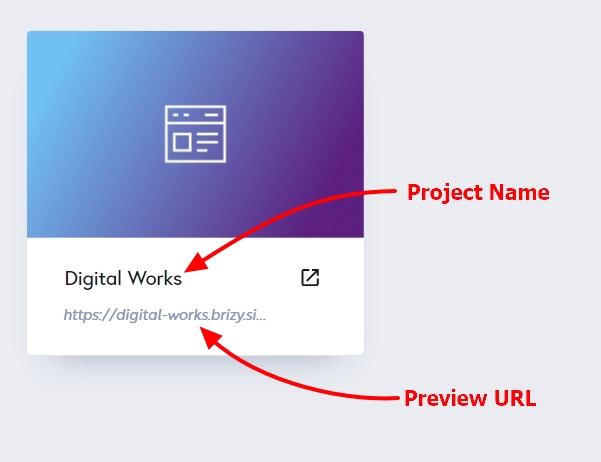
Also include the name of the affected page, so we can inspect it.
I am looking forward to your response.
Best regards,
Ariel H.0 -
Hi Ariel! So this is the link to the project: ----- The name is Divepixa. I attach here some screenshot of the issue. I point out that I have a single-page website with different blocks. I changed my DNS on Wordpress in order to point to the brizy site and for the moment the preview is not available. Maybe its because you need to wait 48 hours?
0 -
Hi Gianmarco,
Thank you for your collaboration.
Upon inspection, we have found that the Auto-Translate feature is not enabled - https://jmp.sh/H9cpJqRK
Additionally, while reviewing the homepage, we noticed that although you have translated some text, the Vision block are not translated - https://jmp.sh/CUXHmMZz
During our test, we added a simple text - https://jmp.sh/YxJU1U21
And in the preview, the translated text was displayed correctly - https://jmp.sh/mhntpORZ
Please ensure that all affected blocks are translated either manually or through the Auto-Translation feature.Regarding the issue with the broken layout, it currently doesn't appear on the live page, I assume that this is the block in the footer?
I am looking forward to your response.
Best regards,
Ariel H.0
Please sign in to leave a comment.
Comments
3 comments