Link Color in Order and Unordered lists

I have contacted you several times with this issue and I'm not sure if a theme update impacted the CSS. I am having issues with the Link Color in Bullet and Numbered Lists. The text is not changing color to the link color set in the Theme typography settings OR in the additional CSS you have provided before. Here is an example where the Link Color is not showing and it appears and just the color of the regular text. Can you please help?
See the Bullet and Number list toward the bottom of this Post.
https://visionzeronetwork.org/building-a-strong-foundation-for-safe-mobility/
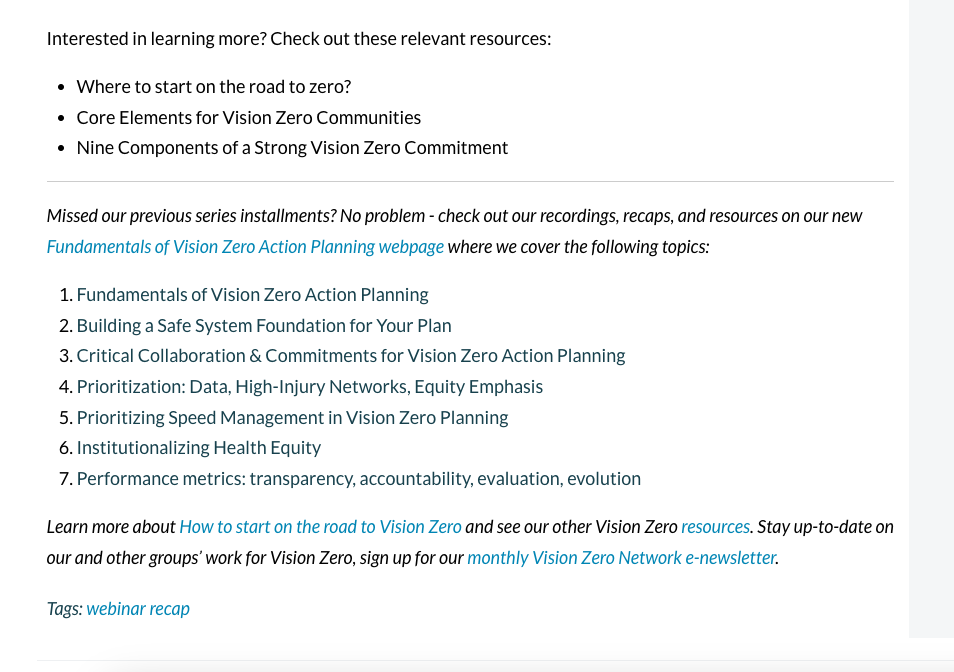
You have provided this CSS before, but it's not working. I am using a Brizy Template for all the Single Post items and I would like this color to be applied to all hyperlinks within the body of Posts and Bullets or Numbered lists.
/*Add link color to regular texts */
p a {
color: #0084b6;
}
.brz .brz-rich-text .link--external {
color:#0084b6;
text-decoration: none;
}
/*Add link color to bullet */ lists
.brz .brz-rich-text__custom a {
color: #0084b6;
}
.brz-columns.brz-css-cisxr.brz-css-tyzeq a {
color: #0084b6;
text-decoration: none;
}
.brz .brz-rich-text .link--external {
color:#0084b6;
text-decoration: none;
}
-
I believe I fixed this with some CSS. It is still frustrating that the Brizy Builder doesn't allow for globally setting this and making sure the colors are consistent throughout the body and post text. If this can be added as a feature or made easier, that would be great for a future update.
0 -
Apologies, but I am having a different issue that I am not sure how to resolve. There is Bold and Italic text in a Post body paragraph that I cannot get to display as the Link Color #0084b6 without in-line CSS. You can see the example here:

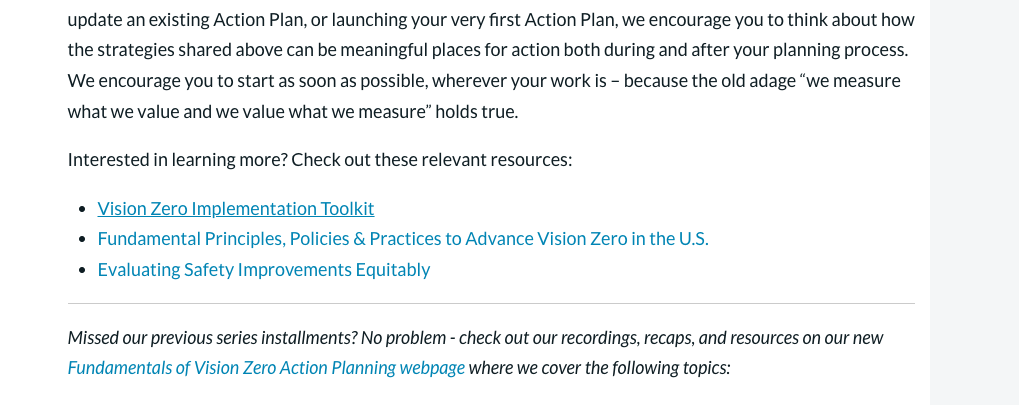
The other issue is further down the page, there is the same link but within a Bullet list and when you Hover over any section of the Body/Post Content, the link color changes to the normal text color, not the link color. I am not sure why this is happening. I have uploaded a video for you to see this. It it toward the bottom of the Post. Image of the section below, with a link to a video recording the Hover issue.
https://drive.google.com/file/d/11KGIGxRw2OWxRdUt1dz56YbXvkeOgLUJ/view?usp=sharing

Thank you in advance for helping me solve these two issues with my Post/Blog Brizy Template.
0 -

Hi Eric,
Thank you for reaching out to us.
To address the initial concern, please try using the following CSS:
.brz .brz-wp-post-content a strong {
    color: #0084b6;
}
About the second issue, it appears that the CSS cannot be overridden due to the presence of the `!important` declaration in the CSS. This is demonstrated on this screencast - https://youtu.be/foKBvr-56Ic
Please remove the `!important` tag so that we can try a different approach.I am looking forward to your response.
Best regards,
Ariel H.0 -
Thank you. The CSS you provided fixed one issue.
In regards to removed "!important", I don't understand how that makes sense. When I remove it, then the Links in my Unordered <ul> lists won't change color for the entire site. The issue is somehow controlled when Hovering over the Post Content area, and the CSS is telling it to be the lighter link color, and has nothing to do with the Hover state. So why would removing this make a difference? The "!important" is how I solved the issue of the the links in Bullets not being the correct color.
The same issue does not occur on this Post when hovering, so I don't quite understand.
 0
0 -
Hi Eric,
Please temporarily delete the following rule from your custom CSS:
.brz .brz-wp-post-content ul a {
    color: #0084b6 !important;
}
In its place, kindly insert the following two new rules and verify if this resolves the issue on both pages:
.brz .brz-wp-post-content em a {
    color: #0084b6 !important;
}

.brz .brz-wp-post-content ol li a {
    color: #0084b6 !important;
}
Best regards,
Ariel H.0 -
Thank you but that doesn't work. I edited the Post and pasted the content in without formatting and then did the formatting in WordPress editor. That seemed to resolve the issue. I guess it was some extra code copied from external sources where the content was pasted.
0
Please sign in to leave a comment.
Comments
6 comments