Url Structure on the Brizy Blog Template -

I am having an issue with the url structure using the Brizy blog template. As it stands the blog url structure is /blog/bpage/2 - I have deactivated all the plugins and reinstalled the brizy pro and free plugin and have identified that the issue is coming from brizy.
I would like the url structure to work as follows /blog/page/2 and not for the url to be generated randomly as they currently are. Can you please advise on how to fix this? Thanks
-

Hi Theodora,
Thank you for contacting us.
You can try to change the permalinks structure by following the steps below:
- Log in to your WordPress dashboard and go to Settings > Permalinks.
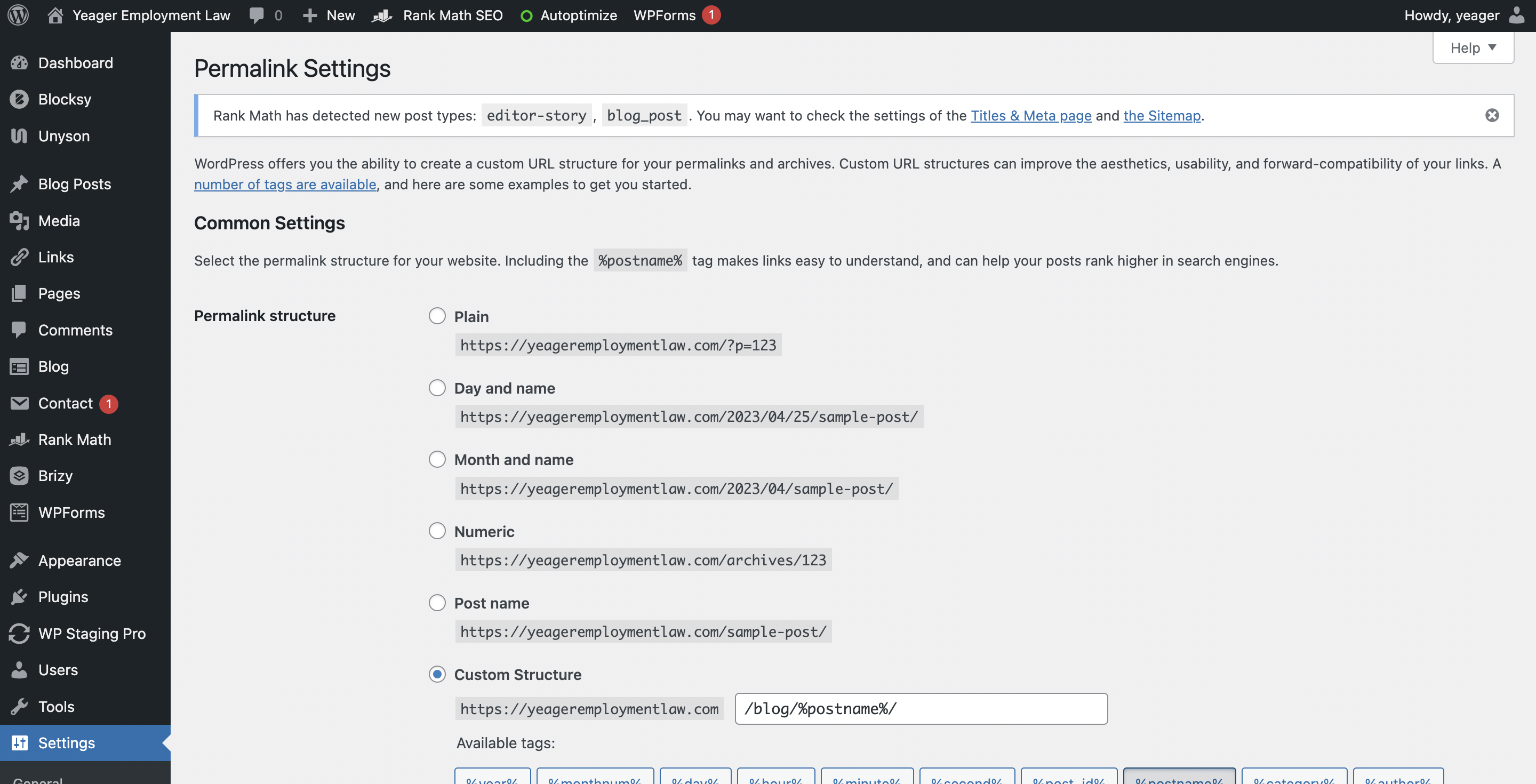
- Choose the "Custom Structure" option and enter "/blog/%postname%/" in the field.
- Click "Save Changes" to update your permalink structure.
This is how it looks like at my end - https://prnt.sc/0SBPr7Fw6Iq2
Please try this and let me know how it goes.
Best regards,
Ariel H.0 -
Hi Ariel. I have done that and nothing has changed. See the image below.
 0
0 -
As you can see the url structure has not changed.
 0
0 -

Hi Theodora,
The change you have made to the permalink structure seems to have taken effect. Please have a look at few URLs of your blog posts.
0 -
Hi, it has not taken effect https://yeageremploymentlaw.com/blog/bpage/2/ i am looking at the pagination not the individual blog posts.
0 -
 0
0 -
Hi Theodora,
Thanks for the clarification. You are looking to modify the pagination slug from /blog/bpage/2/ to /blog/page/2/
The pagination slug in Brizy is not customizable, much like in WordPress. We regret that at this time, this particular change cannot be made.
0
Please sign in to leave a comment.
Comments
7 comments