ADA Contrast Error on Pop-up

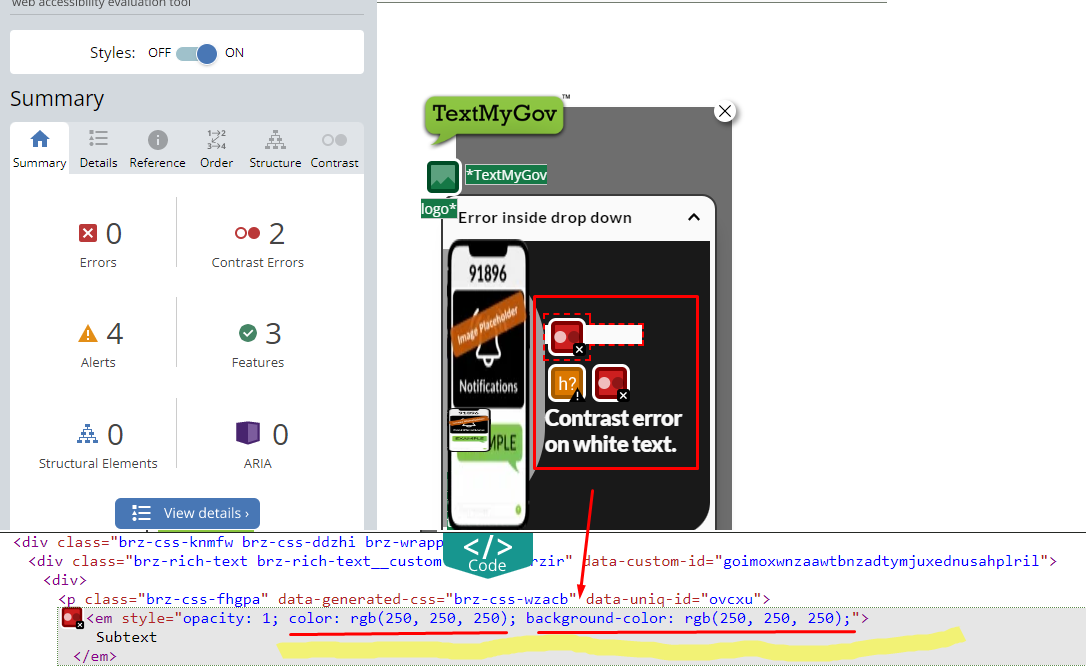
Hi, we are experiencing some accessibility errors on the pop-ups. Our Pop-ups were designed with high contrast points using black and white coloring in the text and background.
However, for some reason, this variable isn't being read correctly on the backend of the Brizy code and it thinks its white text on a white background.
This affects the ADA Compliance of a website and can also affect the way it ranks on Google, so we want to make sure we are able to overcome this obstacle.
I've created some widget tests that I posted below to make it easier to look at, but the issue is affecting a lot of our clients.
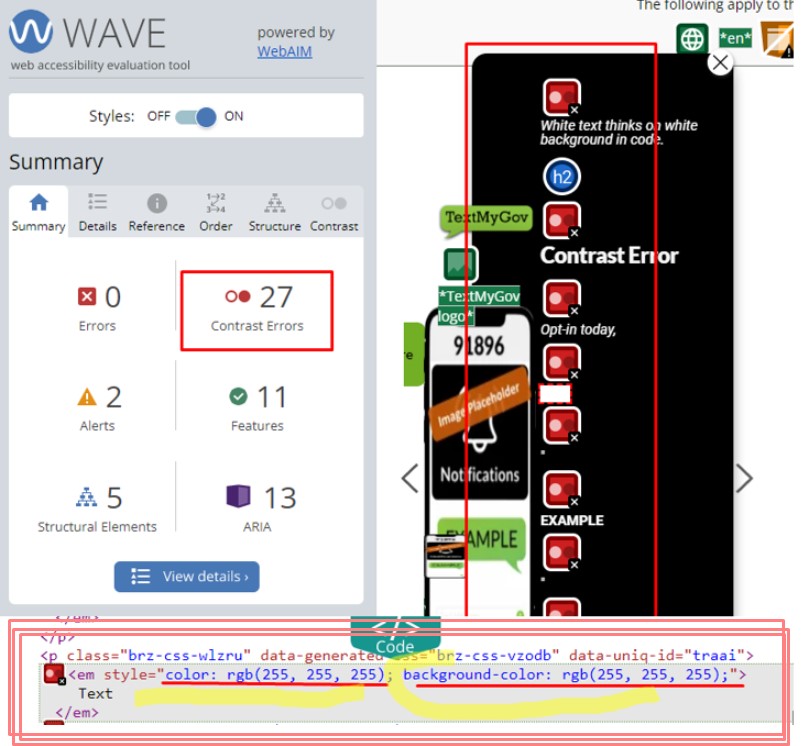
This issue was detected with the Google Chrome Extention "WAVE Web Accessibility Evaluation Tool".
Is this something that can be resolved?
Pop-ups referenced:
POPUP 1
Popup Name: Brz-ContrastError-1
Code:
<script>!function(p,n,o){if(!(o=n.getElementById("brz-external-popup")))return(o=n.createElement("script")).async=1,o.id="brz-external-popup",o.src="https://2d4bd1e243f43c90c8d937fcda13dbcf.s3.amazonaws.com/assets/popup/v2/popup.js",o.onload=e,void n.body.appendChild(o);function e(n,e){e="https://raspberry16441017.brizy.site",p.brzExternalPopup?p.brzExternalPopup(e):(n=o.onload,o.onload=function(){n(),p.brzExternalPopup(e)})}e()}(window,document);</script>
Popup URL: https://raspberry16441017.brizy.site/
Page Pop-Up1 Code Embedded On: https://textmygov.com/temp-page-6/
Error Screenshot: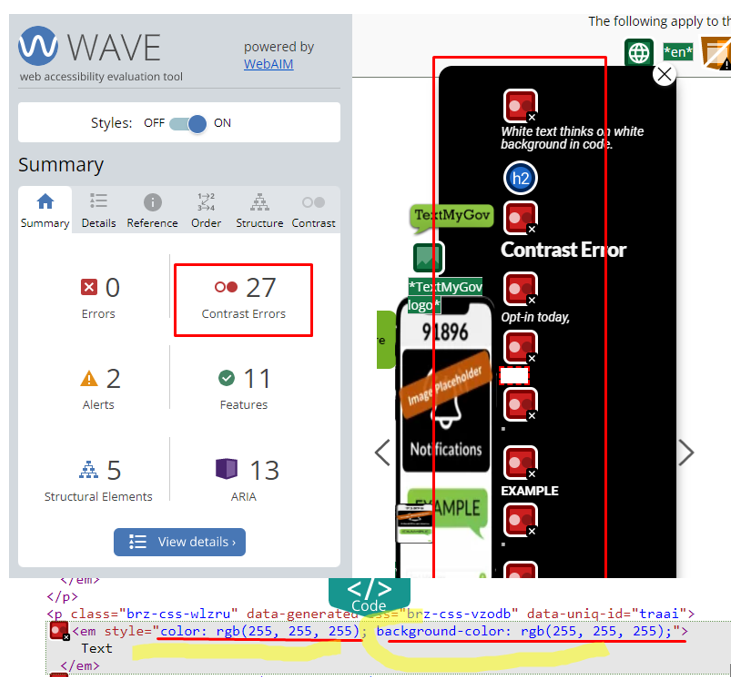
POPUP 2
Popup Name: Brz-ContrastError-2
Code
<script>!function(p,n,o){if(!(o=n.getElementById("brz-external-popup")))return(o=n.createElement("script")).async=1,o.id="brz-external-popup",o.src="https://2d4bd1e243f43c90c8d937fcda13dbcf.s3.amazonaws.com/assets/popup/v2/popup.js",o.onload=e,void n.body.appendChild(o);function e(n,e){e="https://fig16441213.brizy.site",p.brzExternalPopup?p.brzExternalPopup(e):(n=o.onload,o.onload=function(){n(),p.brzExternalPopup(e)})}e()}(window,document);</script>
Popup URL: https://fig16441213.brizy.site
Page Pop-Up2 Code Embedded On: https://textmygov.com/temp-page-7/
Error Screenshot: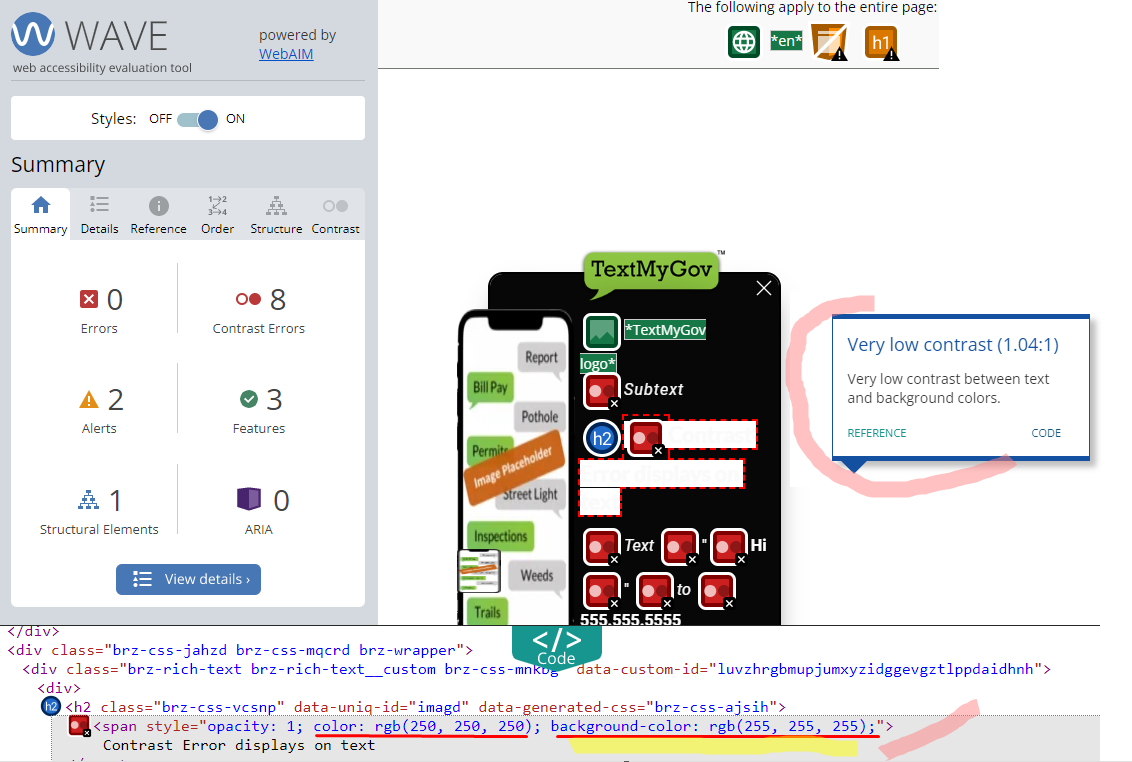
POPUP 3
Popup Name: Brz-ContrastError-3
Code:
<script>!function(p,n,o){if(!(o=n.getElementById("brz-external-popup")))return(o=n.createElement("script")).async=1,o.id="brz-external-popup",o.src="https://2d4bd1e243f43c90c8d937fcda13dbcf.s3.amazonaws.com/assets/popup/v2/popup.js",o.onload=e,void n.body.appendChild(o);function e(n,e){e="https://coconut16441229.brizy.site",p.brzExternalPopup?p.brzExternalPopup(e):(n=o.onload,o.onload=function(){n(),p.brzExternalPopup(e)})}e()}(window,document);</script>
Popup URL: https://coconut16441229.brizy.site
Page Pop-Up3 Code Embedded On: https://textmygov.com/temp-page-8/
Error Screenshot:
-

Hi Hayley,
Thank you for contacting us.
This error occurs when the text color and background color are too similar, making it hard to read the text. To fix this, you can change the text and background colors in the Brizy editor.
If you have any further questions, please let us know.
Best regards,
Ariel H.0 -
Ariel, thanks. The reason I am posting is that in these examples the background is black and the font color is white. There shouldn't be any contact issues with those colors used with each other. I think something else is tricking it in the code.
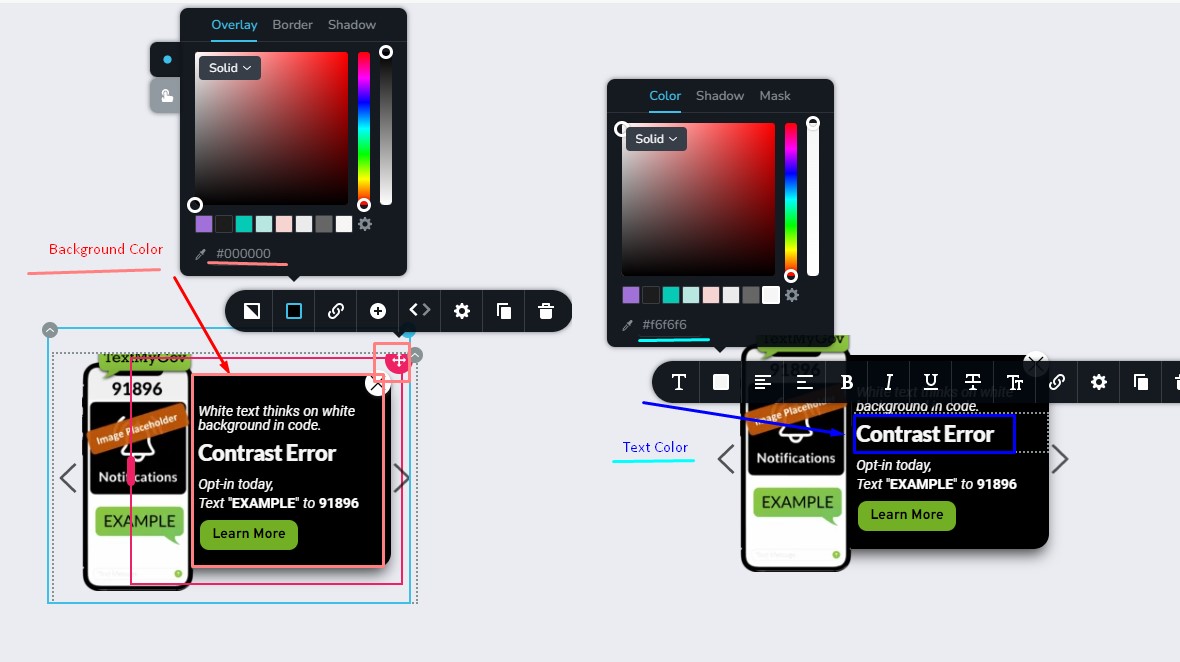
If you look at my screenshots you can see that in the Brizy editor,
- the color of the column is #000000 (Black).
- and the font color of the text is #F6F6F6 (Off White).
Then looking at the pop-up displayed on the website you can see that the Brizy code is flagged because it thinks that the background color and font color are both "RGB (255,255, 255)" (White).
Screenshot of pop-up in Brizy editor.
Contrast Error
 0
0 -

Hi Hayley,
Have you considered the possibility that the ADA compliance assessment by the chrome extension may have its own weaknesses and hence the it could be giving you a false warning?
Please do more ADA compliance tests using alternate providers and compare assessments and check if they all agree with WAVE Web Accessibility Evaluation Tool.
0 -
KC George, I appreciate the resources.
Scanning on Accessibility Checker
On POPUP 1 "Brz-ContrastError-1" URL: https://raspberry16441017.brizy.site/
It has detected contrast issues on Accessibility Checker
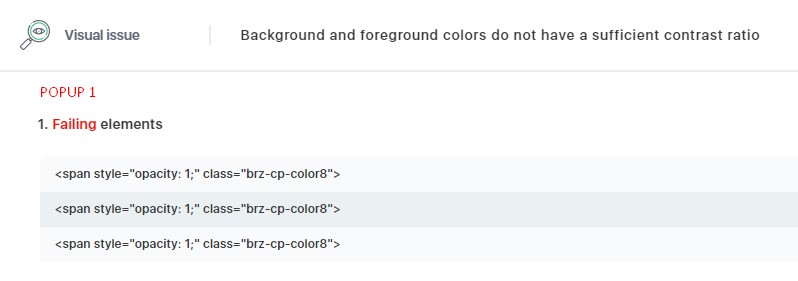
Compared to Wave results calling out Brizy CSS classes
<p data-generated-css="brz-css-fqolp" data-uniq-id="esrrf" class="brz-css-omjim" style="color: rgb(255, 255, 255);">
Very low contrast
<em style="color: rgb(255, 255, 255); background-color: rgb(255, 255, 255);">
White text thinks on white background in code.
</em>
</p>
<span style="opacity: 1;" class="brz-cp-color8">
Contrast Error
</span>
<p class="brz-css-atylm" data-generated-css="brz-css-sozqf" data-uniq-id="noohq">
Very low contrast
<em style="color: rgb(255, 255, 255);">
Opt-in today,
</em>
</p><p class="brz-css-wlzru" data-generated-css="brz-css-vzodb" data-uniq-id="traai">
Very low contrast
<em style="color: rgb(255, 255, 255);">
Text
</em>
Very low contrast
<span style="color: rgb(255, 255, 255);">
"
</span>
Very low contrast
<strong style="color: rgb(255, 255, 255);">
EXAMPLE
</strong>
Very low contrast
<span style="color: rgb(255, 255, 255);">
"
</span>
Very low contrast
<em style="color: rgb(255, 255, 255);">
to
</em>
Very low contrast
<strong style="color: rgb(255, 255, 255);">
91896
</strong>
</p>I don't see a mention of contrast on Site Improve, so maybe a good sign. I'm also trying to figure out how to use Accessi, so I'm not entirely clear on those results.
If it is pulling Brizy CSS classes with the error should we be concerned?
0 -
Hi Hayley,
You should take action to correct it if you can confirm the ADA compliance assessment based on your own observations. I suppose there is nothing that can be done to correct it if an automated system's assessment cannot be validated in real life.
0 -
Do you know what is triggering it on the Brizy side to think that the background and font color are both white?
Is there anything you or I can do to correct that?
<p data-generated-css="brz-css-fqolp" data-uniq-id="esrrf" class="brz-css-omjim" style="color: rgb(255, 255, 255);">
Very low contrast
<em style="color: rgb(255, 255, 255); background-color: rgb(255, 255, 255);">0 -
Hi Hayley,
It's unclear what on Brizy's end would have prompted this assessment by WAVE Web Accessibility Evaluation Tool. The goal of ADA compliance is to increase the accessibility of websites for people with disabilities. So long as you don't detect any contrast issues on your website that make it difficult for folks who are visually impaired, I would say you don't need to do anything to fix it.
0
Please sign in to leave a comment.
Comments
7 comments