Website listing title

Hi, how can I change the website title of my website when on Google Results? See FIRST line in the attached image. It's showing the domain name, but I want it to change.
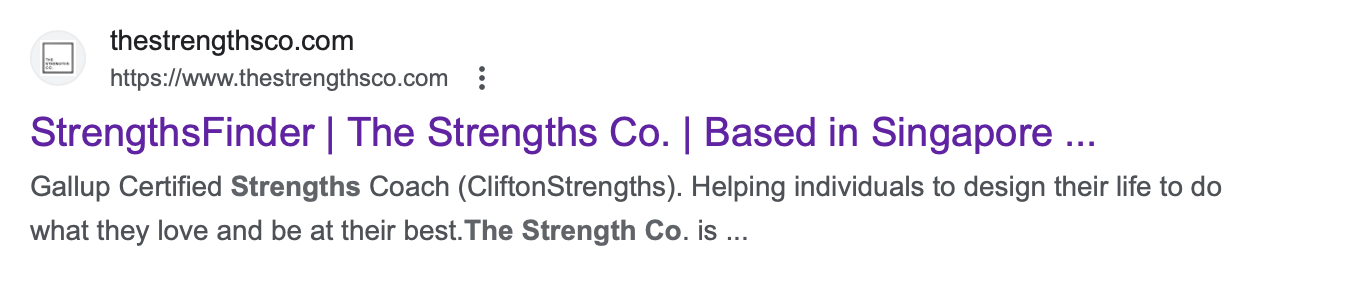
-

Hi,
Thank you for reaching our to us.
I'm sorry, but I'm unclear about what you mean by "It's showing the domain name, but I want it to change." I assume that you wish to modify the SEO Title. If this is indeed the case, please follow these steps: Go to Project Settings, navigate to the SEO tab, and there, you'll find the Site Title field, which you can change to your preference - https://prnt.sc/S14CgQj87fml
Once you've made these adjustments, you'll need to resubmit your site to Google for re-crawling.
https://developers.google.com/search/docs/crawling-indexing/ask-google-to-recrawlIf this doesn't answer your question, please provide more details, so we can further assist you.
Best regards,
Ariel H.0 -
Hi, please see my arrow pointing to the screenshot. I would like to change the text indicated in blue.
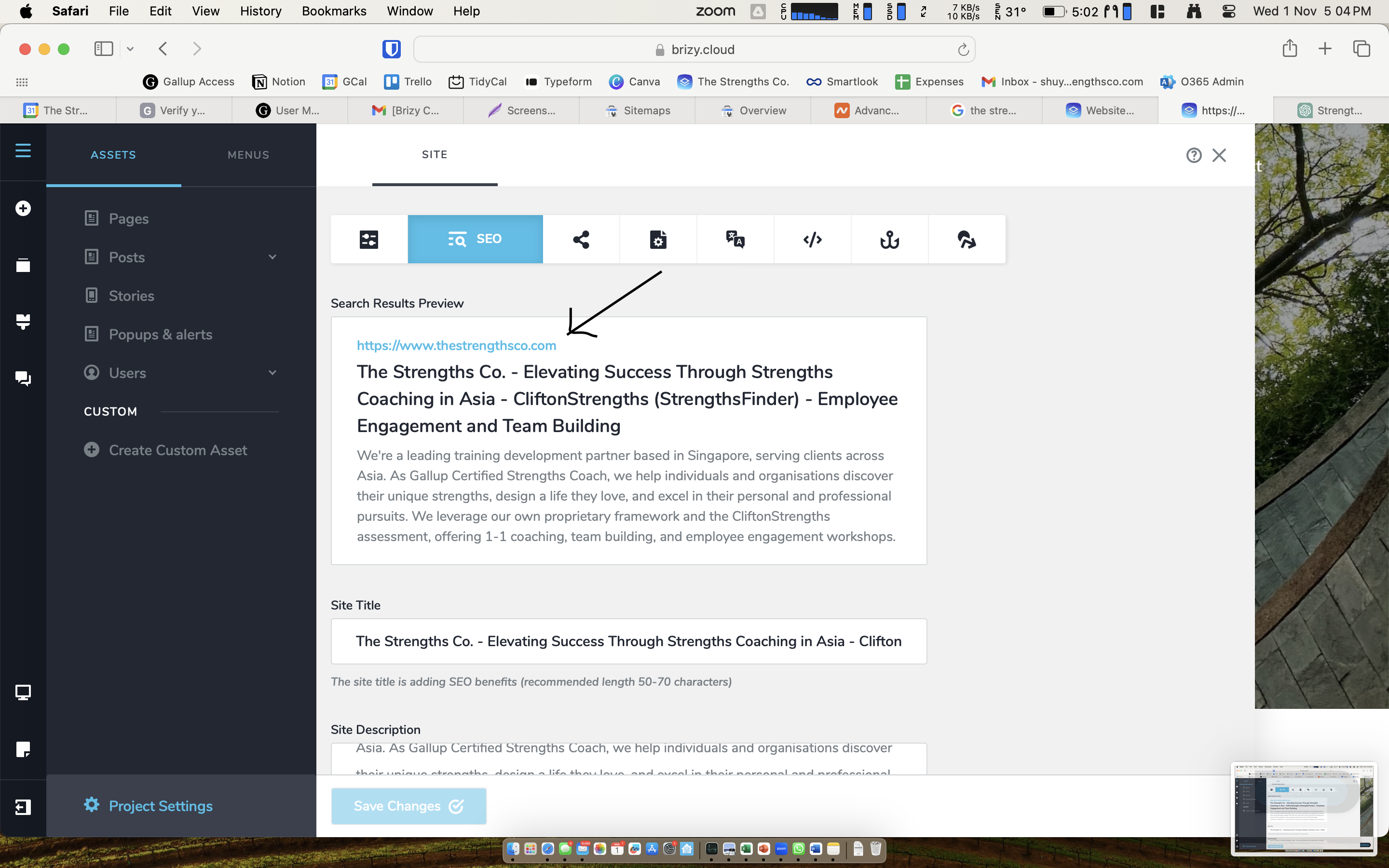 0
0 -
Hi,
Thank you for the update.
Unfortunately, there is no option available to change the domain name. This is how the system is designed by default, and it aligns with common industry practices. The only way to change this is by selecting a different domain name in your Brizy Cloud publishing options. - https://imgur.com/vDi0Zx4
You should only do this if you're switching over to a different domain name.If you have any further questions, please let us know.
Best regards,
Ariel H.0 -
Hi, Im not referring to the domain name. If you see the Google search results in the image below, you will see that the title of my site is "thestrengthsco.com". If you look at other's results (2nd listing), it shows the name. I would like to change the name here.
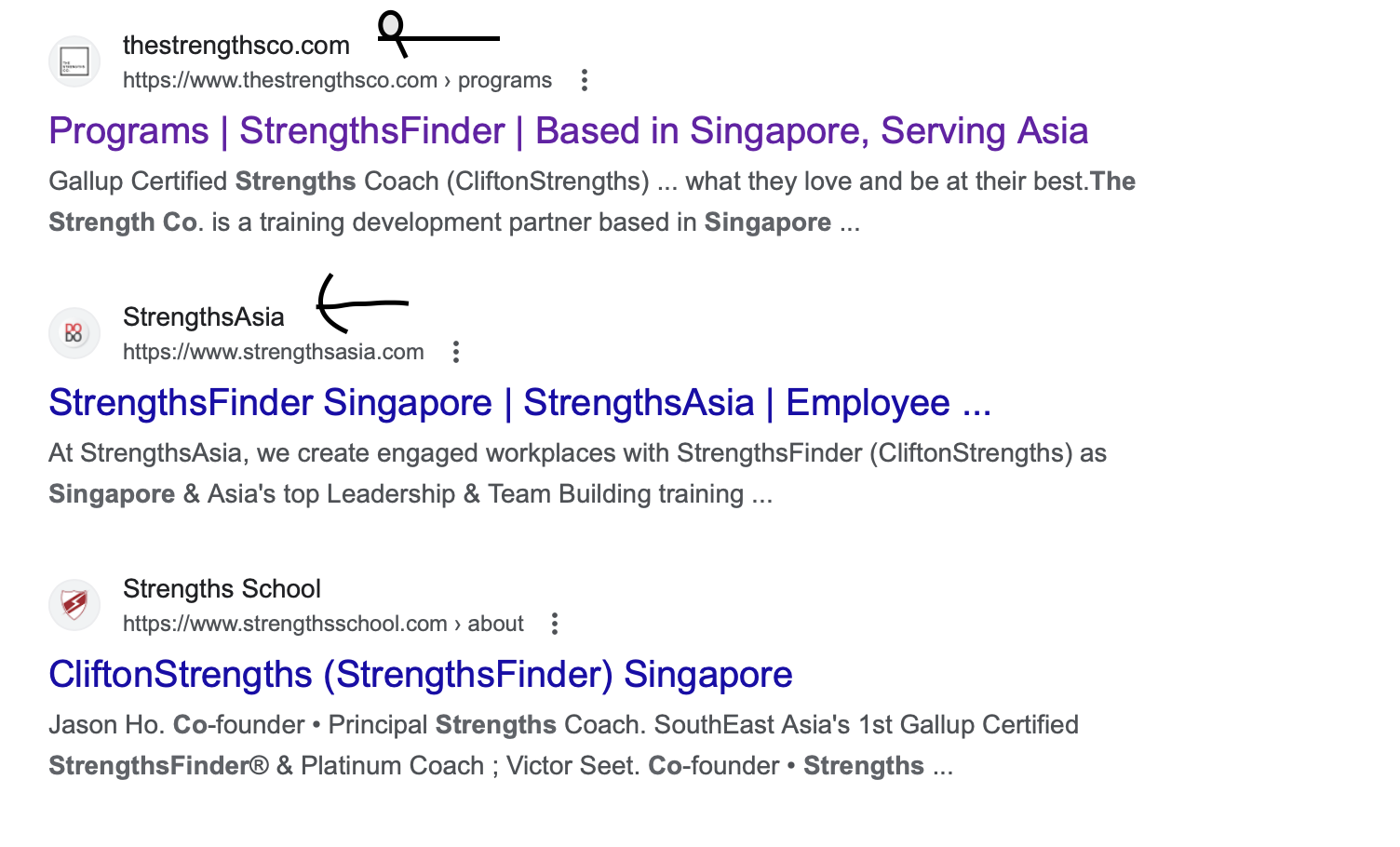 0
0 -

Hi Goh,
The 'Site Names' on the Google Search Results Page are generated automatically and takes into account content from a site's home page and references to it that appear on the web. However you can indicate your preferred 'Site Name' by adding 'WebSite' structured data to your homepage.
To add the Site Name 'The Strengths Co.' to your website, please add the following script to the header section of your homepage. Here is the procedure: https://jmp.sh/wxvHer8Z Then request Google to reindex your homepage in your Google Search Console. After 1 or 2 weeks, you can check if Google has reindexed your homepage.
<script type="application/ld+json">
    {
      "@context" : "https://schema.org",
      "@type" : "WebSite",
      "name" : "The Strengths Co.",
      "url" : "https://www.thestrengthsco.com/"
    }
  </script>
You can read more about it here Provide a site name to Google Search
0
Please sign in to leave a comment.
Comments
5 comments