Sponsored Links

Hello! Somehow I just noticed that there isn't an option to mark a link as "sponsored", which is a requirement for affiliate links. This is a button link. How can I make it nofollow and sponsored? Thank you, Sofia
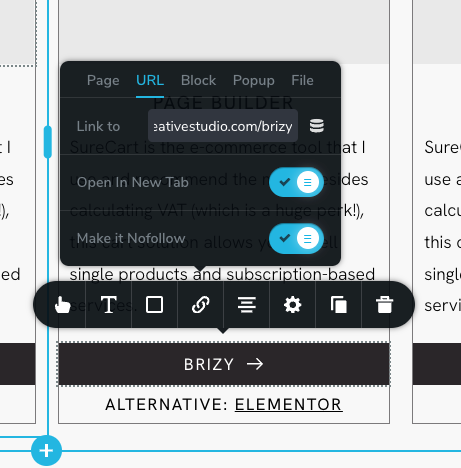
-

Hi Sofia,
Thank you for contacting us.
Unfortunately, at this time, we do not offer the option to include the "sponsored" attribute under URLs. As a temporary solution, I suggest inserting the following script near the bottom of your page, preferably in the footer area (please use the embed element to add the following script in your page.)
<script>

// Find all anchor elements with the class "mybutton"
var linkElements = document.querySelectorAll('a.mybutton');

// Loop through each matching element
linkElements.forEach(function(linkElement) {
    // Set the new value for the rel attribute
    linkElement.setAttribute('rel', 'noopener noreferrer sponsored');
});

</script>
This is demonstrated on this screencast - https://youtu.be/7rmvKedGJsoThe purpose of this script is to identify all buttons with the class selector "mybutton" and assign the "rel" attribute as "noopener noreferrer sponsored."
To ensure proper functionality, it's important that your buttons have the "mybutton" class ID.
I hope this helps. If you have any questions, please feel free to reply.
You also have the option to vote for this feature on the following link, so it can be considered in future updates - https://www.brizy.io/ideas-and-roadmap
Best regards,
Ariel H.0
Please sign in to leave a comment.
Comments
1 comment