Blog feature image issue

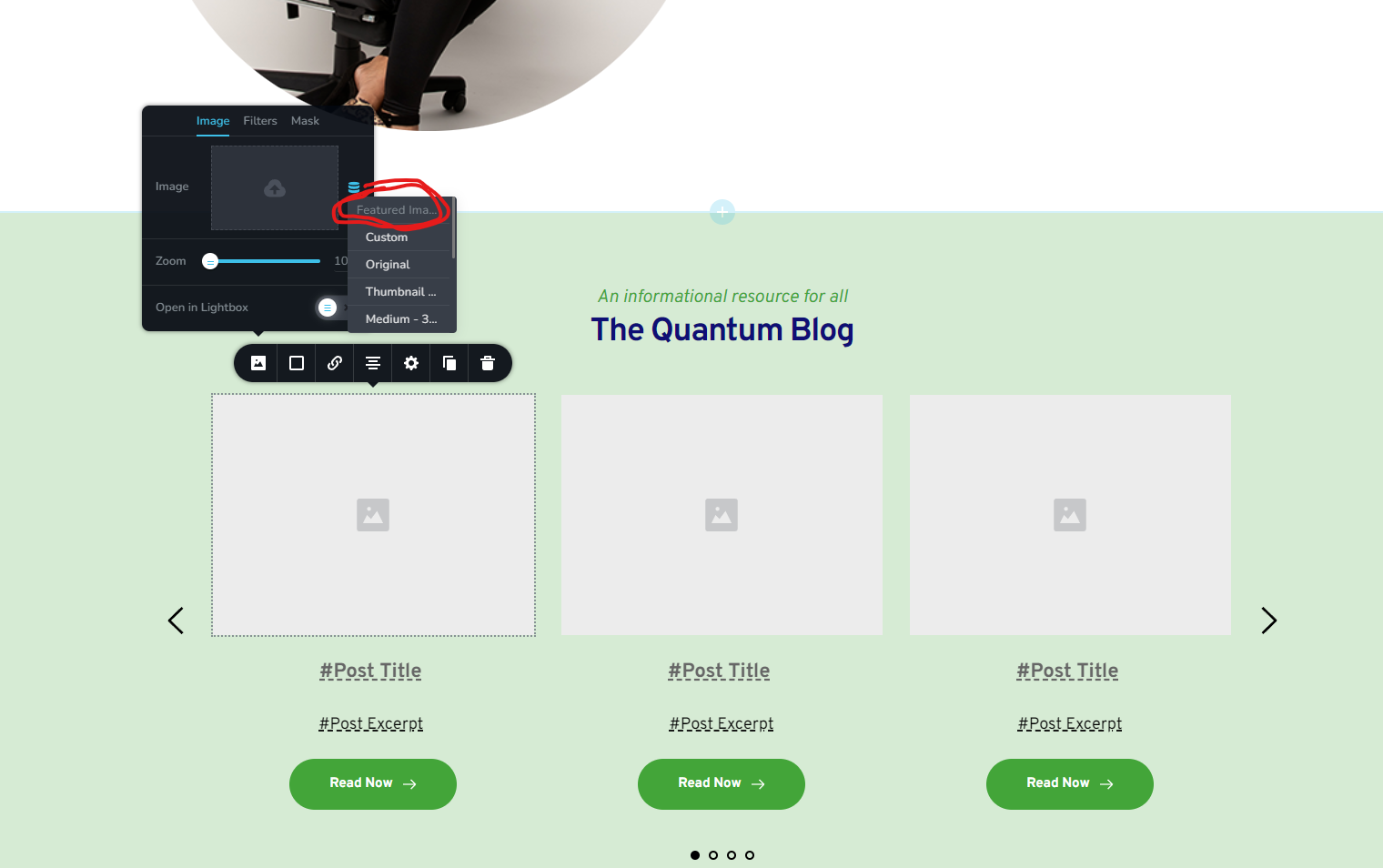
For some reason my featured image istn selectable for my posts, and when i load it to check theres just no image there please help
-

Hi Dylan,
The user interface in this case is a bit confusing. The Featured Image option here is not meant to be clickable. Let me explain why. You will notice that the screenshot displays the following options below the Featured Image.
Featured Image
Custom
Original
Thumbnail
Large
MediumEverything listed under the Featured Image are size options for you. For example, 'Custom' refers to custom size featured image. Original refers to original size Featured Image, Large refers to large size featured image etc.
Please click on any of the image size options instead of clicking on Featured Image itself. These are the standard WordPress size options
- Thumbnail: 150px square
- Medium: Max width and height of 300px
- Large: Max width and height of 1024px
0 -

I'm having the same issue however my featured images won't display at all when selecting a size. It won't pull in the images for the background. It is a global post block, so I want to pull in the featured images of the blog post. They will not pull in I just get a blank background.
0 -
Hi Chelsea,
The Brizy Posts element and the Archive element do not support Featured Images in the background. Featured Images can be added only in the front. Hence your blog listing pages cannot have featured images in the background.
Blog posts however can show featured images in preview. In these pages, the background images on the hero block are Featured Images
- https://digital-works.brizy.site/white-cake-with-cholocate-syrup
- https://digital-works.brizy.site/american-heritage-ice-cream
When designing your blog post template, if you add the Featured Image as the background you would not see the image preview in the Brizy editor; however if you publish the template, the blog posts can show the featured images in the background in preview.
0
Please sign in to leave a comment.
Comments
3 comments