Template and global blocks issue

Hi,
I have the problem with templates and global blocks.
1) When I am trying add the global block to the template, the choosen block is not added to the template. (Adding the saved blocks are working normaly.)
2) I have the page generated by the template. The page is ok, but if i open this template in editor, I can not see the global block.
Can you hlep me, please?
Thanks in advance
Roman
-

Hi Roman,
Thank you for reaching out to us.
Could you please try to change the display conditions and set Brizy Templates to apply to All and see if this makes any difference?
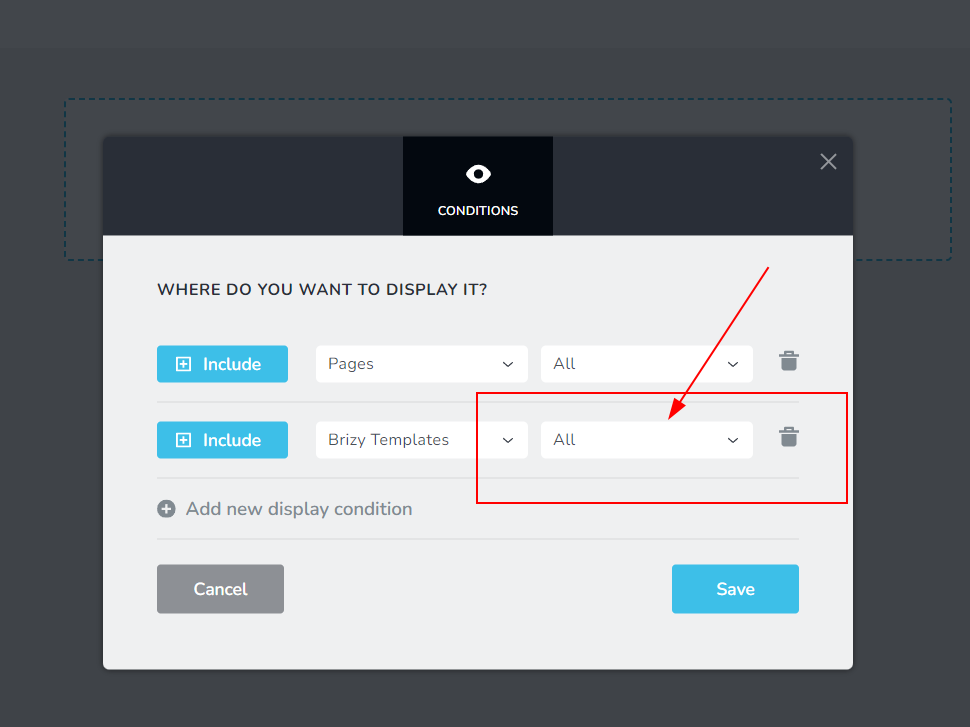
Please try this and let me know how it goes.
Best regards,
Ariel H.0 -
Hi Ariel,
thank you for your response. I am not sure what are you talking about. Conditions of what dou you mean?
If conditions of the global block, then it is not possible because i cant get the block into the template. Or ... I do not know where else the conditions could be chanded.
If you mean conditions of the template, they are set as in the picture below.
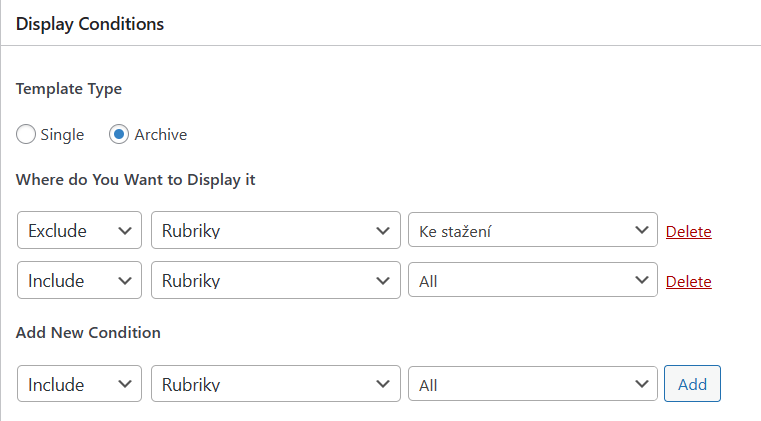
Thanks.
Roman
0 -

Hi Roman,
This is what Ariel meant.
- Open a page where you can see the global block you want to add to your template.
- In the block settings, select the first icon on the left (see the first image)
- In the screen that opens up click on 'Display Conditions'
- Set the Display Condition to 'Include - Brizy Templates - All' (see the second image)
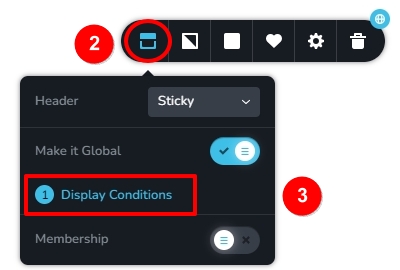
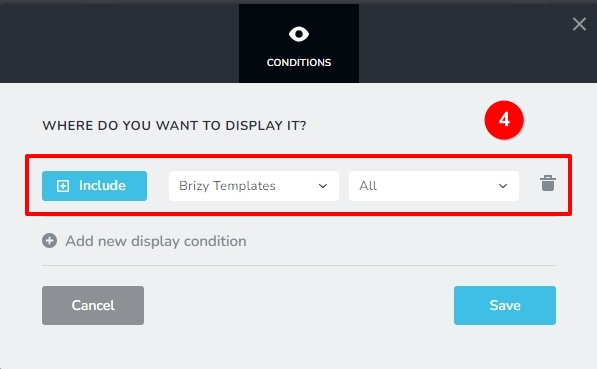
Please get back to us if its still unclear; we will record a video for you.
0 -
Hi George,
It is clear now :) I did it and I can use/see the global block in the template.
To be more specific. I use templates for the archives and posts. I have different templates for different type of post. So I need to use the global block in some specific templates. Not in all of them.
Now I can see the global block in all pages which use some template.
Regards,
Roman
0 -
Hi Roman,
Please consider adding a global block display condition to a post type directly instead of adding a Brizy Template. For instance,
- Instead of adding a global block to the Single Blog Post template, you can add it to all blog posts
- Instead of adding a global block to the News Category blog archive template, you can add it to blog posts within the News category.
If you need help with redefining your display conditions, please let us know the display conditions you would like to setup.
0 -
Hi George,
that was my previous setting.There is persisting problem #2 from my first message.
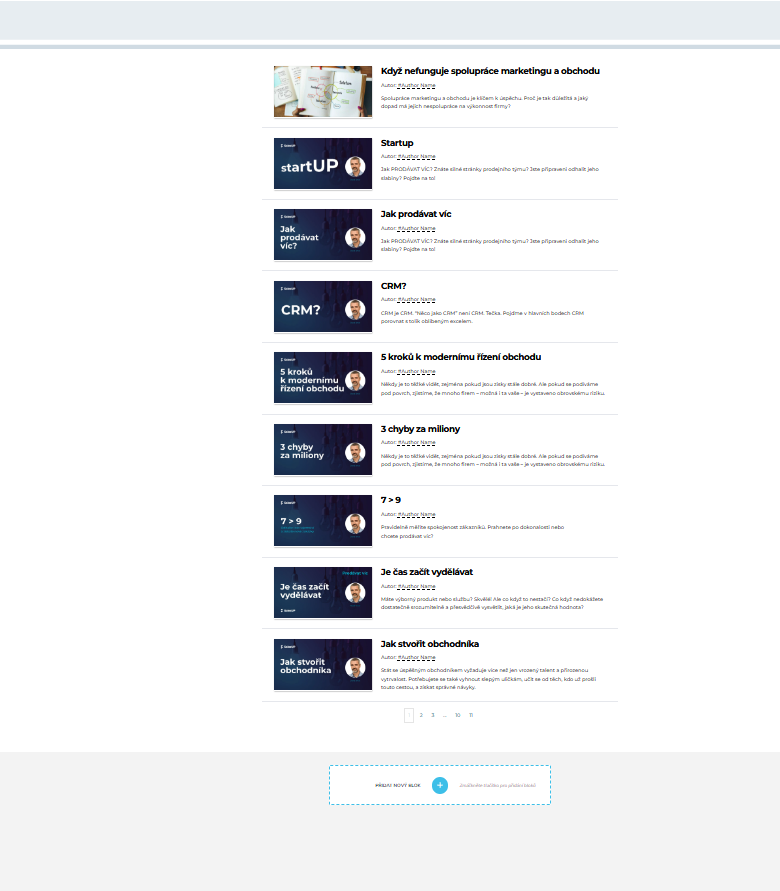
If I am editing template I cant see global blocks in it. But I see them if I display the page in the browser.I did my own investigation and I think that the problem is in the plugins versions. I downgraded them from backup to verions2.4.27/2.4.24.

Then problem dissapierd and I can see global blocks in the template (globals are Top menu/Blog banner/Submenu)

Then I updated the plugins to last versions 2.4.29/2.4.26

And problem is back. I can not see the global block.
Regards,
Roman
0 -
Hi Roman,
We've received similar reports recently and this was already reported to our developers. A patch to fix it should be available soon.
Best regards,
Ariel H.0 -

Is the patch to fix the issue with Global Blocks in Brizy templates live already?
0 -
Hi,
Thank you for reaching out to us.
Upon checking, our developers have already addressed the issue you mentioned and it is currently undergoing beta testing. The fix will be included in the next upcoming update. We kindly ask for your patience as we finalize the process.
Sorry for the inconvenience.
Best regards,
Ariel H.0
Please sign in to leave a comment.
Comments
9 comments