Rich text editor bug (Blog posts, Brizy Cloud)

I created a blog post template that includes a custom field for "post content", and set it as a rich text field. The idea is to give clients the familiar WP plain text editor so they can easily format their blog posts.
Asking them to type, edit and format their blog post using the brizy builder tools just doesn't work, especially with long format posts. For example, the toolbar only appears at the top or bottom of the element, so users have to select their text, then scroll up or down to find the formatting options in the toolbar.
It's also very easy for them to modify other global blocks while doing so and ruin the website.
So I've settled with the rich text field/custom field. However, when a client types out their blog it's normal for them to enter a double line break to denote a new paragraph. But using the rich text editor, a single line break renders as a new paragraph once published. So the habitual double line break just creates giant gaps in the frontend text.
What can be done to fix this so the text editor works like you'd expect?
-

Hi Nick,
Thank you for reaching out to us.
Please use Shift + Enter, rather than hitting Enter, to insert a single line break.
Please try this and let me know how it goes.
Best regards,
Ariel H.0 -
Hi Ariel,
That works for me. But clients, particularly those keen on content marketing/blogging find it a hassle. It's not intuitive and when they write out content in the editor the desired paragraph spacing isn't in place. It would be nice to make it work properly, WYSIWYG.
Are there any updates coming soon to improve the blogging experience?0 -
Hi Nick,
Thank you for the update.
We do have upcoming updates to improve the blogging experience in Brizy Cloud. We would also like to invite you to visit our website, where you can suggest any features that you would like to see implemented. Simply go to https://www.brizy.io/ideas-and-roadmap and submit your ideas. Our team will carefully review all the suggestions, and the most popular ones will be considered for inclusion in our development roadmap.
Best regards,
Ariel H.0 -

Hi Brizy Team,
Is there any update on the above mentioned improvements to the Brizy Cloud blogging experience?
As of now I find the interface extremely clumsy to handle and end up having to spend an inordinate amount of time trying to format blog articles - having to scroll down all the way to the bottom just to access the formatting menu, text bullet points do not align left properly, any text that was already properly formatted, when pasted into the text editor loses all formatting and everything have to be done from scratch etc. - the list goes on.
I recently moved my blogging from another platform to Brizy, but looking at the amount of time I have had to spend on the editor each time I want to publish an article, I am having to reassess now.0 -
Hi Anil,
Thank you for your feedback.
Unfortunately, we are still in the process of working on these improvements and do not have an estimated time of completion. In the meantime, you may want to consider switching to WordPress with Brizy WP. WordPress is more suitable for handling extensive blog content, and with Brizy Builder, you can customize the layout of your blog posts and archives.
If you have any further questions, please let us know.
Best regards,
Ariel H.0 -

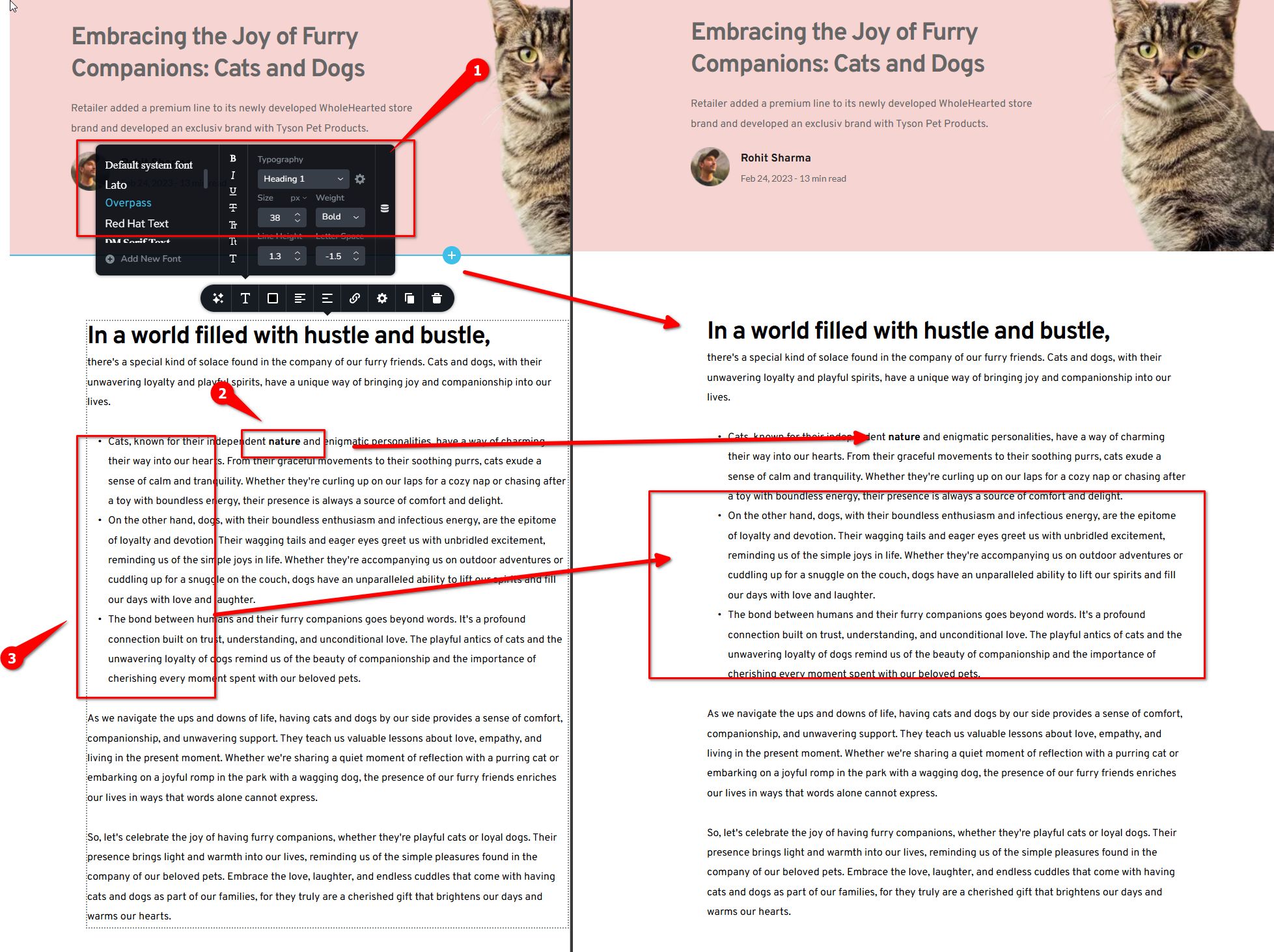
The rich text editor is buggy!
If you make a sentence as header, and then you bold it, the header formatting is gone. You'd have to remove the bold and make it as any header, then it sizes properly.
If you want to make a word "bold", it works in the rich text editor, but on front-end, it's not working at all. Bold (strong tag) is so important!
The bullet points also messed up on front end. This is just a simple display from rich text/markdown to front end... how can this be so difficult to implement, it's been one year?0 -
Hi Aizat,
Thank you for reaching out.
I attempted to replicate the issue you mentioned, but I wasn’t able to reproduce it. Could you please provide a short screencast to help demonstrate the issue?
Best regards,
Ariel H.0 -
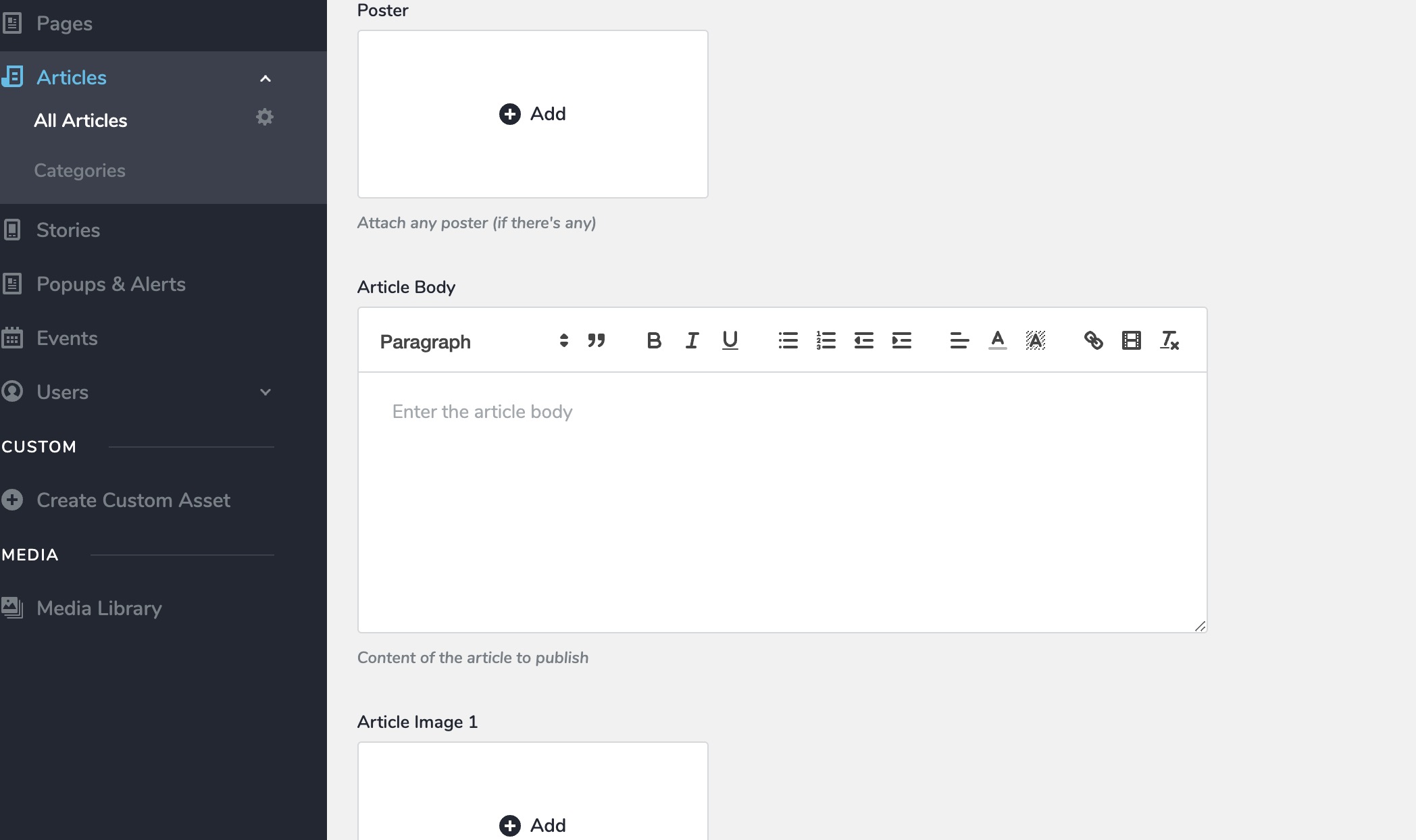
Hi Ariel, Thanks for the quick response. It won't work when you use the WYSIWYG editor in the CMS. See attached.
 0
0 -

Hello Aizat,
In Brizy Cloud, the Rich Text editor is not meant for adding blog post content. You can use it for adding short descriptions like Excerpt. Brizy Cloud blog posts workflow is a bit different from WordPress blog post workflow.
In Brizy Cloud, blog post content is meant to be added directly in the Brizy editor. Adding blog post content first to the Rich Text Editor and later adding it as dynamic content is not a recommended approach. For the prescribed approach to adding blog post content, kindly have a look at the first tutorial in the following list.
0 -
Hi Aizat,
Thank you for the update. Here are my recommendations for working with the rich text editor:
1. To minimize formatting issues, ensure the Article Body typography is set to "Custom."
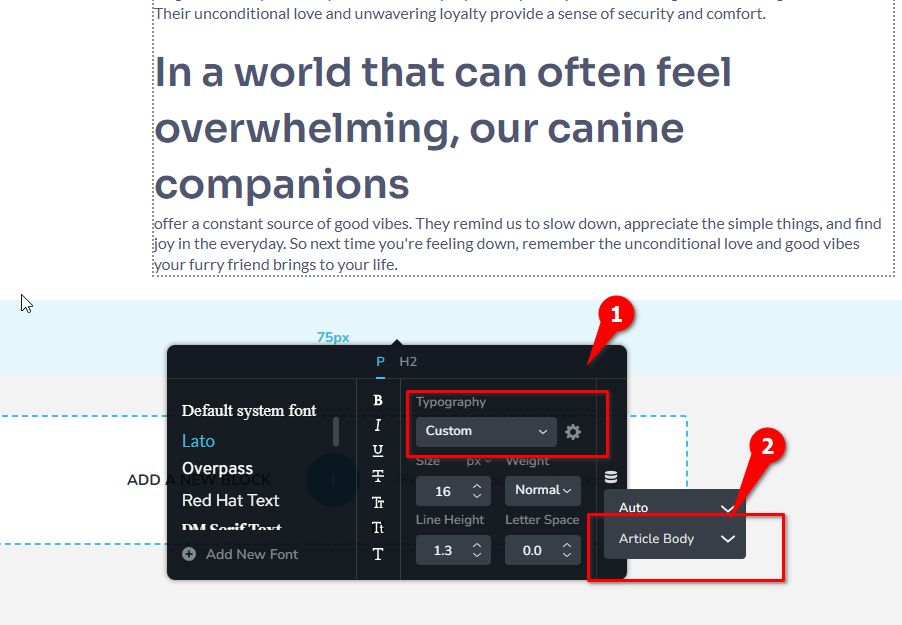
2. When formatting headers, such as making them semi-bold or bold, use the H2 setting in the rich text editor. The specific font weight can then be adjusted within the Brizy editor.
3. Bullet points, indentation, and general text formatting should function correctly in the rich text editor as long as the Article Body typography is set to "Custom."
To help clarify these steps, I’ve created a short screencast, which you can view here: https://youtu.be/54icGaBjNFo
Please give this a try while we work on resolving the issues with the rich text editor.
Best regards,
Ariel H.1 -
Thank you so much for the help, it works! :-)
0
Please sign in to leave a comment.
Comments
11 comments