Product template

Hello,
When I make a template for a product with Brizy Pro, I can't find the options that you see in videos on the YouTubechannel of Brizy.
Don't understand this. Can someone help me to solve this problem?
Kind regards,
Stefan Bruins
0
-

Hi Stefan,
Please ensure that you have clicked on the 'Add' button next to your Display Condition in your Brizy Template. You can see the Add button here
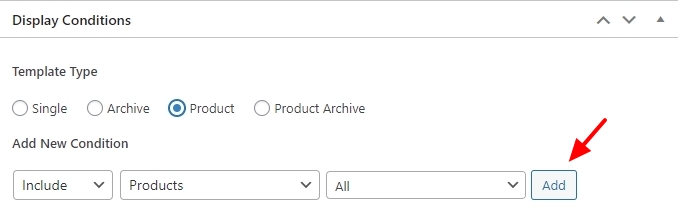
When you click on the 'Add' button, you will see a 'Delete' option next to your Display Condition.
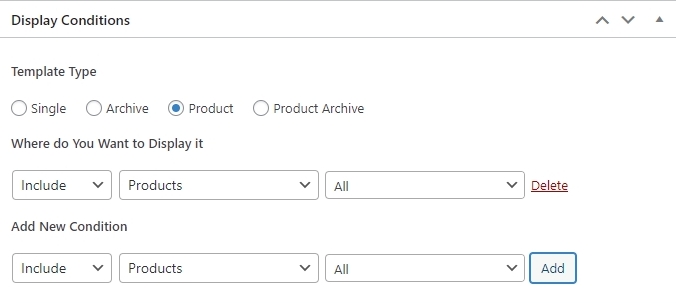
When you see the Delete option, please save your template by clicking on the 'Update' button and then check if you see the elements specific to Product Template.
0 -
Thank you so much!
It works!
0
Please sign in to leave a comment.
Comments
2 comments