Pages not indexing/showing up in search

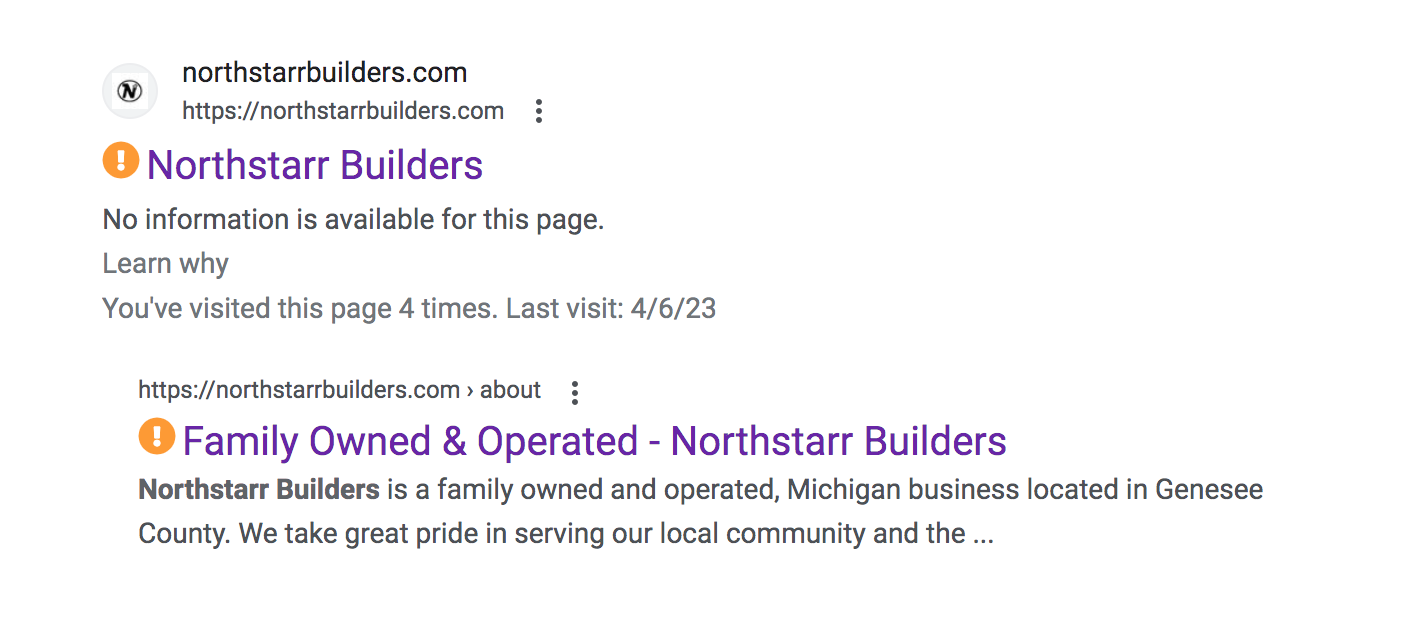
Why is there "no information available" when searching for my site? Also, it's showing some pages are not indexing in Google. How do I resolve this ASAP?
-

Hi Christine,
If you have not already, please sign up with Google Search Console and submit your website sitemap. You can locate your sitemap here https://northstarrbuilders.com/sitemap.xml
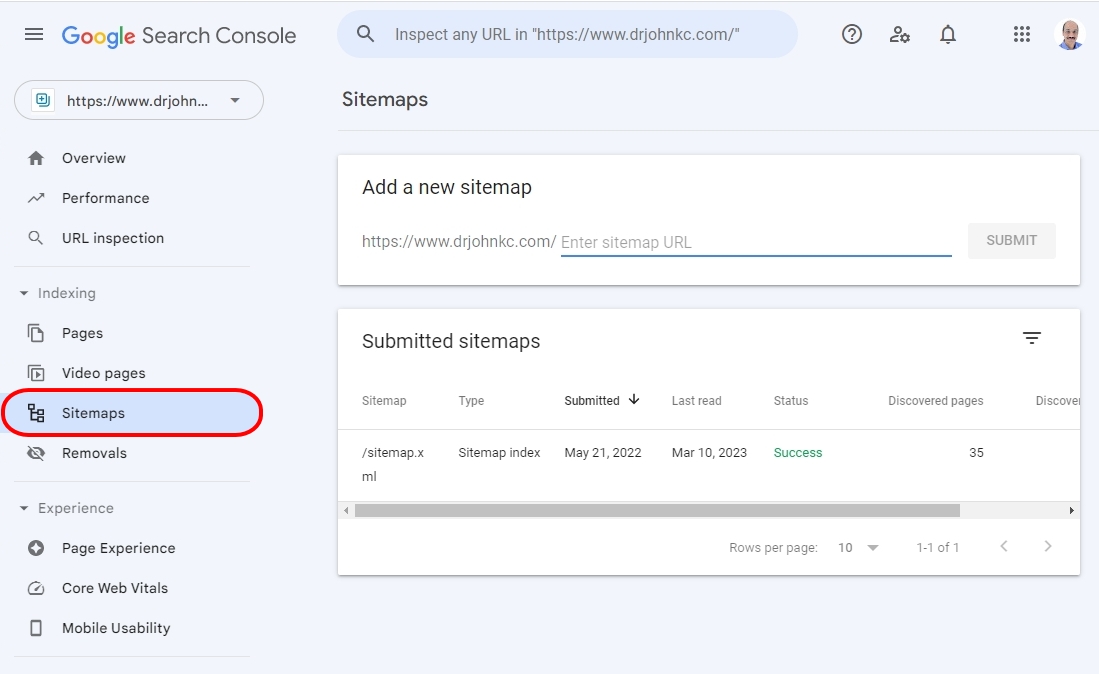
Google may take a week to index your pages. After a week, please revisit the Search Console and check which pages are indexed and which pages are not under the 'Pages' link on the sidebar. You can also check the reasons for not indexing your pages.
0 -
I have input the https://northstarrbuilders.com/page-sitemap.xml
sitemap, and it says the sitemap cannot be read. States is the wrong format. Please advise. This is super frustrating. I've never had to mess with any of this for any other Wordpress design platform.Christine Welsh,
0 -
Hi Christine,
You need to enter only the last part of the URL for the sitemap and not the entire URL. As in the screenshot, only the part which is highlighted using a red rectangle need to be typed. Please check if you have entered the URL correctly.
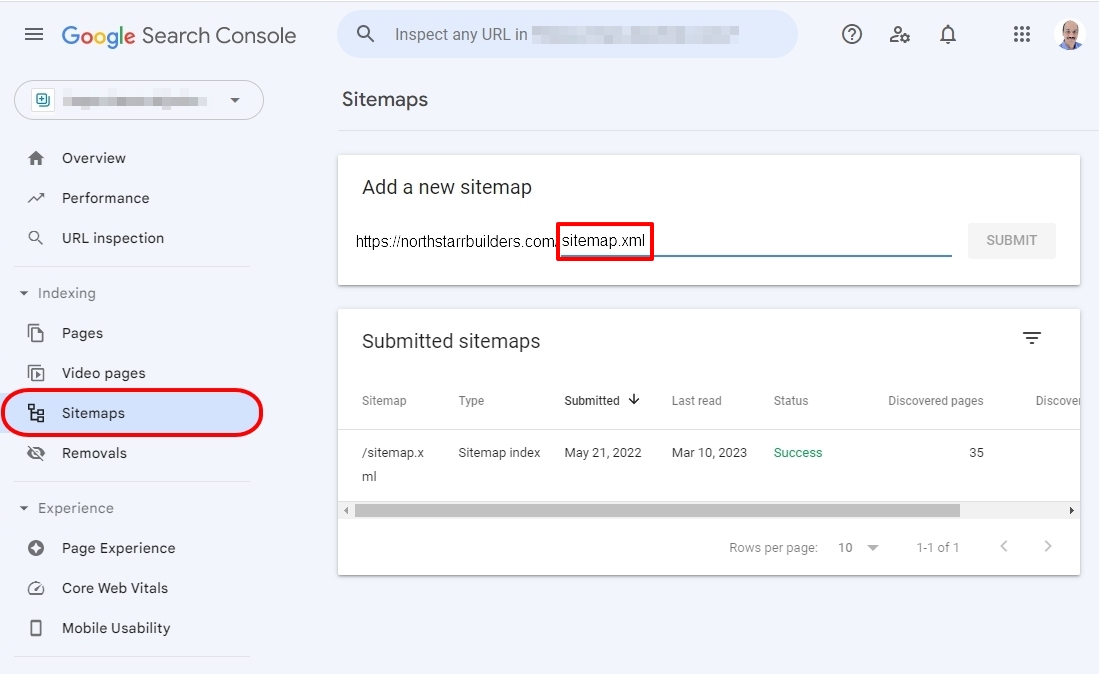
Submitting your URL to Google is not related to Brizy or WordPress in anyway. Submitting a sitemap makes it easy for Google to find your website.
0 -
I did that and it's still not fetching.
Christine Welsh,
0 -
Hi Christine,
If you need help with submitting your sitemap to Google Search Console, please add me as a user to your Search Console property. Email: communitysupport@brizy.io. Here is the procedure. https://jmp.sh/RmieVznz
0 -
You have been added as a user. The account is
https://northstarrbuilders.com/
Enter sitemap URL
SUBMITChristine Welsh
0 -
Hi Christine,
Out of the six pages on your website, 4 are indexed and 2 are not. These two URLs are not indexed
As per the indexing report in the Pages section of your Search Console, the above pages could not be indexed because of a line in your Robots.txt file. Your Robots.txt file is accessible here https://northstarrbuilders.com/robots.txt You need to delete the following line from this file. Please discuss how to do this with your hosting support.
Disallow: /
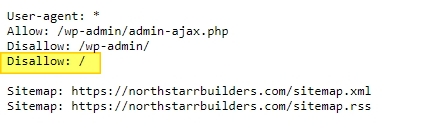
Once you delete the above line from your Robots.txt file, go to your Search Console and use the URL Inspection tool and check the indexing status of the two URLs that are not indexed. In the indexing status page, click on 'Request Indexing" to request Google to index these pages. For more detailed instructions, please watch this video https://jmp.sh/Df4ZasRl
0
Please sign in to leave a comment.
Comments
7 comments