WooCommerce automatic product design options?

Hi,
Are there options for the way products are presented from WooCommerce? I have items pulled in from RedBubble and Amazon, and the images are often cut off. I don't want to resize everything manually.
Also, how do I create separate and discrete product blocks? For example, I'd like to have one section be about clothes while another is about books, and I don't want them in the same place on the page.
Thanks,
Paul
-

Hi Paul,
Please watch this screen recording https://jmp.sh/hWFXCh7d where I explain
- How you can customize the image aspect ratio of your products
- How you can setup separate category archive pages for different product categories.
If you have more questions, please get back to us.
0 -
Thanks for the help. Really appreciate the video response.
0 -
Now that I've created the product archive, how do I add it to a page so I can have content and different product archives appear together.
0 -
Hi Paul,
I am not sure if I understand your question. You can add additional content to your Product Archive template by adding additional blocks above or below the Archive element which displays the products. Please have a look at my Shop page https://brizy.tech/shop/ where I have added some content above and below the 'Archive' element.
If you are asking a different question, please get back to us with more details.
0 -
Hi,
To clarify - when I follow your directions I can create a page that uses the first product archive I've set up based on one category. But I don't want to create a new page - I want to add that curated product archive to an existing page. How do I choose which product archive or archives I can add to a page? There doesn't seem to be any way to choose and so when I drag the archive icon over, it just loads in recent blog posts.
0 -
Hi Paul,
Please use the Brizy Products element to display products within an existing Brizy page.
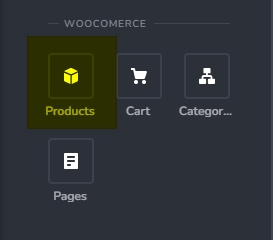
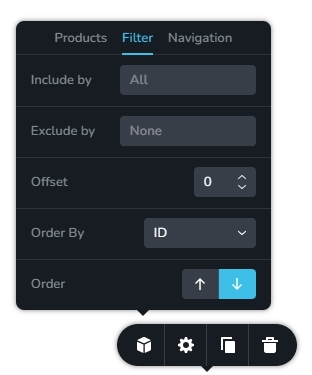
The 'Filter' tab allows you to filter products by category
 0
0
Please sign in to leave a comment.
Comments
6 comments