Boxed Website

I have managed to set project as a boxed site, How do I set the background image with a repeatable image? There is no way to upload one, as there is no media centre.
@media (min-width: 991px) {

 .brz-mm-wrapper {
   margin: 20px auto;
   max-width: 95%;

    -webkit-box-shadow: 0 0 10px rgb(0 0 0 / 20%);
    -moz-box-shadow: 0 0 10px rgba(0,0,0,.2);
    box-shadow: 0 0 10px rgb(0 0 0 / 20%);
    -webkit-box-sizing: border-box;
  }
}
The area marked in red.
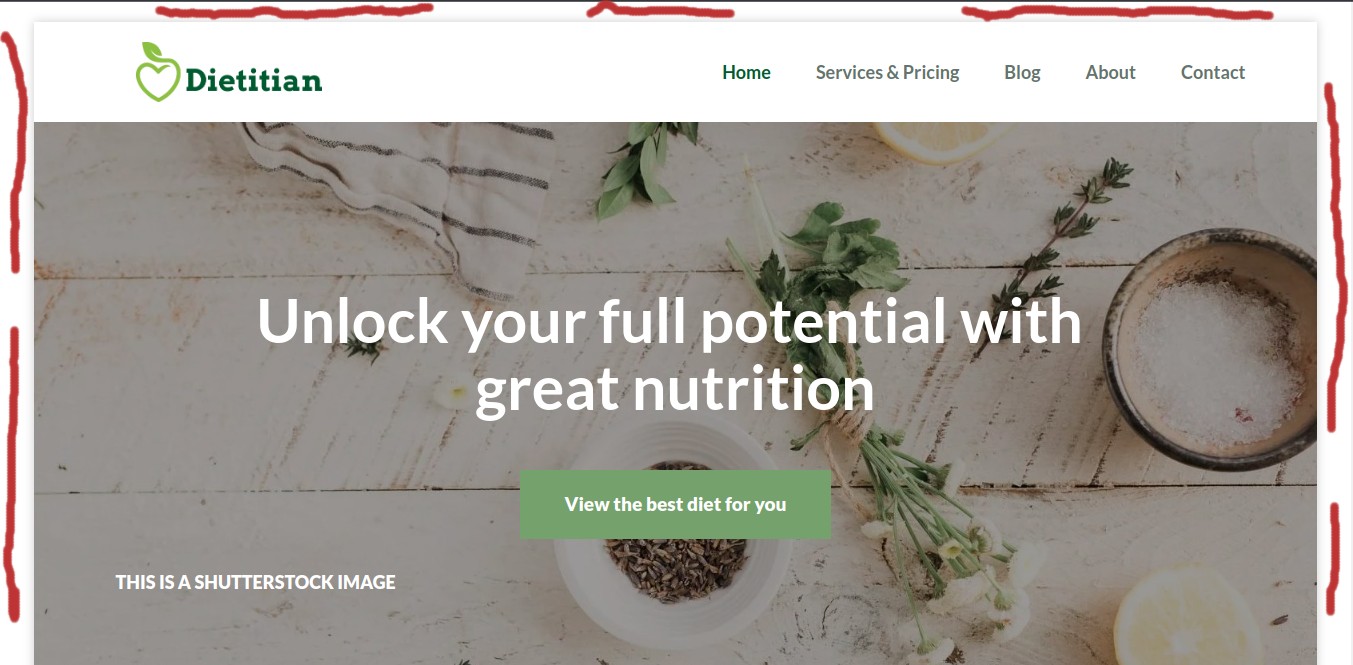
I have used the following on coded sites previously:
background-image: url('https://www.websitename/media/image.jpg');
Or can I use some kind of svg pattern?
Thank you
-

Hi Ray,
Thank you for reaching out to us.
I apologize for any confusion. Could you please clarify whether you are referring to the background for both the header and the hero section? Providing an example of a website layout you have in mind would be helpful for us to better understand your request.
Best regards,
Ariel H.0 -
Probably best if you see the project.
Take a look at the project. I want change the red background for a repeating pattern (see previous post)
0 -
Hi Ray,
We appreciate your cooperation.
To achieve this:
1. Please upload your pattern image anywhere on your page, preferably towards the bottom.
2. After uploading the pattern image, hide it from the Desktop, Tablet, and Mobile views.
3. Preview the page to manually copy the image link using the Google inspector.
4. Set padding to and the repeating background image to .brz .brz-mm-wrapper.For reference, you can find an example on this website - https://avocado18945320.brizy.site/
.brz .brz-mm-wrapper:not(.brz-mm-wrapper_blocking), .brz.brz-mm-wrapper:not(.brz-mm-wrapper_blocking) {
    overflow: visible;
    margin: 50px;
    background: url('https://cloud-1de12d.b-cdn.net/media/iW=357&iH=357&oX=0&oY=45&cW=357&cH=268/b5bda5a57106e96a75ddabc7b13e5a8a/more-leaves-on-green.png') repeat;
}
5. Place this CSS in the code tab within Project Settings.
For your reference, I've created a short screencast, which you can view at this link: https://youtu.be/A6EoannGOWg
We hope this information is helpful.
Best regards,
Ariel H.0 -
Great that looks okay, and a quick test seems understandable. I will need to follow this in full,
Very comprehensive answer, thank you.
0
Please sign in to leave a comment.
Comments
4 comments