Global Blocks Won't Load in Templates

I went to edit a template built months ago to find that the header and footer blocks had disappeared and now refuse to reload.
-

Hi Michael,
Thank you for reaching out to us.
It appears that the problem you're encountering is probably a result of a conflict. We kindly request you to attempt the following steps to see if they can provide a resolution.
- Deactivate one plugin at a time and check if the issue is resolved after each deactivation. This will help identify if the problem is caused by a specific plugin.
- Temporarily switch to a different theme and observe if the issue persists. This will help determine if the theme is causing the problem.
If the above steps do not resolve the issue, we kindly request temporary access to your WordPress Admin credentials. Please add us as a user to your WordPress Dashboard and send the following details to communitysupport@brizy.io:
Community Post link: https://support.brizy.io/hc/en-us/community/posts/14561905067666
WordPress Admin URL:
Username:
Password:
Also include the name of the template having the issue.Please ensure that you have a full backup of your website before granting access, as a precaution.
Best regards,
Ariel H.0 -
Ariel -
I am now experiencing this on at least (2) sites and this is not the first time I have had this exact problem. It seems to always come directly after you have executed an upgrade.
Here is one of the two sites in trouble today:
0 -
I am currently working in the Microfiber Header Template.
0 -
Hi Michael,
Thank you for your cooperation.
We tried to access this template, but it looks like you're still working on this page.
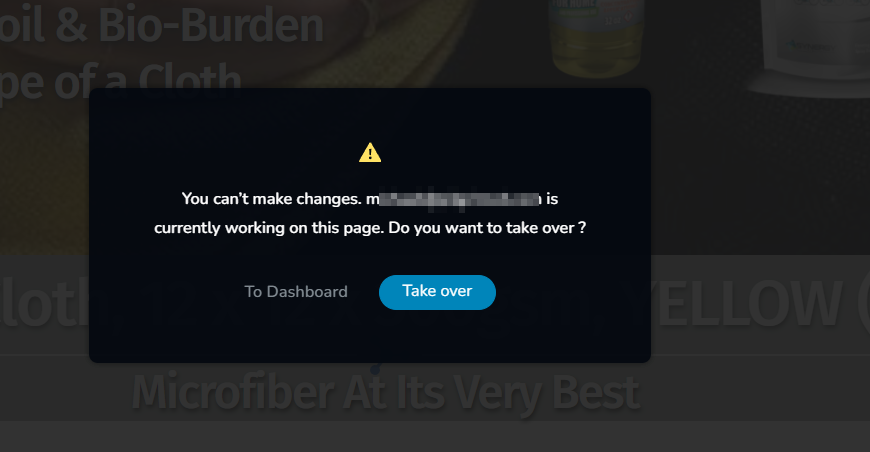
Would it be possible for you to temporarily close it so that we can check it?
Best regards,
Ariel H.0 -
Ariel -
I have moved into a third site to work on adding this month's posts and the SAME thing is happening there. The plugins haven't changed, the template hasn't been altered but the Global Blocks are gone and cannot be installed. Here are the credentials:
0 -
I was able to correct the issue with No-NonScents by clearing out all of the display conditions (which I don't remember adding) and rebuilding them.
0 -
The same technique worked for ClO2Tablets.com. It appears that if you do not preset the diplay conditions to ALL from the start, it will max out at a certain number of pages and posts.
0 -
so sorry, you are welcome to take over. Respectfully, Michael
0 -
Hi Michael,
Your fix was accurate. First, you'll need to remove the global settings and delete the block. Otherwise, it will be added to all pages where the display conditions were applied.
If you have any additional questions, please don't hesitate to reach out to us.
Best regards,
Ariel H.0 -

I'm experiencing the same problem, this doesn't fix the issue for me.
To clarify, I can add global blocks to Brizy templates and they appear on the live site, they just aren't displayed in the editor.
I'm having the same problem on a fresh install on the Twenety-Twenty-Three theme with only the latest versions of Brizy and Brizy Pro active.
0 -

Hello Dustin
Kindly switch to Blocksy as your theme to see if it fixes the problem. Another option would be to save your template design as a layout and start over with a new Brizy Template to see if that fixes the problem.
Please contact us again if none of the above hacks work. To provide further assistance, we will need access to your WordPress Dashboard.
0 -
Hi George,
No change with Blocksy.
How can I provide WP access for you?
0 -
Hi Dustin,
Please add a new user to your WordPress Dashboard and send the following details to our email: communitysupport@brizy.io
- Community Post link: https://support.brizy.io/hc/en-us/community/posts/14561905067666
- WordPress Admin URL:
- Username
- Password
Please let us know here when you send us the email.
0 -
Details sent, thank you!
0 -
Hi Dustin,
Thank you for the update.
The issue appears to be occurring when selecting Specific Templates, but when you set the display conditions to All, the global header appears in the Template.
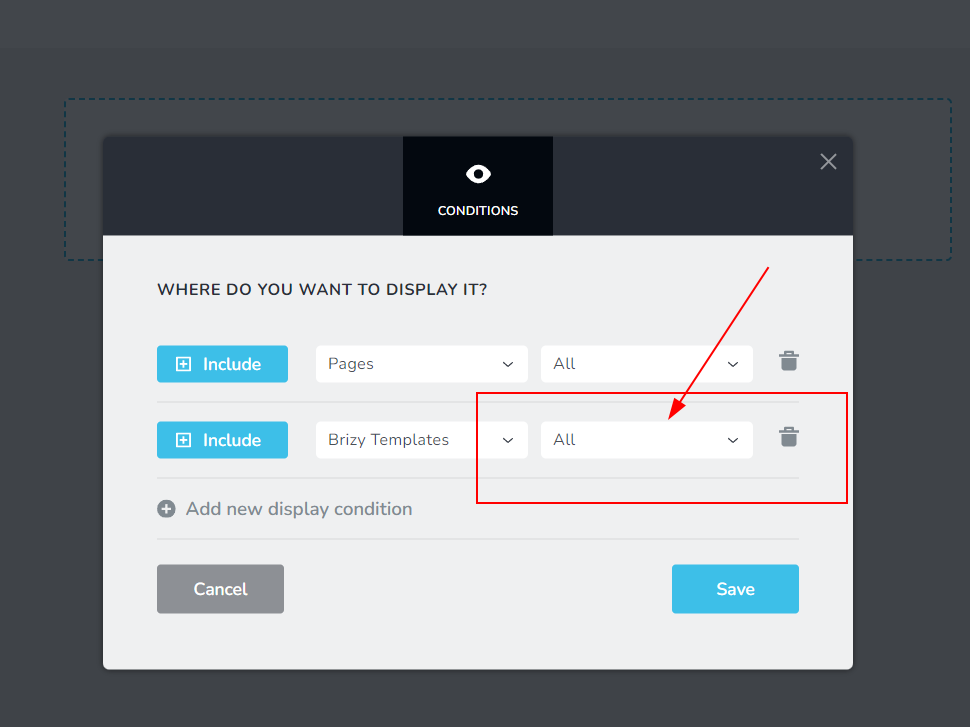
This appears to be a glitch in the recent update. We will look into this further and escalate this to our developers.Best regards,
Ariel H.0 -
Update: This is partially fixed in the latest plugin versions Brizy 2.4.31 and Pro 2.4.28.
After adding an Include All rule, you can then put in excludes for individual templates, however the excluded global elements are still displayed in the editor which can be really confusing.
I make use of global blocks and template rules extensively. The current situation is pretty frustrating for my clients (and me).
0 -
Hi Dustin,
Thank you for keeping in touch.
Unfortunately, the issue is still ongoing. Rest assured, our team is actively working towards resolving this problem. We will reach out to you as soon as we have an update or a fix available. Thank you for your understanding and support.
Best regards,
Ariel H.0 -

Is there a Brizy version we can go back to that doesn't have this problem?
0 -
Hi,
Thank you for reaching out to us.
Please try these versions.
Best regards,
Ariel H.0 -
Thank you but the issue is the same I can't see the global block in a template with brizy edit. Also the suggestion Dustin to set it the display condition to all is working, but then I can't always select a brizy template to exclude other templates. In some situation it works in others it doesn't select the Brizy Template option.
0 -
Hi,
Thank you for the update.
Sometimes, this problem can occur when there are too many display conditions. If you notice that there is a display condition for each individual page, try deleting the page-specific display conditions and instead add a single condition for all pages, posts, or any other applicable content. This should help reduce the number of display conditions and potentially resolve the issue.
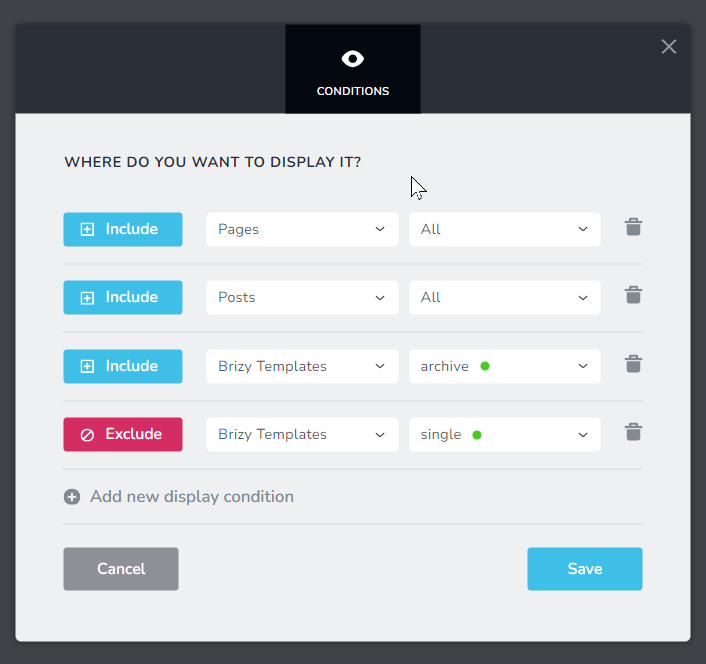
Best regards,
Ariel H.0 -
@T. KUPERUS: I've ended up living with the problem for now on most sites.
Downgrading to brizy.2.4.27 and brizy-pro-2.4.24 is the last combination that works for me.
I found the downgrade broke buttons requiring me create fresh sections and copy/paste the content to make them work. There might be other issues I haven't found so make sure you backup!
0
Please sign in to leave a comment.
Comments
22 comments