SMTP Outlook

Again, im trying to set up a contact form using the SMTP option with an outlook account.
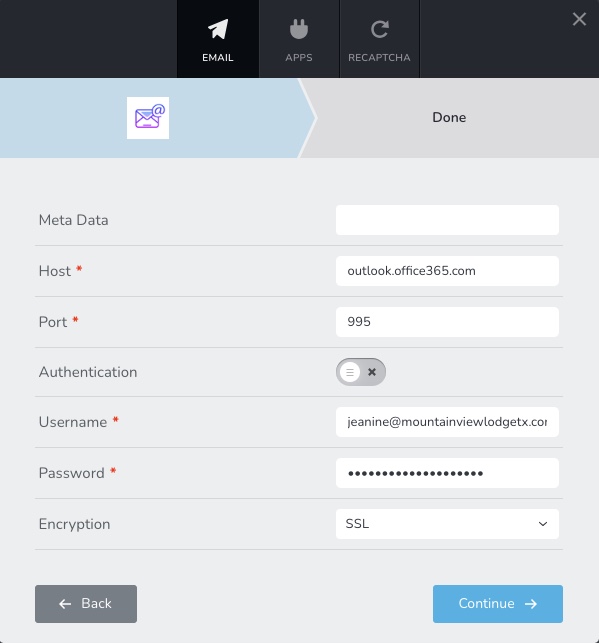
I have filled out all the required fields INCLUDING the correct host and port information.
I am using the correct username. I am using the correct password. Yes, Brizy is updated. Yes i have done all the routine trouble shooting. So please do not respond with any questions about the username or password or asking me to "update Wordpress" or "update brizy". Im trying to save us all some time here.
What is the problem here? This seems to be a common issue....
Here is a link to the site and I'm attaching some screenshots.
https://wordpress-423473-3767928.cloudwaysapps.com/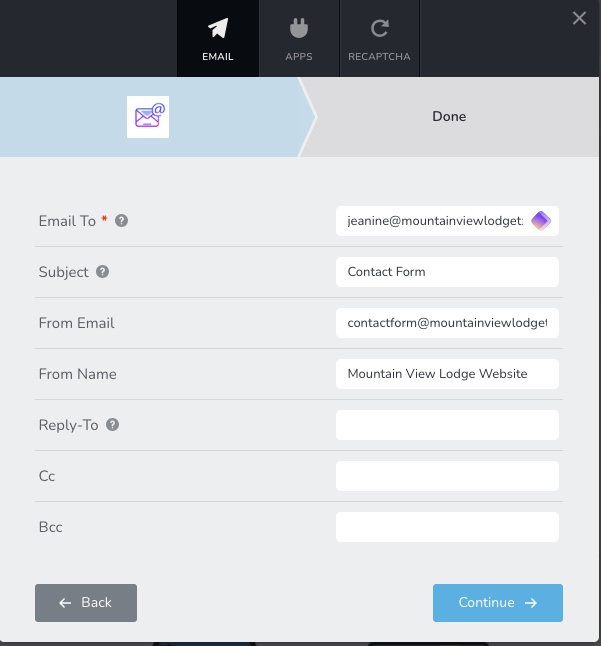
-

Hi Jonathan,
As you can see here POP, IMAP, and SMTP settings for Outlook.com please use these settings for sending email notifications using Outlook SMTP server
- SMTP Host: smtp-mail.outlook.com
- Port: 587
- Encryption: TLS
Please test your SMTP settings using this service https://www.gmass.co/smtp-test If you see an error message highlighted in red color, please share with us the error message.
0 -
I really wish that some of you worked USA hours.
I updated the details you listed above and I'm getting this error in red still. This is day two of this simple issue going on.
Im getting really fed up with Brizy lately.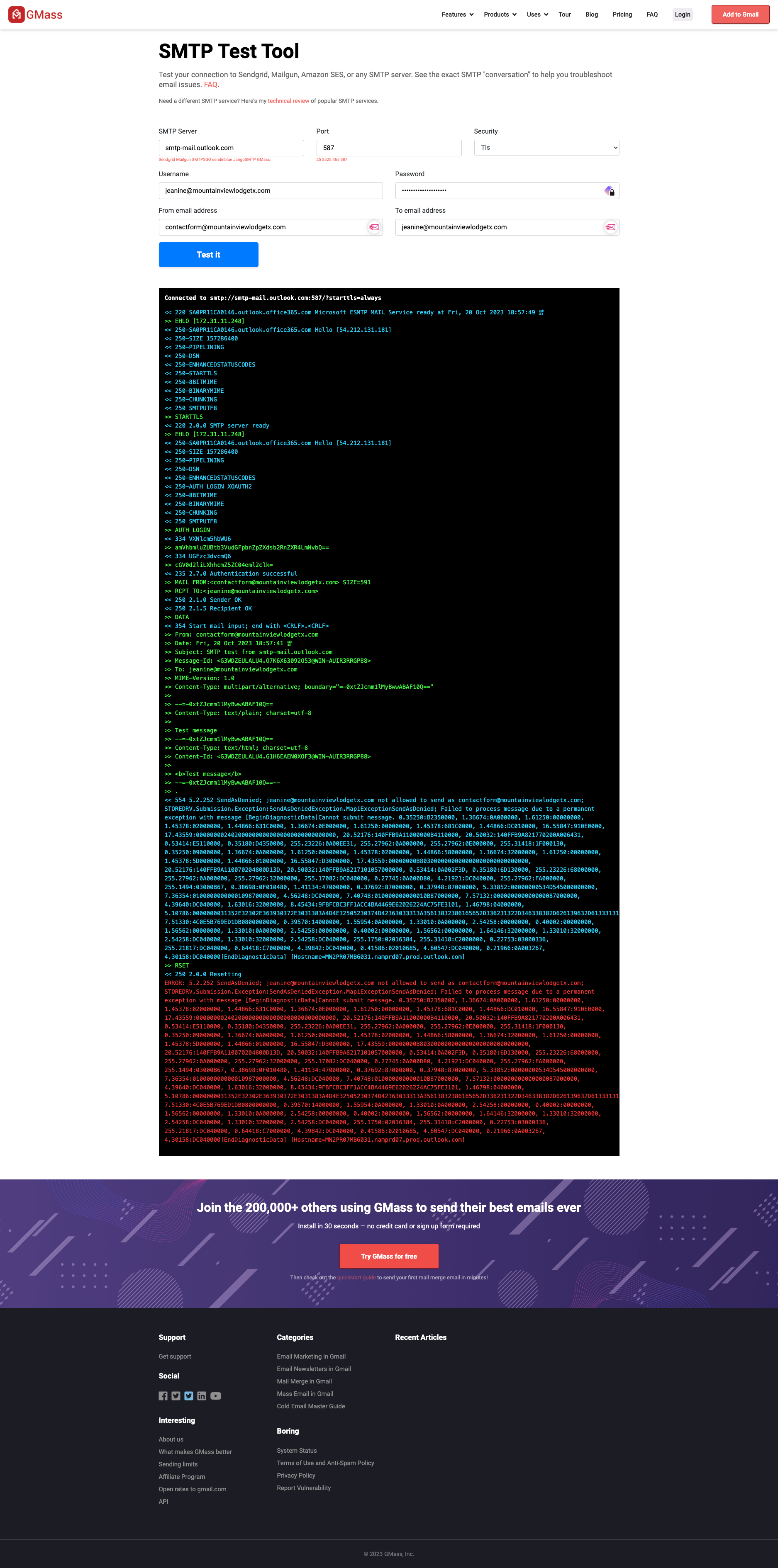 0
0 -
Hi Jonathan,
The error message reads "SendAsDenied; jeanine@...............viewlodgetx.com not allowed to send as contactform@...........viewlodgetx.com"
This indicates that the Outlook.com SMTP server does not permit you to use one email address to authenticate yourself and another as your 'From Email'. Hence you must use jeanine@.........viewlodgetx.com as your 'From Email' as well.
Please try these settings. Please ensure to enable authentication.
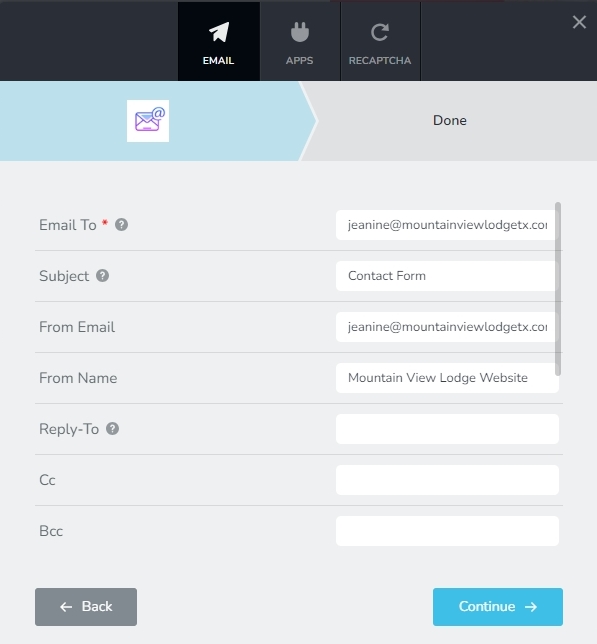
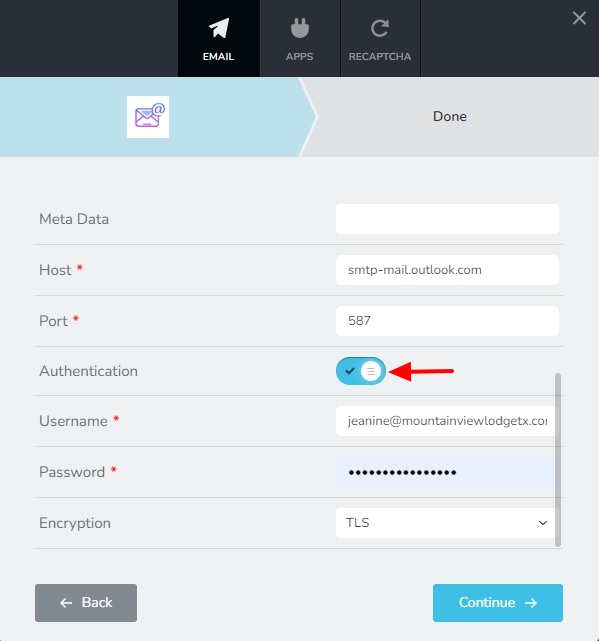
If your form successfully delivers email notifications following these changes, kindly let us know.
As you can see, the delay was brought on by a failure to comply with the SMTP guidelines established by Outlook.com (and not something to do with Brizy). By the way you created this post 21 hours ago and hence we are still in Day 1.
Please get in touch with me through Messenger (we are already connected) if you need a quicker turnaround time. If you prefer, we can have a Zoom call.
0
Please sign in to leave a comment.
Comments
3 comments