
Hello,
I'm trying to connect the final form of my landing page with the thank you page I've created and my email address but it doesn't work everytime it says "Error". I've double checked all the steps, the re-direct link is fine and the email notifications has the green tick. Is there something I missed?
-
you can check at www.proshare.it
0 -

Hi Alessio,
Thank you for contacting us.
I have inspected your site; however, everything appears to be working at my end.
Please see this screencast: https://youtu.be/bX_89oMFdWUPlease try clearing your browser cache or try it in incognito mode.
Otherwise, please provide us with a screenshot of the error you have encountered.
I am looking forward to your reply.
Best regards,
Ariel H.0 -
Hi Ariel,
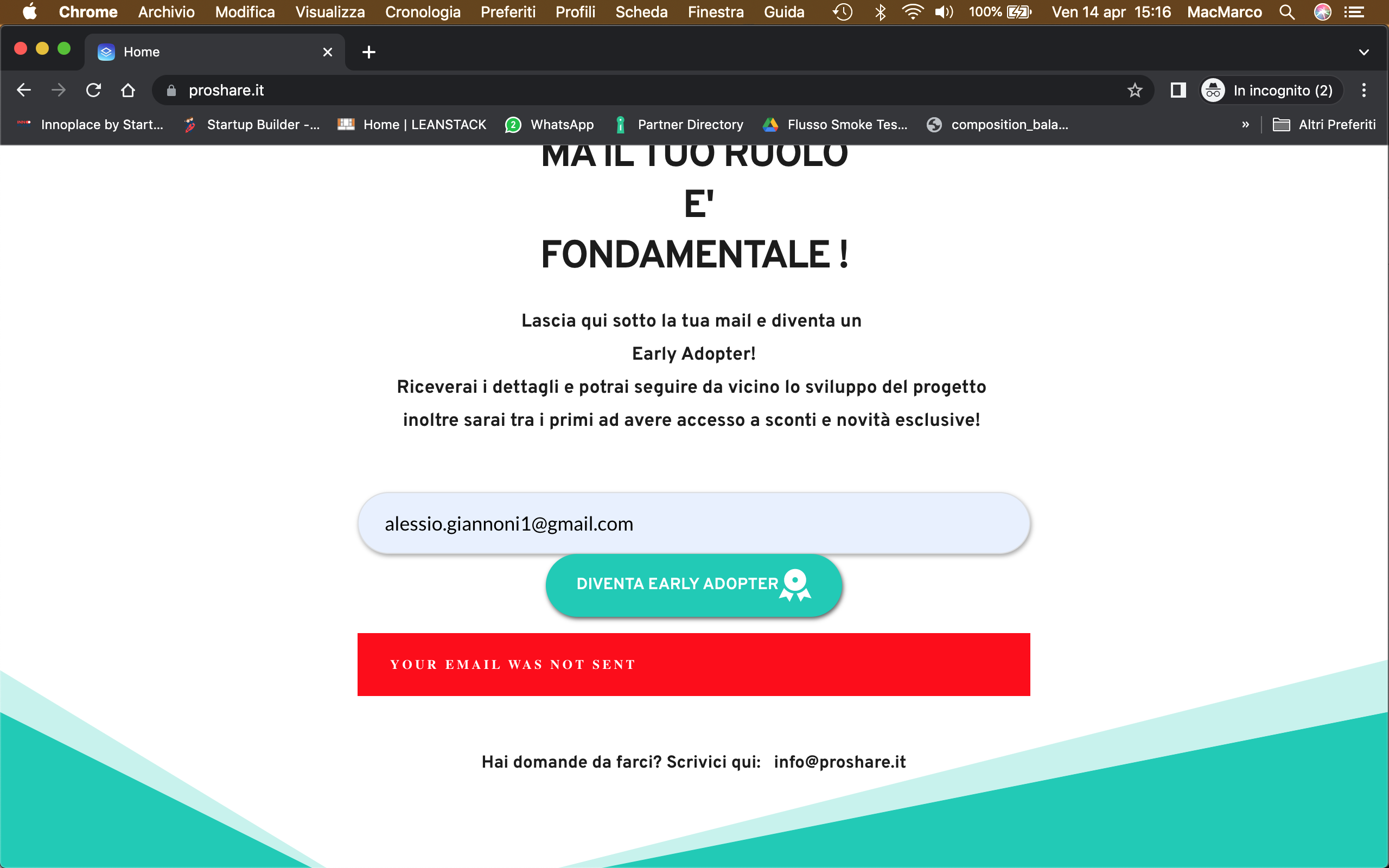
I'm trying from incognito mode on chrome, and from safari and firefox but i have always the same error message. From the mobile it works fine
 0
0 -
Hi Alessio,
Thank you for the update.
I also tried it in different browsers, but the form appears to be working.
https://youtu.be/4Z47OPKYoz8Could you please try it from another computer, you can also try it on your smartphone?
I am looking forward to your reply.
Kind regards,
Ariel H.0 -
Hello Ariel,
I tried from different browser and 3 different computers. The only devices that seems to work fine is my mobile and your computer. I also tried to change the form but it's the same story. Looking forward to solve this problem because it's the crucial part of the landing page.
Thank you in advance
Alessio
0 -
Hi Alessio,
Thank you for keeping in touch.
I also tested your site on a Mac, but everything is working at my end.
I've made another screencast for you at this link:
https://youtu.be/Xlm-p6zstYA
As you can see, it works on Safari, Chrome, and Firefox on MacOS.If it works on your mobile device, and it works on my computer, the issue could be related to your network.
Please try to flush your DNS cache - https://phoenixnap.com/kb/how-to-flush-dns-cache
Furthermore, try to temporarily disable any security software running on your Mac and see if this resolves the issue.
You can also ask one of your friends to confirm if the issue occurs on their end.Please try this and let me know how it goes.
Best regards,
Ariel H.0 -
Hello Ariel
I asked to some friends who are far away from me and also on their devices (Iphone and hp laptop) they got the error message. From my mac it doesn't work, from a windows system in the same house it doesn't work, from my iphone it works fine, but from others mobiles here and far away it doesn't work too.
I flushed the dns cache successfully and disabled every security software on my computer. Any other suggestion?
0 -
Hi Alessio,
Is your iPhone connected to a different network? Could you please try to set up a Personal Hotspot on your iPhone and connect your PC/Mac and see if it works?
https://support.apple.com/en-ph/HT204023Best regards,
Ariel H.0 -
Hi Ariel,
in this way it works. Can you explain that to me and do you know if this is an issue that my customer could have while visiting the website?
0 -
Hi Alessio,
This could be a caching issue with your Internet Service Provider.
This is best explained in this article - https://geekhost.ca/supp/index.php?rp=/knowledgebase/90/What-is-browser-caching-and-ISP-caching.htmlAnother solution that you can try is to use Google DNS or CloudFlare DNS to resolve the issue.
https://www.techbout.com/switch-to-google-dns-windows-mac-1022/
https://privacy.net/set-up-cloudflare-dns-how-to/I hope this helps.
Best regards,
Ariel H.0 -

Ciao Alessio, ho fatto ora una prova. Anche a me funziona regolarmente! Vai tranquillo
0
Please sign in to leave a comment.
Comments
11 comments